
License
Here you can activate your download manager plugin. Give your license key in License Key field and click the Save Settings button:
To get your License Key, please go to Order Details Page and click on key button to generate license key: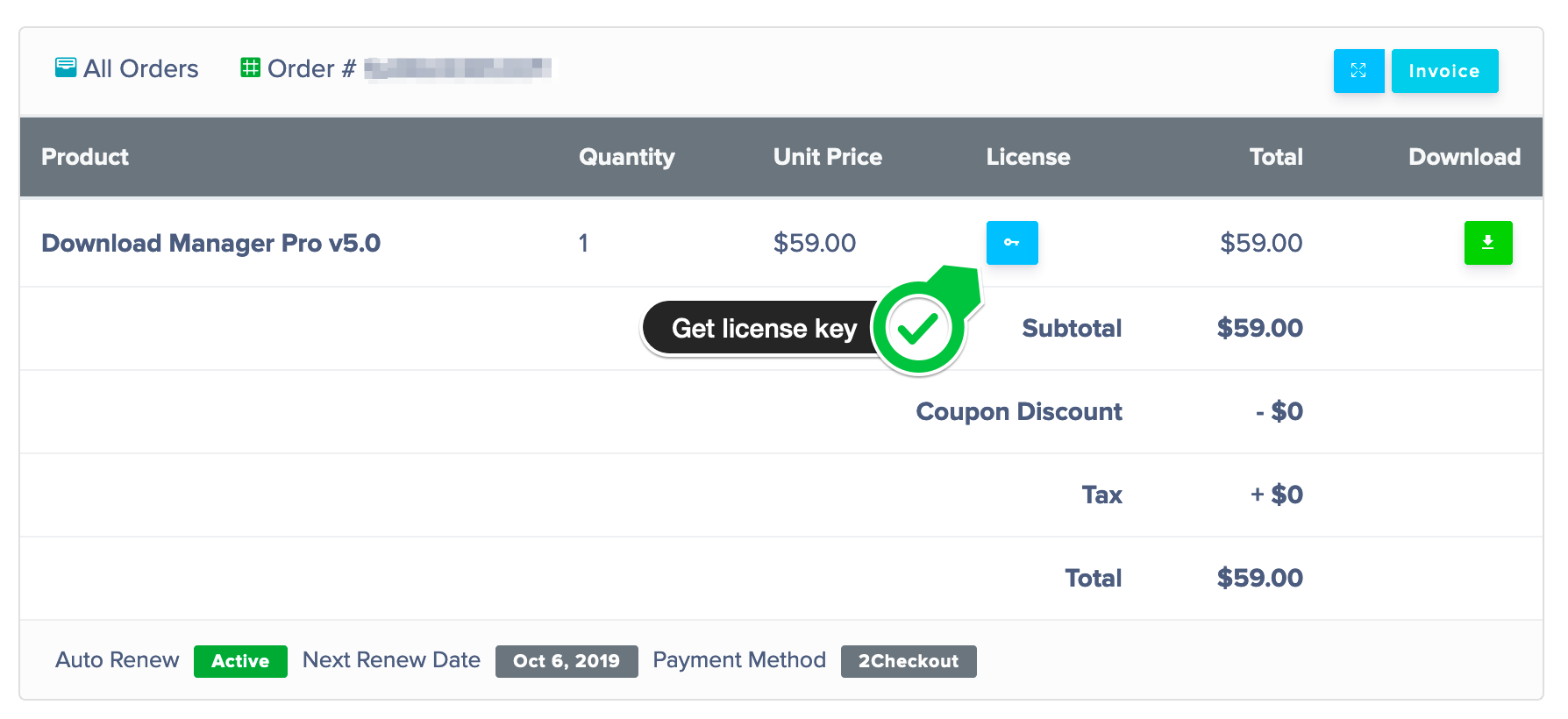
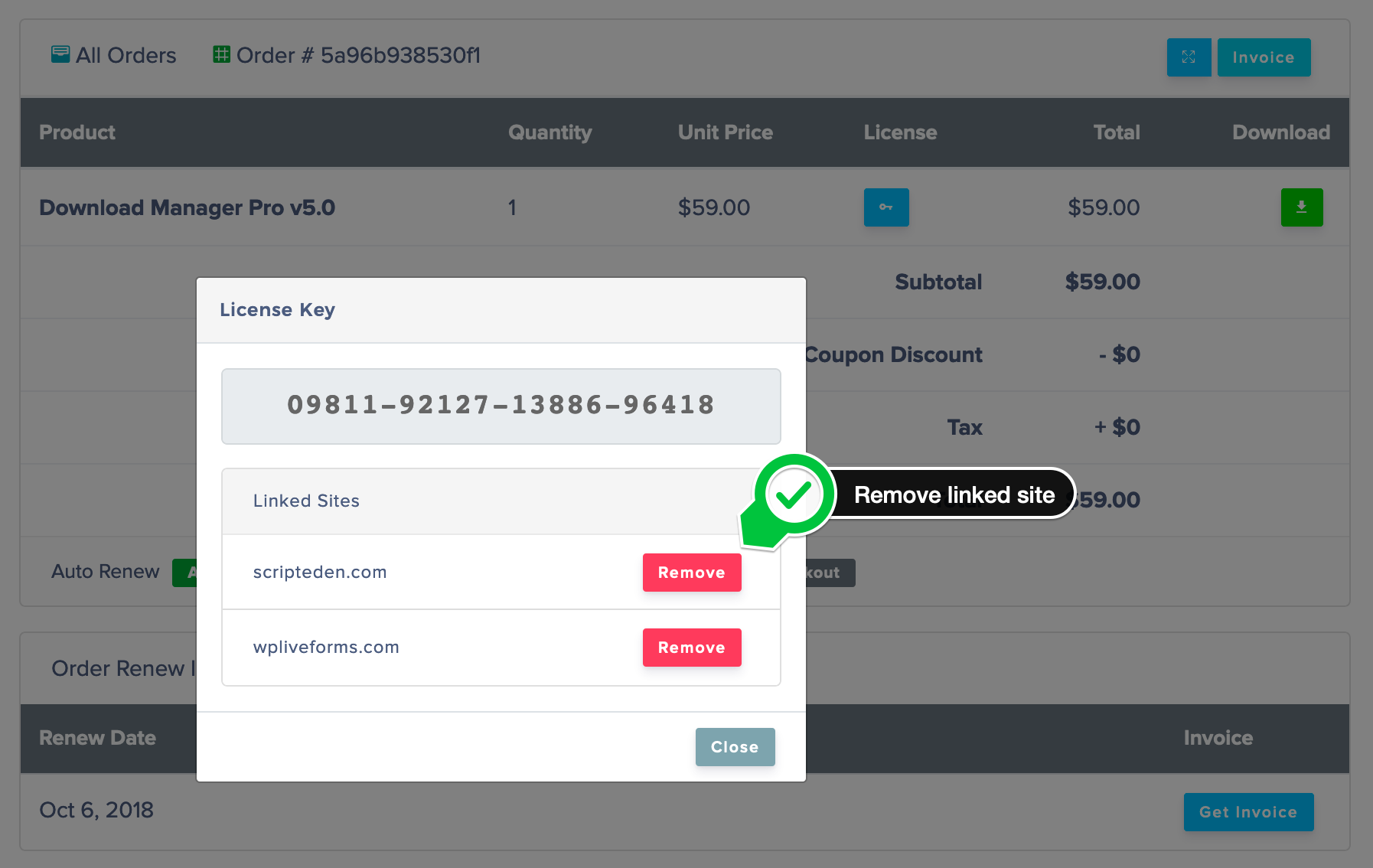
Sometimes, you may need to move your license to a different domain, like development to production, in such cases, you can remove the linked domain to use the key with a new domain.
Invalid License Key Resolution:
The license key will work with the latest version of WordPress Download Manager Pro. And if you are using a very old version, there may require a manual upgrade ( If auto-upgrade doesn’t work). Please follow the steps to upgrade:
1. Download the latest version from Premium Download Area
2. Install and activate the latest version
3. Done! ( The process will not harm your old data/settings )
From the next update, you will be able to use the automatic upgrade as usual.