Settings For Premium Package
Before using WPDM – Premium Package one need to setup different options/settings for this plugin.
Goto Downloads –> Settings of your WordPress admin panel. Select Premium Package tab, you will see settings dedicated for WPDM – Premium Package plugins.
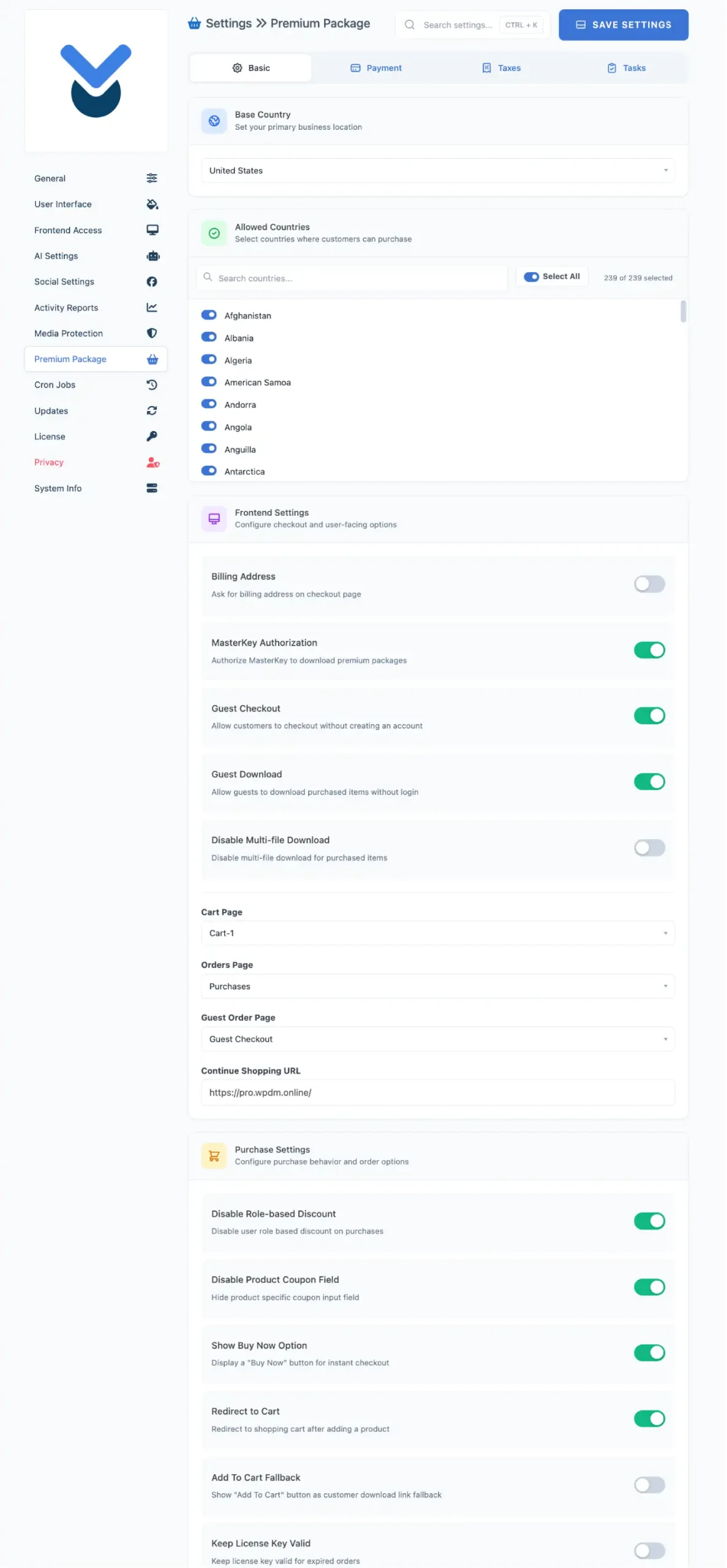
Premium Package Settings page is divided into Four sections/tabs: 1. Basic Settings 2. Payment Options 3. Tax and 4. Tasks. Bellow is the description for all four sections.
Basic Settings
- Base Country: Select Base Country here.

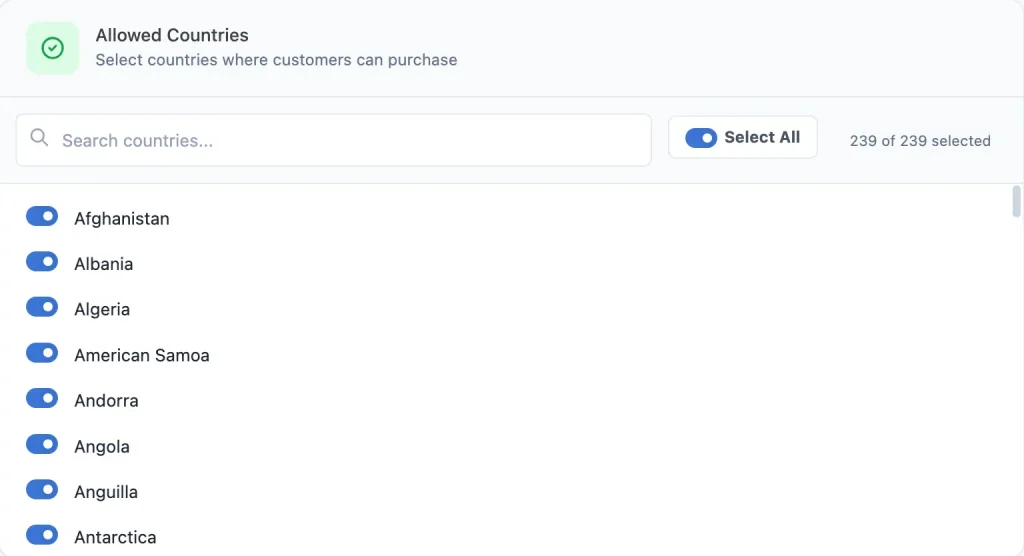
- Allowed Country: Select country/countries you want to sell your product.
- Front end Settings: Here you can define settings for front end access for Billing Address, Multi-file Download, Guest user, Cart, Order page and Continue Shopping URL etc.
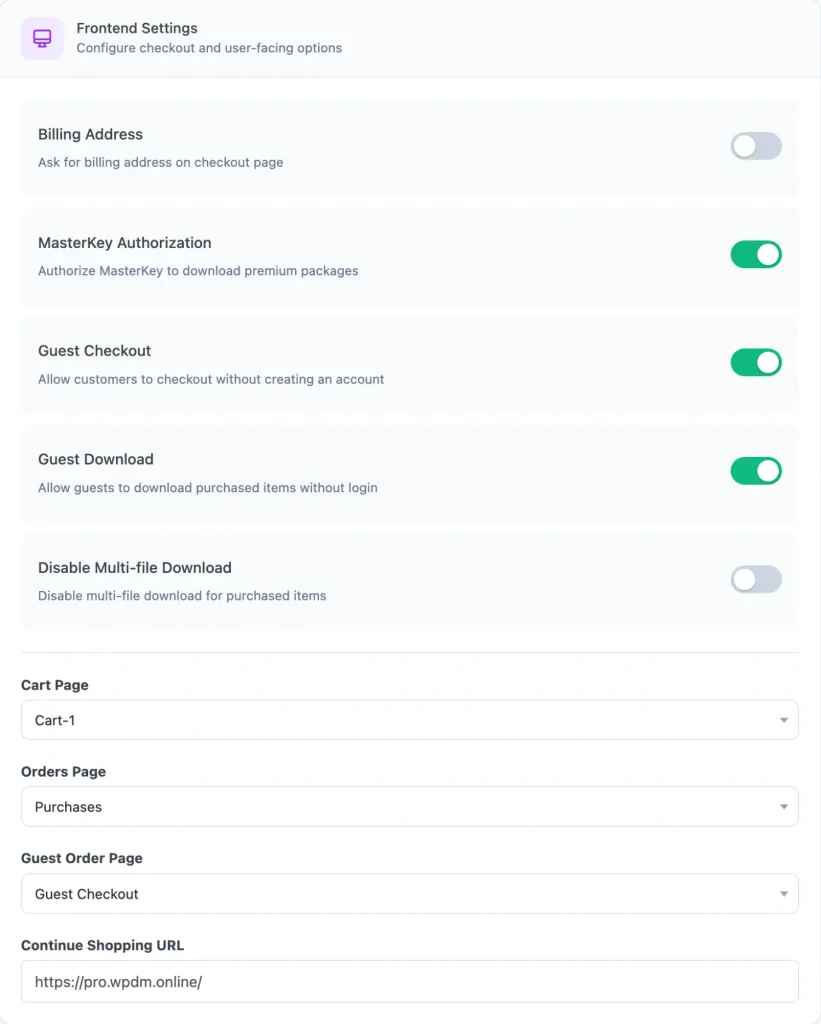
- Enable Guest Checkout: If you checked this settings, Guest User i.e unregistered users can buy products from your site.
- Cart Page : Create a page with shortcode
- Orders Page: Create a page to list all the purchases
- Continue Shopping URL : Configure the URL for continue shopping URL
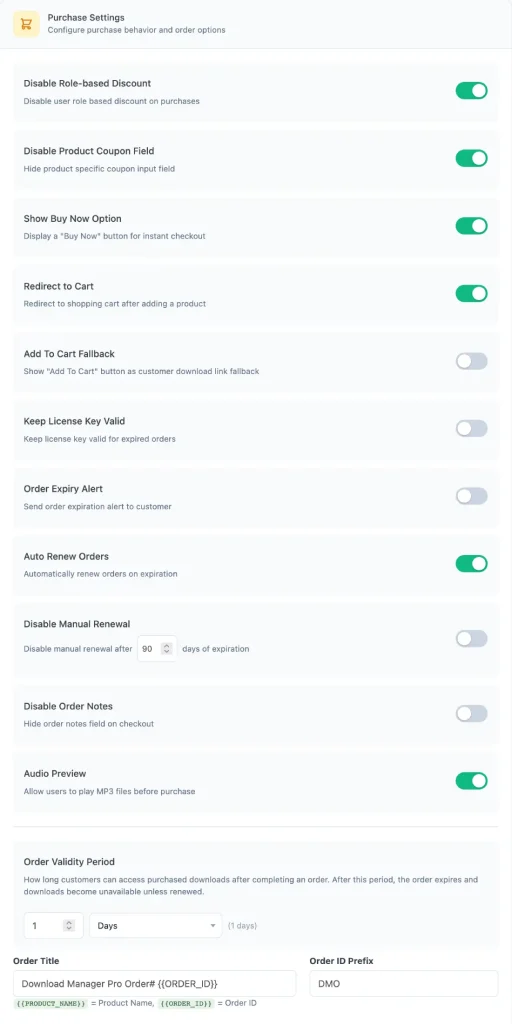
- Purchase Settings: All purchase related options can be controlled here.
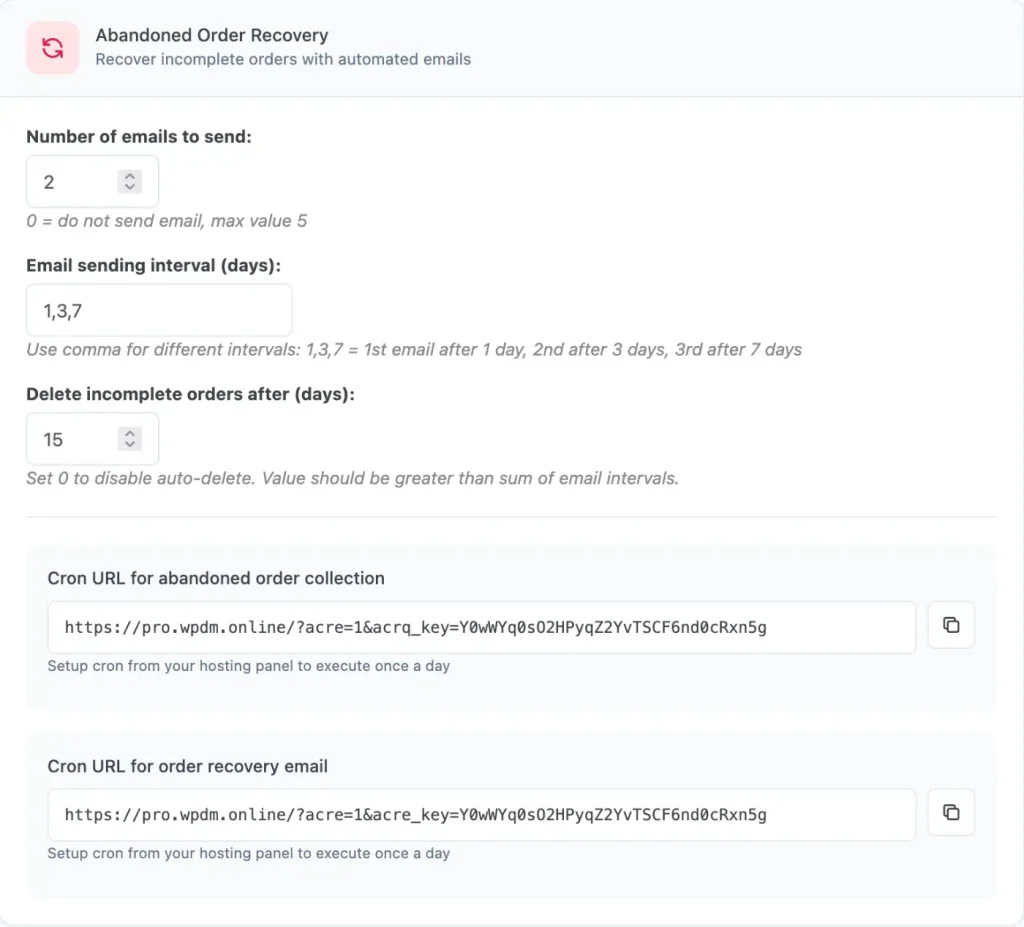
- Abandoned Order Recovery Settings:
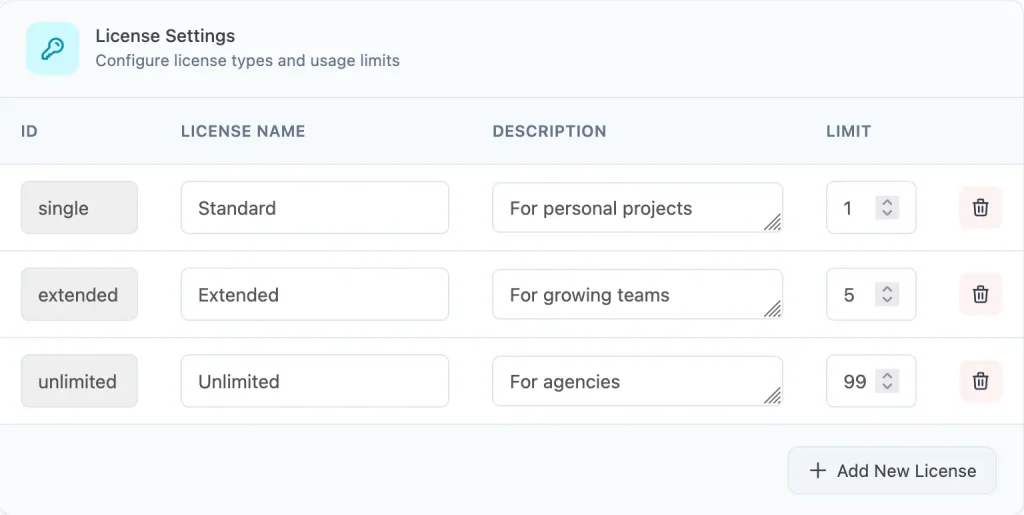
- License Settings:
- Button Settings
Add to Cart Button Label : Customize the text displayed on the Add to Cart button.
Add to Cart Button Color: Choose the color of the Add to Cart button.
Checkout Button Label : Customize the text displayed on the checkout button.
Checkout Button Color : Choose the color of the checkout button. - Invoice Settings
Invoice Logo : Upload a logo to display on generated invoices.
Signature Image : Upload a signature image for invoices.
Company Information : Enter your company name, address, and other business details.
Thanks Note : Add a thank-you message that appears on invoices.
Terms & Conditions : Specify the terms and conditions included with invoices. - Miscellaneous
Disable Frontend CSS : Prevent the plugin from loading its default frontend styles.
- Error Logging
Enable Error Logging : Record plugin errors to help diagnose issues.
Log Level : Select which types of events and errors should be logged. - Mini Cart
Enable Mini Cart : Display a floating mini cart on your website.
Auto Inject in Footer : Automatically add the mini cart to your site’s footer.
Display Style : Choose the appearance of the mini cart.
Position : Set where the mini cart appears on the screen.
Payment Settings
Payment Methods
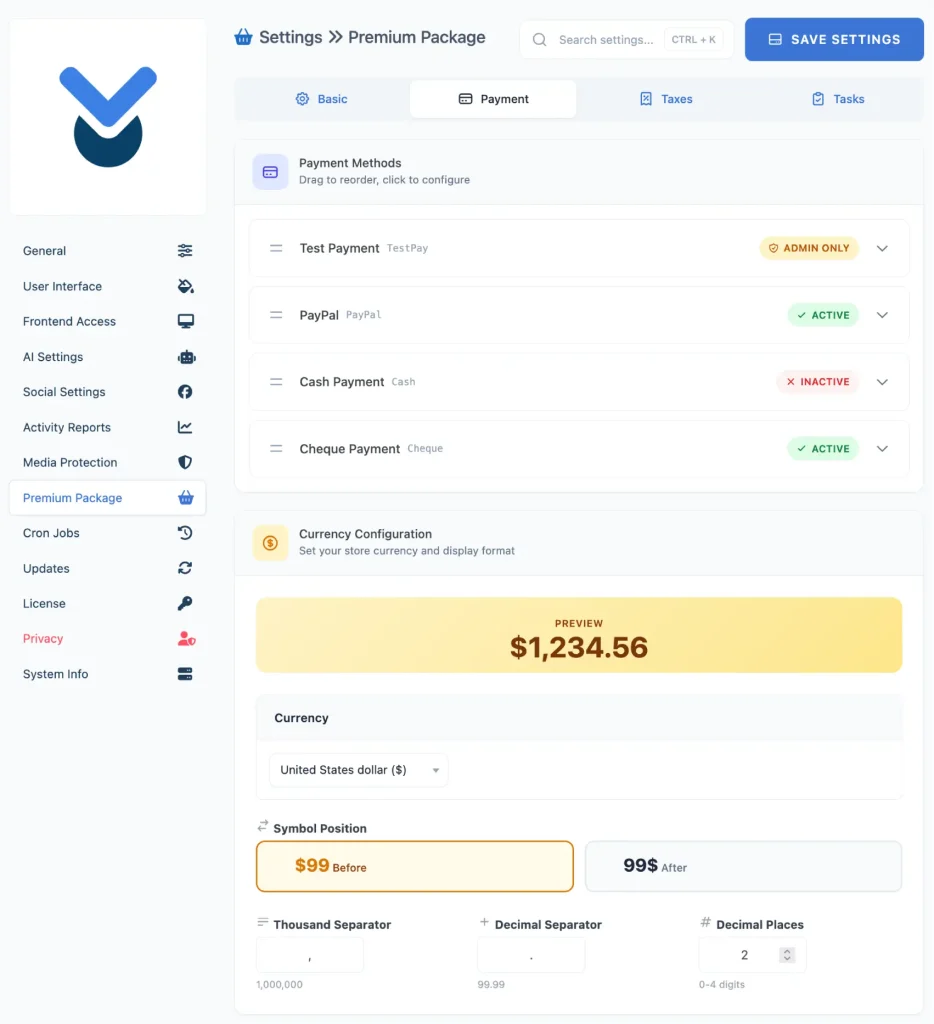
- Payment Methods : Reorder, enable, disable, or make payment methods available to administrators only.
- Test Payment : Use a test payment gateway for development and testing purposes.
- PayPal : Accept secure online payments through PayPal.
- Cash Payment : Allow customers to pay with cash or offline payment.
- Cheque Payment : Accept payments by cheque with manual verification.
Currency Configuration
- Currency Configuration : Configure your store’s currency and how prices are displayed.
- Currency : Select the default currency used for all transactions.
- Symbol Position : Choose whether the currency symbol appears before or after the amount.
- Thousand Separator : Set the character used to separate thousands in prices.
- Decimal Separator : Set the character used to separate decimal values.
- Decimal Places : Specify the number of decimal digits displayed in prices.
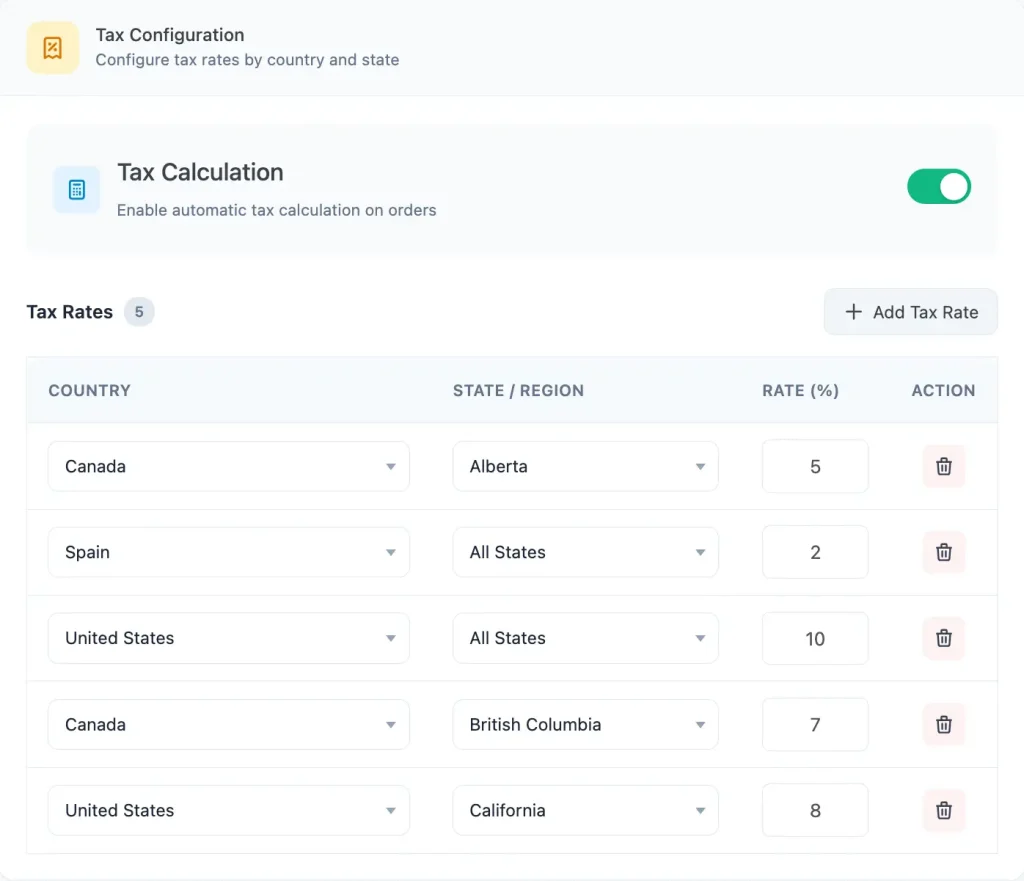
Tax Settings
Enable automatic tax calculation to apply the correct tax rates during checkout based on customer location. Configure tax rules by selecting specific countries and states, then set the percentage value that will be automatically applied to eligible orders. You can easily add, edit, or remove tax rates anytime to keep your tax configuration up to date.