
Setting up PayPal smart button for Premium Packages – Digital eCommerce plugin
2 min read
Updated Jan 26, 2026
PayPal Smart Payment Buttons enabled your site to accept PayPal payment from your customers without leaving your site.
Why PayPal Smart Payment Buttons:
- Accept PayPal and/or all major credit and debit cards – Visa®, MasterCard®, American Express®, Discover®, Diner’s Club, and JCB
- Accept Venmo (U.S.Only), presented automatically to cookied Venmo users.
- Accept PayPal Credit (U.S. only): You get paid up front; customers get time to pay.
- Accept payments in almost any currency
- Reduce security worries because payments are processed on PayPal servers.
- Allow customers to check out without a PayPal account.
- Provide customers with a fast, seamless checkout experience.
- Charge orders immediately or authorize and capture directly from your site.
Setting up PayPal Smart Button:
Please follow the video to create a PayPal app and get credentials:
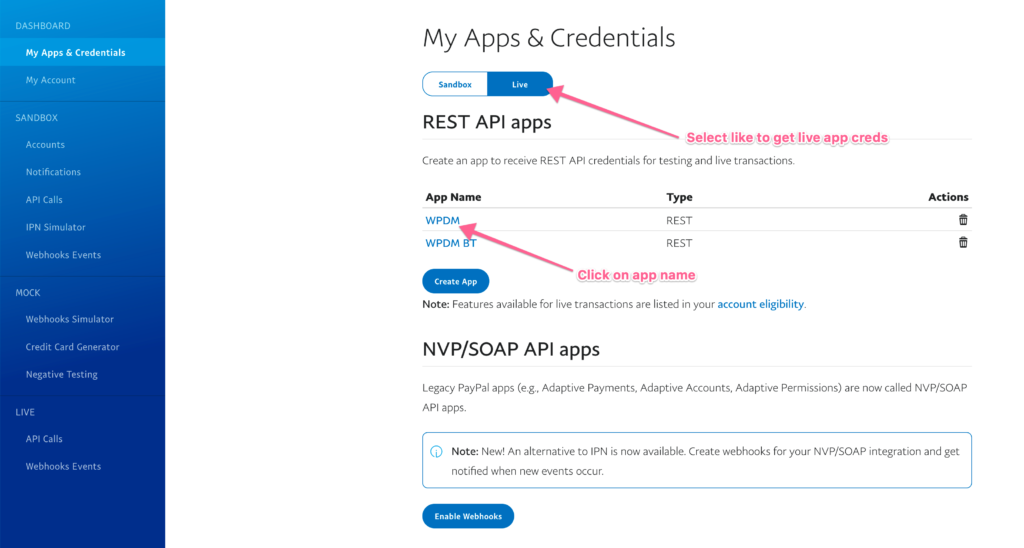
As you have seen in the video, to go the app list:
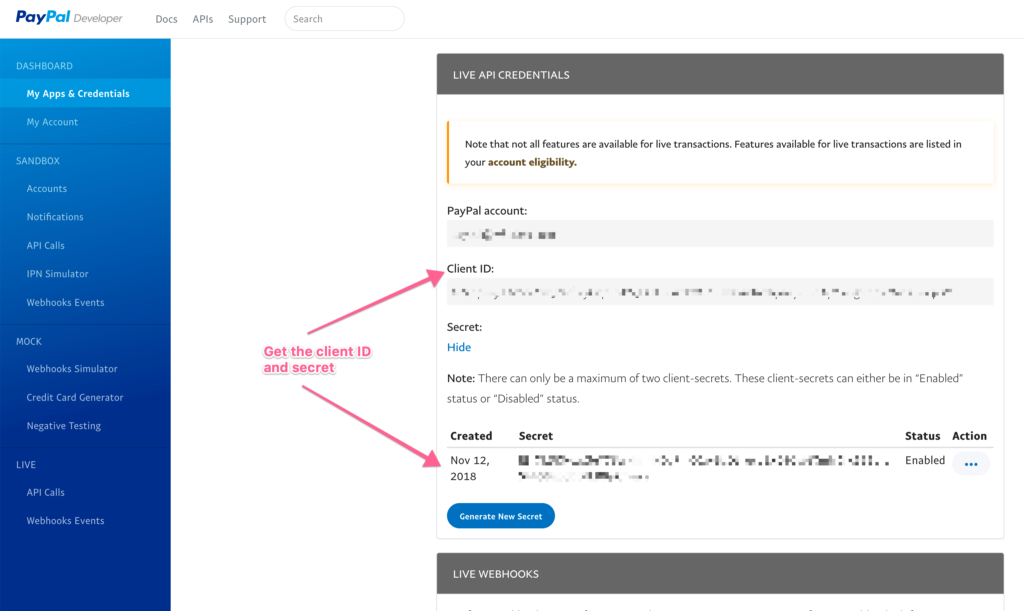
Get the client ID and Secret:
Now, go to your site Admin Menu >> Downloads >> Settings >> Premium Packages >> Payment tab:
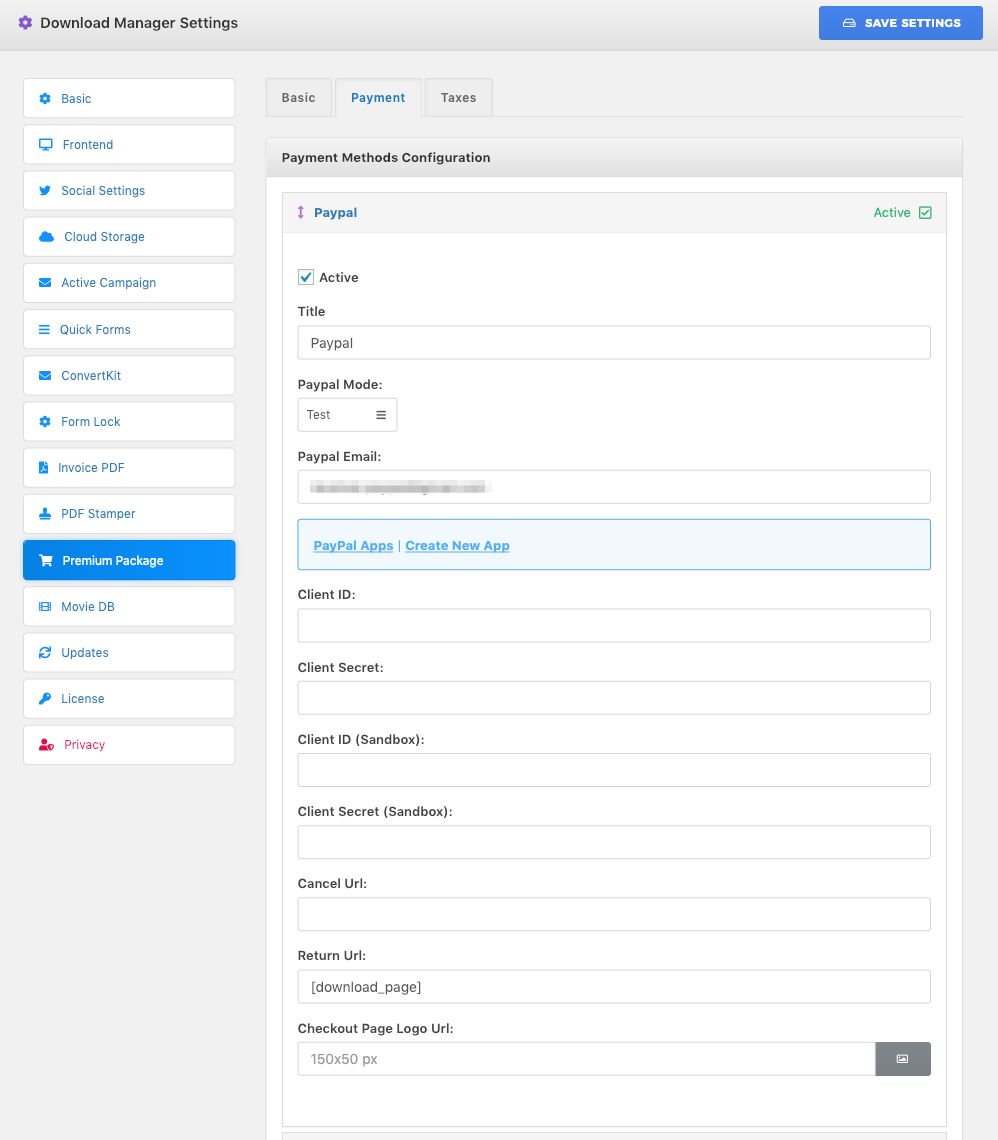
Copy “Client ID” and “Client Secret” from your PayPal app to premium package PayPal config options.
And get your sandbox API credentials from here https://developer.paypal.com/developer/applications/
Finally, click “Save Settings” button and it is ready.