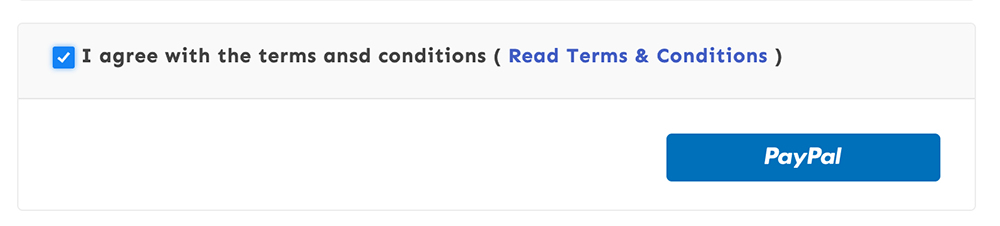
Enabling terms agreement checkbox on checkout page
1 min read
Updated Jun 19, 2021
You may need your customers to agree with certain terms and conditions before they complete their purchase. Please follow the steps to activate mandatory terms agreement checkbox on the checkout page:
- Create a terms and conditions page from Admin Menu ► Pages ► Add New.
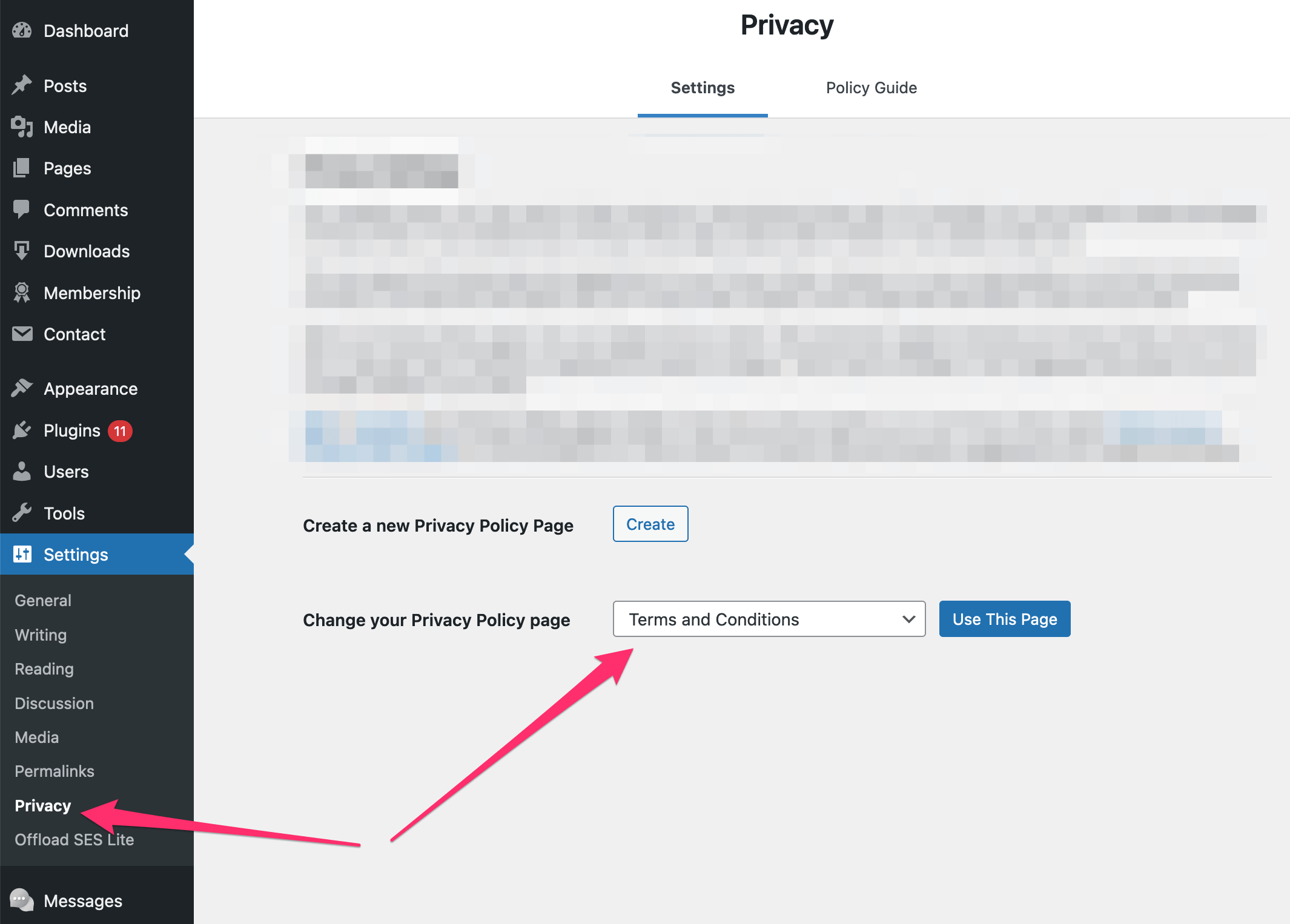
- Select the terms page from Admin Menu ► Settings ► Privacy:
- Now, enable terms agreement on the checkout page from Admin Menu ► Download ► Settings ► Privacy:
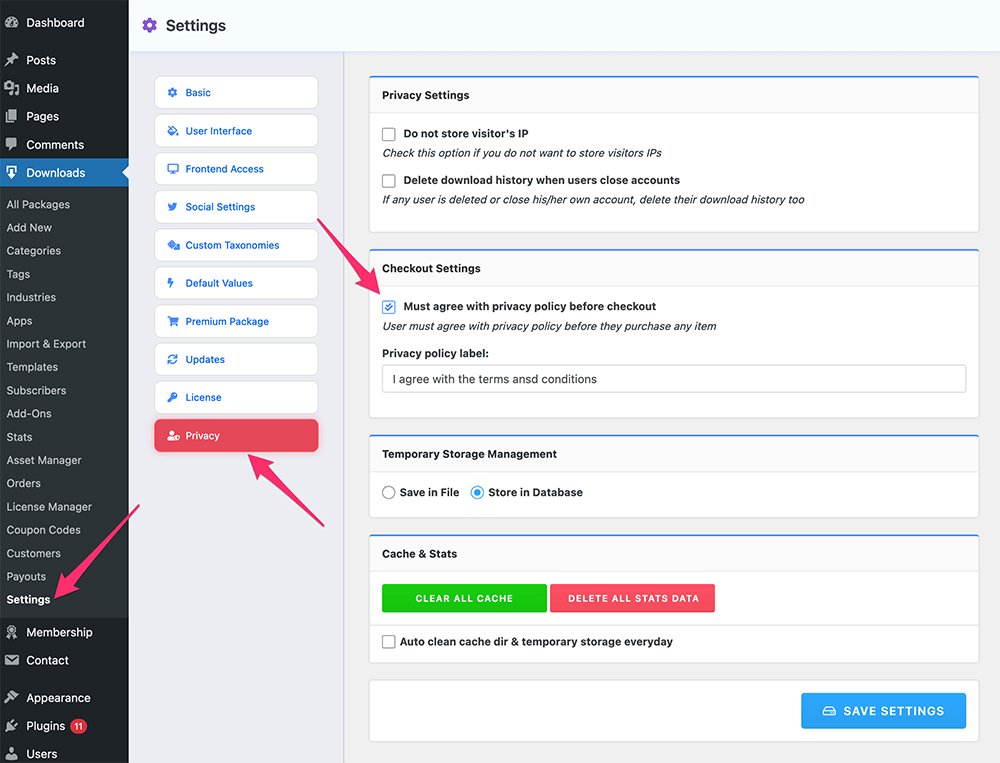
- And Save Settings.
- From now on, your customers must need to agree with terms and conditions before they complete their purchase: