
License Manager
2 min read
Updated Jan 26, 2026
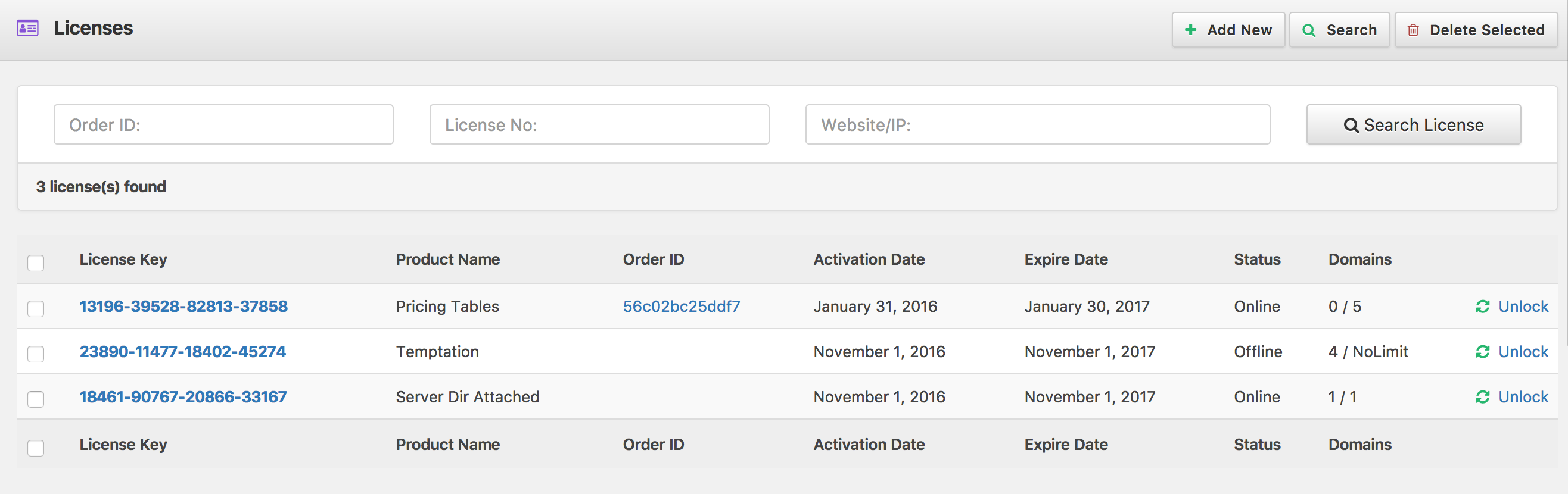
Here you can manage licensing for your package. You can view all license along with allocated domain, edit any existing license, activate or deactivate any license here.
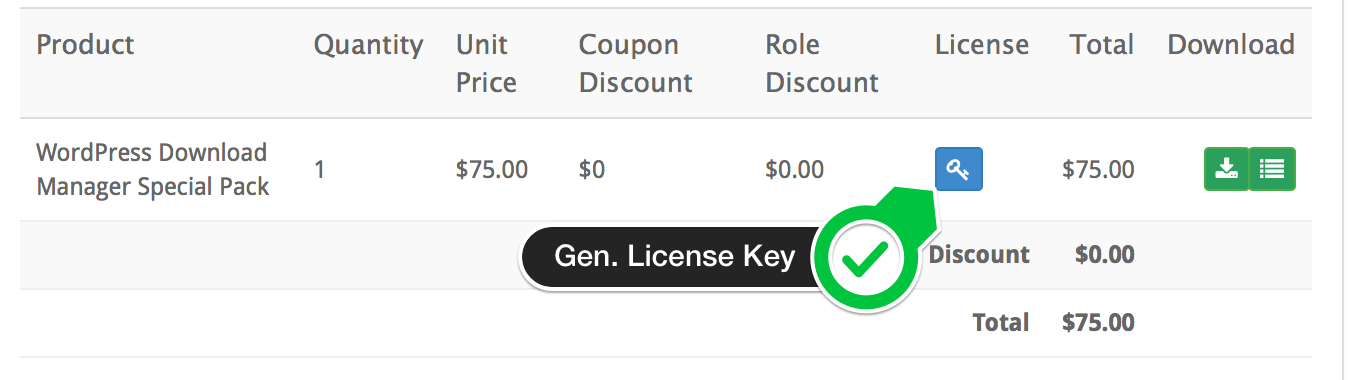
Customers can generate and copy license key for their purchased items from order details page:
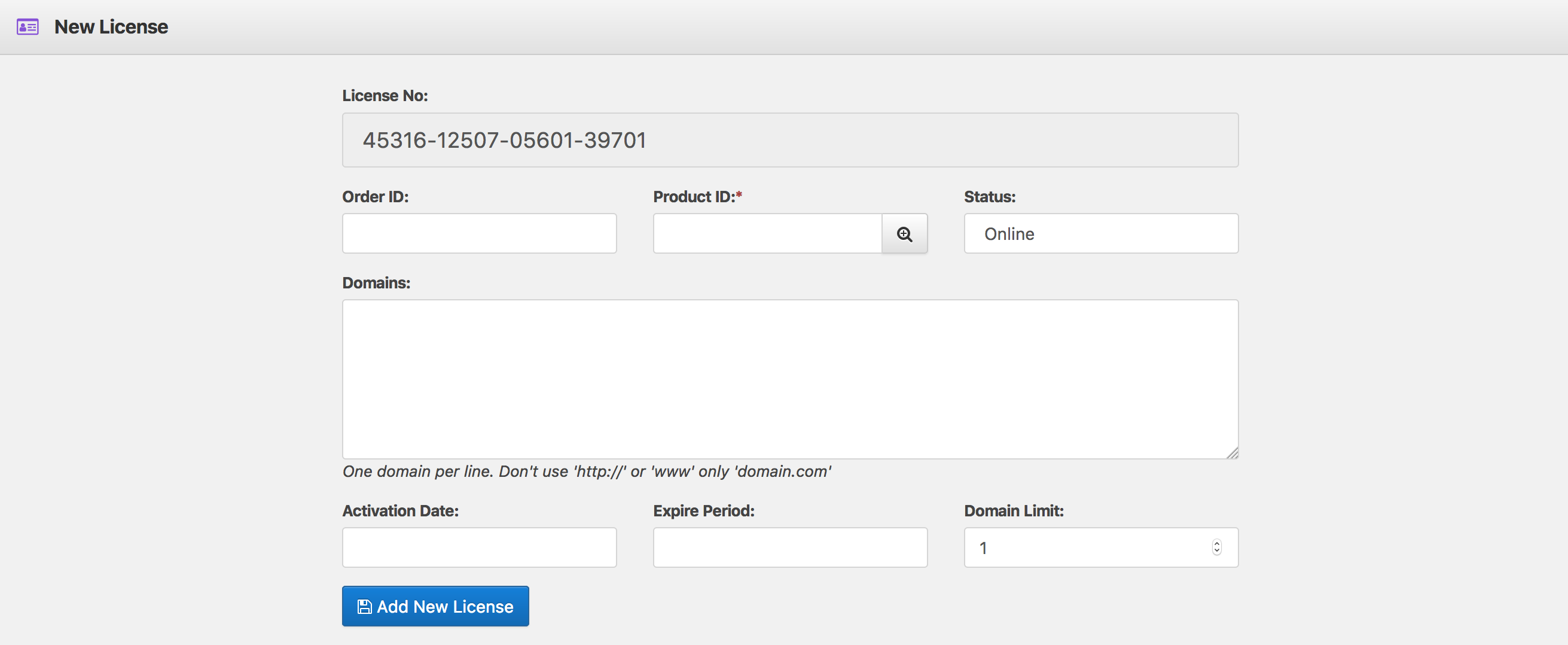
You also can add license key for a product from here:
Integration:
Integration of licensing system is real easy. You can find the license server url and other required parameterto validate license from here:
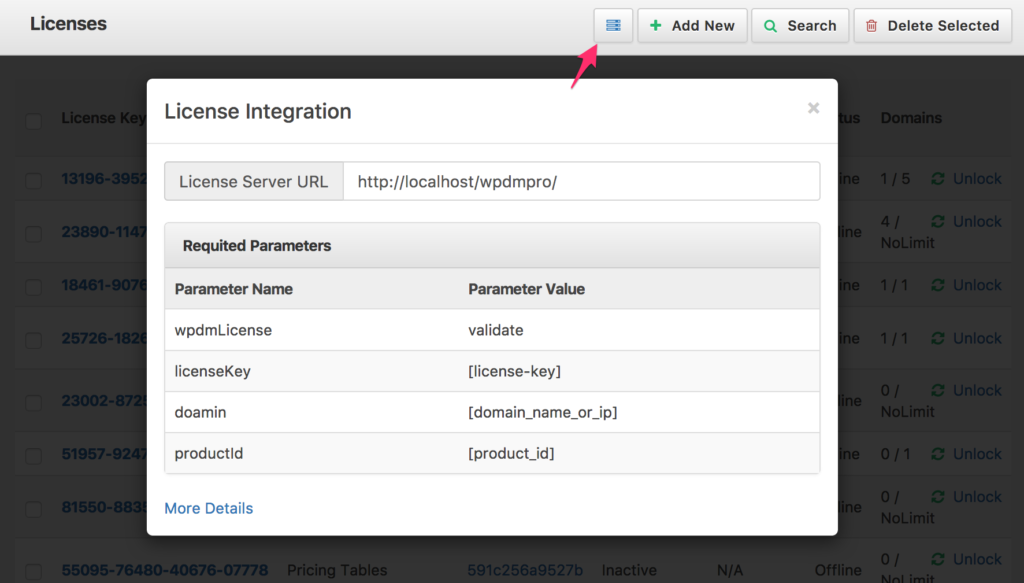
Now, using the above pamareters, here is an example request:

And the code to send license validation request using PHP:
<?php
function validate_license($licenseKey){
   $license_server = "http://localhost/wpdmpro/";
   $domain = $_SERVER['HTTP_HOST']; // domain name or IP
   $productId = 'PRODUCT_CODE'; // Your Product Code, if you don't add any product code your prouduct, you also can skip it here
   $ch = curl_init();

   curl_setopt($ch, CURLOPT_URL,$license_server);
   curl_setopt($ch, CURLOPT_POST, 1);
   curl_setopt($ch, CURLOPT_POSTFIELDS, "wpdmLicense=validate&domain={$domain}&productId={$productId}&licenseKey={$licenseKey}");
   // receive server response ...
   curl_setopt($ch, CURLOPT_RETURNTRANSFER, true);
   $server_output = curl_exec ($ch);
   curl_close ($ch);
   return json_decode($server_output);
}
$response = validate_license('1234-1234-1234-1234');
if($response->status == 'VALID') {
 // License is valid
}
if($response->status == 'INVALID') {
 // License is invalid
}
if($response->status == 'EXPIRED') {
 // License is expired
}

?>
So, what you need to do is, post the following data to your license server.
Valid Response:
{
  "status": "VALID",
  "expire_date": "0",
  "activation_date": "1477958400"
}
Error Response:
{
  "status": "INVALID | EXPIRED",
  "error" : "ERROR_MESSAGE"
  "expire_date": "1477958400",
  "activation_date": "1477958400"
}