
Adding A New Package
1 min read
Updated Aug 4, 2026
Adding a new package in WPDM – Premium Package is similar to adding a new package in the Download Manager Pro plugin. The only difference is that you also need to configure the settings specific to the Premium Package add-on. For adding a new package for Download Manager Pro you can refer to this post Add New Package. Below is the detailed description for how to add/edit a package for Premium Package plugins. For rest of the options/settings you can follow the instruction here: Add New Package
- Step 1 : Go to Admin Menu > Downloads > Add New to add a new Download Manager package or Downloads > All Packages then click on package title you want to edit or apply pricing.
- Step 2 : Go to Package Settings section/metabox. You can notice a new tab named Pricing & Discounts there.
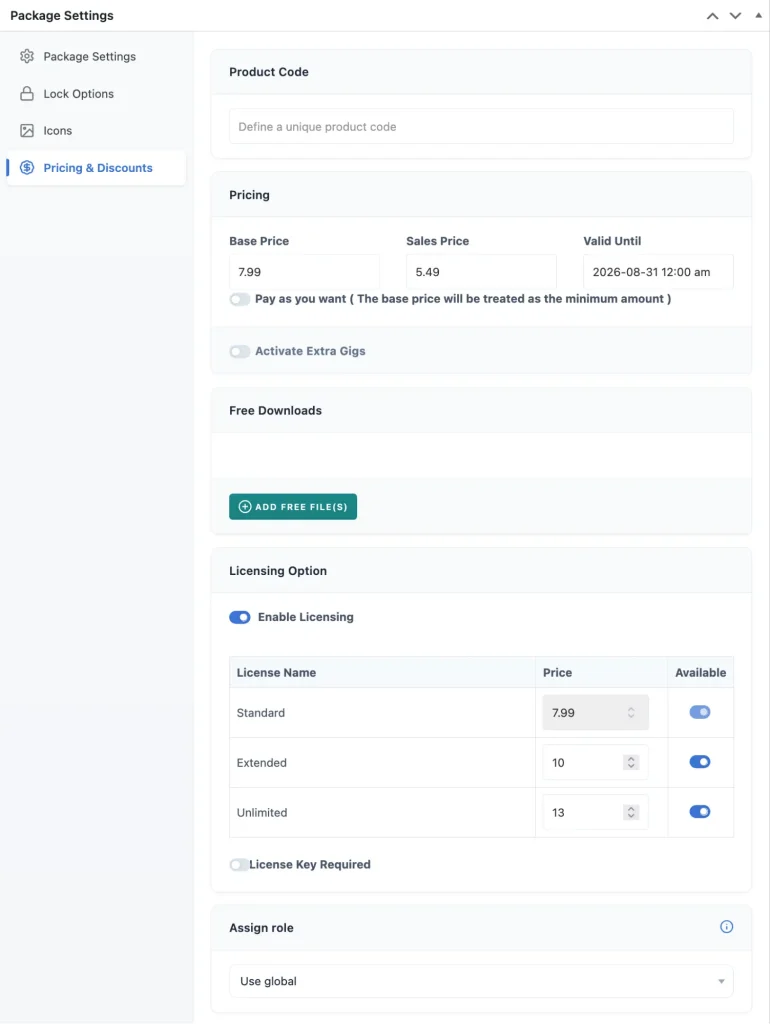 Please check Pricing & Discounts Docs for more details
 - Step 3 : Finally click Publish or Update button to save/update package.