
Forum Replies Created

You need to use complete URL with http:// or https://
Yes, you will need the pro version.
Demo: https://demo.wpdownloadmanager.com/wpdmpro/frontend-uploader/
Login: demo/demo
Please give me temporary wp-admin login info in a private reply to check your issue.
Hi,
It was because you didn’t use order_by parameter and default order field is ID, now, I set order_by="title" and it is showing alphabetically.
Hi,
I just checked https://ez-bots.org/download/bot-1/ and it looks like “Add to cart” is working fine ( https://ez-bots.org/cart/ ), but you need to configure premium packages, select cart page and other settings properly.
However, if you want me to set it up there for you, please give me temporary wp-admin login info in a private reply.
Please give me temporary wp-admin login info in a private reply to check your issue.
Hi,
If you remove “All Visitors” from “Allow Access” option with package settings, and select other user roles, users must have to login to get access to download. Which is explained here:
https://www.wpdownloadmanager.com/doc/add-new-package/package-settings/
Also, you can hide page link from link template, by using [title] tag instead of [page_link] tag with the link template.
Doc:
Please give me temporary wp-admin login info in a private reply to check your issue.
Hi,
It will be adjusted with the next update.
Please give me temporary wp-admin login info in a private reply to check your issue.
Yes, the plugin uses cookies to mark users where they downloaded a file or not.
Yes, we are already adding that with the next update, in case of single item purchase, order title will be the product name.
Please give me your URL to suggest your required CSS change.
Hi,
Please upgrade your PHP version to v7 or greater.
Hi,
Please check the description on the product page https://www.wpdownloadmanager.com/download/advanced-custom-fields/, it is shown with a screenshot.
Please follow the steps to upgrade:
#1. Deactivate and Delete old version
#2. Download the latest version from https://www.wpdownloadmanager.com/user-dashboard/?udb_page=purchases
#3. Install and activate the latest version
#4. Done! ( The process will not harm your old data/settings )
From the next update, you will be able to use the automatic upgrade as usual.
Hi,
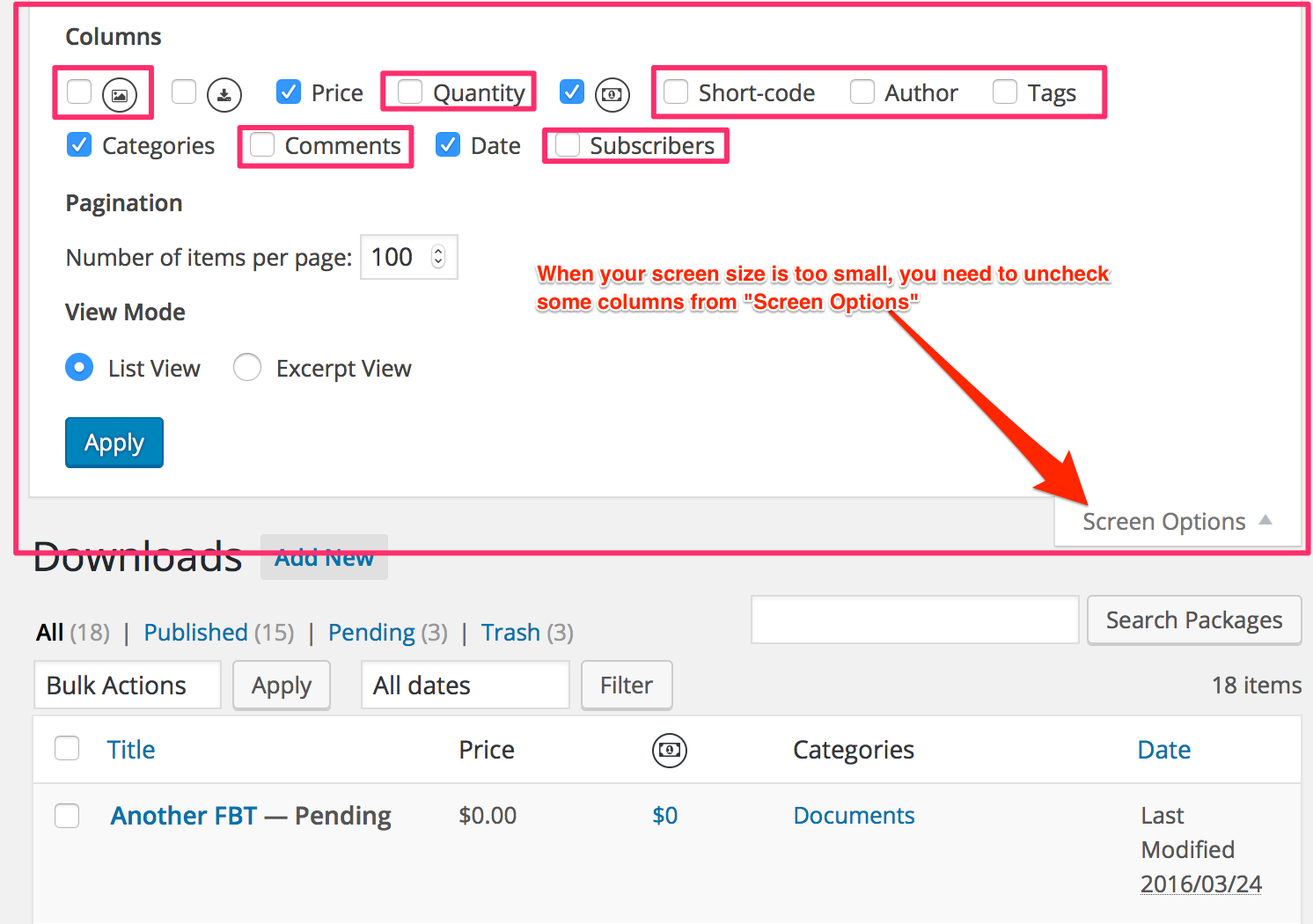
It is showing like that due to your screen size, hide some columns to make it better looking:
https://www.evernote.com/l/AV2bIUieOhxCC7m57_qAlrCPTAJQU4q5LoAB/image.png
Hi,
They are coming from your theme. You need to edit the theme template for that.
#1. Create a copy of single.php and name it single-wpdmpro.php
#2. Remove the navigation link functions from single-wpdmpro.php
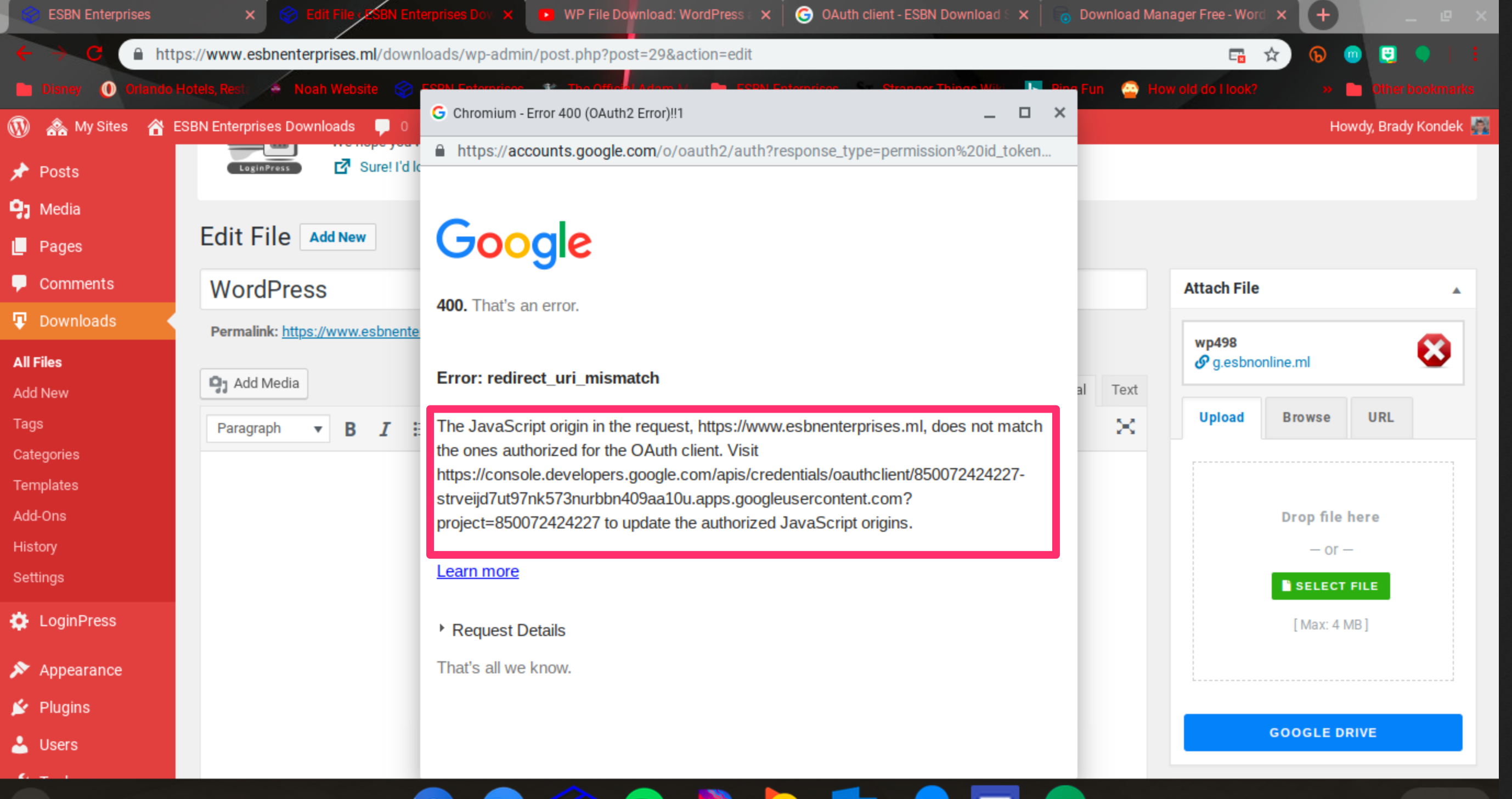
The solution is explained in error, please follow that:
https://www.evernote.com/l/AV3hgOkb1-9LAbwGckv2GfG1e3cGd1u6uqUB/image.png
It should work fine. Please give me temporary wp-admin login info in a private reply to check your issue.
Yes, you can do that will fee version too, however, with the pro version, you will be able to use multiple files and cloud storage like Dropbox, amazon s3 more efficiently.
Yes, but only possible in the pro version.
Please use
Or
To generate shortcodes properly
And doc for category shortcode:
https://www.wpdownloadmanager.com/doc/short-codes/wpdm_category-query-all-downloads-from-one-or-more-categories/
From wpdm settings, check the option open in browser:

Hi,
If you want to allow non-admin ( ex: autors and editors ) to access download stats/history, please add the following 2 lines in your wp-config.php
define('WPDM_ADMIN_CAP','edit_posts');
define('WPDM_MENU_ACCESS_CAP','edit_posts');