
Forum Replies Created

If you are using https://www.wpdownloadmanager.com/download/dropbox-explorer/, then you will be able to see the download count from stats link.
https://www.evernote.com/l/AV2XYpqLD95HZ4xMQ8w3aPLuE8p3XXUkN4MB/image.png

Hi,
Master download link is working fine now. FYI, only master download link will be able to download premium items directly if you authorize it.
Yes, unfortunately, not seeing any other alternatives. Hardcoded links have to change manually.
Hi,
Here are the answers to your queries:
1. If files are added as URL ( from local server or remote file ), zip download will not work, as php can’t create zip file from urls.
2. No such option for now, but noted for implementation.
3. You can do that by editing that link/page template. Doc: https://www.wpdownloadmanager.com/doc/templates/
Please give me temporary wp-admin login info in a private reply if you want me to check those in details.
Now, your forum posting should work fine, but if you face issue again in forum, please mail to support@wpdownloadmanager.com
Please give me temporary wp-admin login info and one drive credentials in a private reply or mail to support@wpdownloadmanahger.com with forum post URL.
Hi,
If WordPress can recognize the logged in user, then no problem with the wpdm pro, they will be recognized by wpdm pro too.
Please check allow access option here: https://www.wpdownloadmanager.com/doc/add-new-package/package-settings/
Hi,
To customize templates, you will need the pro version, Doc:
And additional there may require some code customization to meet your requirement exactly.
Hi,
We only keep a backup of the previous version in the archive when there is any significant change in the new version, all available archive versions can be downloaded from here https://wordpress.org/plugins/download-manager/advanced/, but there is no 2.9.42.
Hi,
Looks like download manager plugin is not active, please give me temporary wp-admin login info in a private reply to check your issue.
Hi,
That was an issue with the Dropbox add-on, we have fixed the problem and updated ( v1.3.1 ) the add-on, please update your copy.
Hi,
It looks like you are using a very old version of wpdm pro, please update your copy to make it work properly.
Please give me temporary wp-admin login info in a private reply to check and set this up there for you.
Hi,
Sometimes it will depend on your theme, however, please give me temporary wp-admin login info in a private reply to check your issue.
For premium support please post in pro forum or mail to support@wpdownloadmanager.com. Probably you will have to upgrade your plugin to resolve the issue.
Hi,
Actually, “offline” means user didn’t apply the license key yet, as soon as the user uses the key, you will go online automatically.
Hi,
It looks like your already updated template style, however, please let me know if you need assistance anywhere else.
Please give me your order ID to disable auto-renewal.
Hi,
If you are using WordPress 5, you will not need Gutenberg plugin anymore, deactivate and delete it and use the latest version of https://wordpress.org/plugins/wpdm-gutenberg-blocks/ ( v1.2.1 ).
Or, reactivate the login info, I shall check.
Please follow the docs here:
https://www.wpdownloadmanager.com/docsfor/download-manager-pro/
After adding a new download, use any of the following add-on to generate shortcode:
And for Gutenberg users:
We shall add those missing icons with the next update.
Hi,
You need to select cart page from wpdm settings:
https://www.evernote.com/l/AV0GE4ebGKRI77-lp6ldU5wraTZNgk58Nw4B/image.png
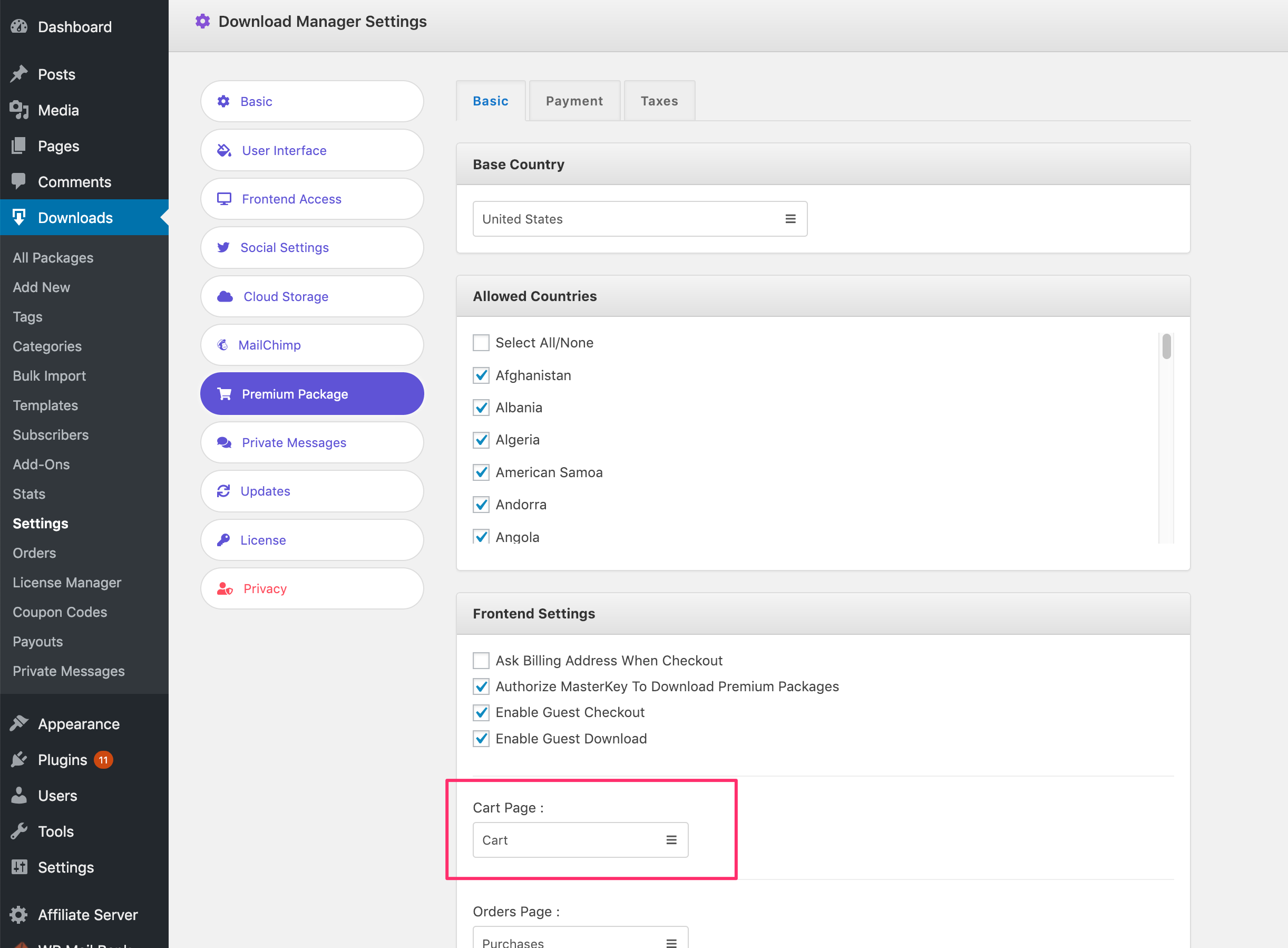
Please follow the doc to setup PayPal:
Setting up PayPal smart button for Premium Packages – Digital eCommerce plugin
Hi,
You should be able to do that using WPML.
Hi,
Thanks for pointing out the issue, it is fixed, and the update is coming soon.