Forum Replies Created

The URL you send showing “403 Forbidden” error for me. Please create an administrator account and send me in a private reply.
Hi,
you work is already scheduled and will be done by today.
It could be a server timeout issue. You need to increase max_execution_time limit in php.ini. However, you also can attach the file as URL to avoid this issue. If you want to me set it up as URL, please give me temporary wp-admin login info in a private reply.
Hi,
You can change the colors using CSS. I can help you with that, please give me the color you want to use and temporary wp-admin login info in a private reply, I shall adjust it for you.
In pro version, there is an option to attach dir to a package and at front-end, you can explore like this:
Sorry, not clear, may you please explain little more.
Hi,
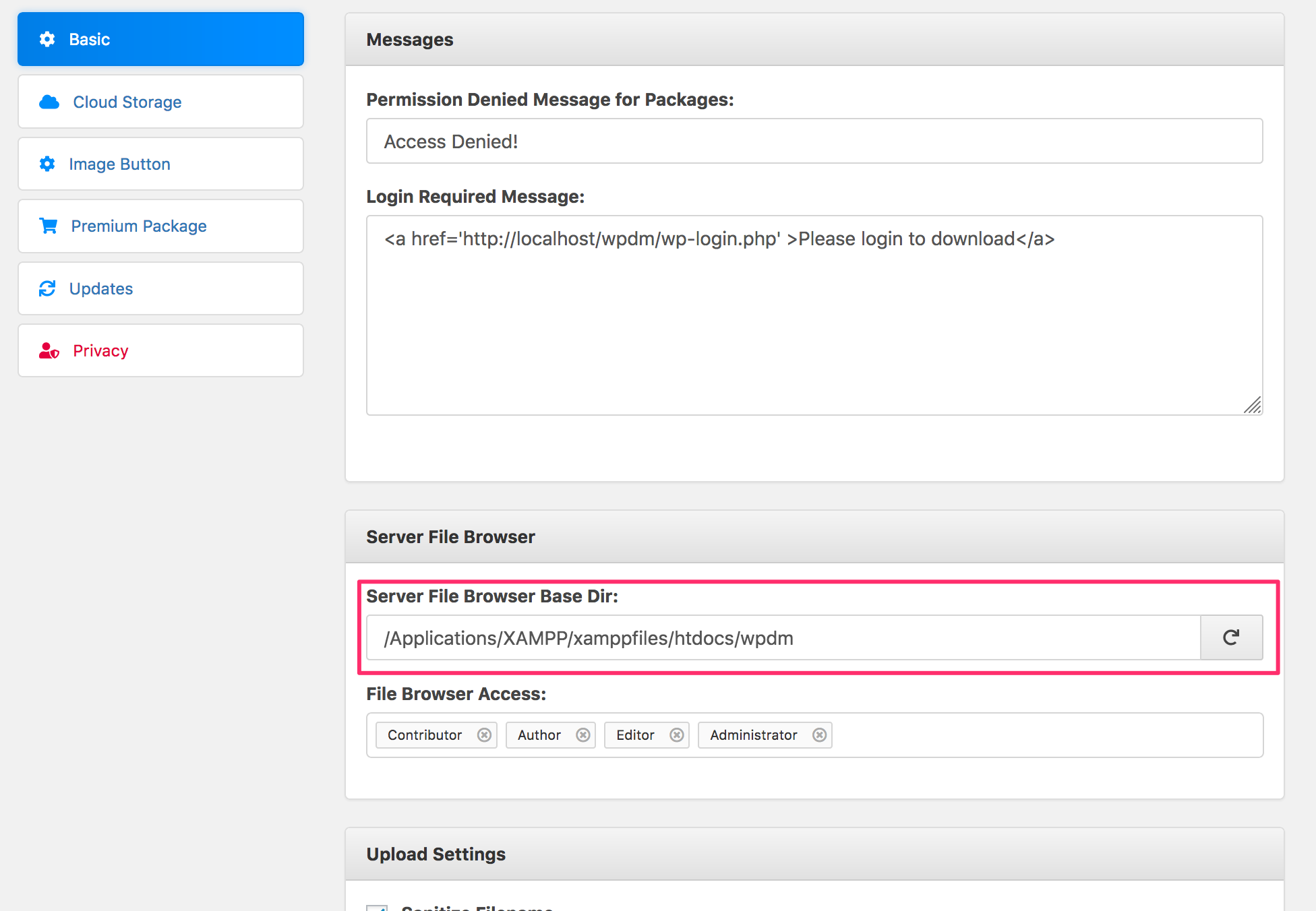
Sorry for the delayed reply, It looks like an issue with “File Browser Base Dir” option, you need to set a proper path for that option.
https://www.evernote.com/l/AV0tsYVIdxdJ7Zg6fDKLyxACMPG4qWHz-YcB/image.png
Hi,
Download Manager sends cache headers only before it starts a download. So, it is only related to the download link, no other URL.
1#
It may happen due to some server settings, especially in siteground hosting. Please add the following to your site’s .htaccess file to get it to work:
<IfModule mod_security.c>
SecFilterRemove 001868
</IfModule>
Or, Please contact hosting support to fix the issue
2#
Please give me your URL and a temporary wp-admin login info to check.
If you add it as URL in wp engine too, it will take 2 mins.
Looks like css/js conflict, please disable bootstrap from wpdm settings and try.
In that case, please remove the stock limit for that product.
Please check #post-60409 for solution. It is hosting related issue, you also may ask the hosting support for help.
Hi,
Nothing to change around WPDM settings. IT is related to your server. Please ask server support to adjust it.
Please give me temporary wp-admin login info in a private reply to check your issue, please send me the XML files using Dropbox.
Yes, possible, please give me temporary wp-admin login info in a private reply to set it up there for you.
Please give me a temporary wp-admin login info to check your issue and help you with the setup.
Thanks.
Hi,
Yes, that is not possible. But here is an alternative solution:
Hi,
It looks like the custom template ID you are using there is somehow deleted. You need to select/use different link template.
Doc:
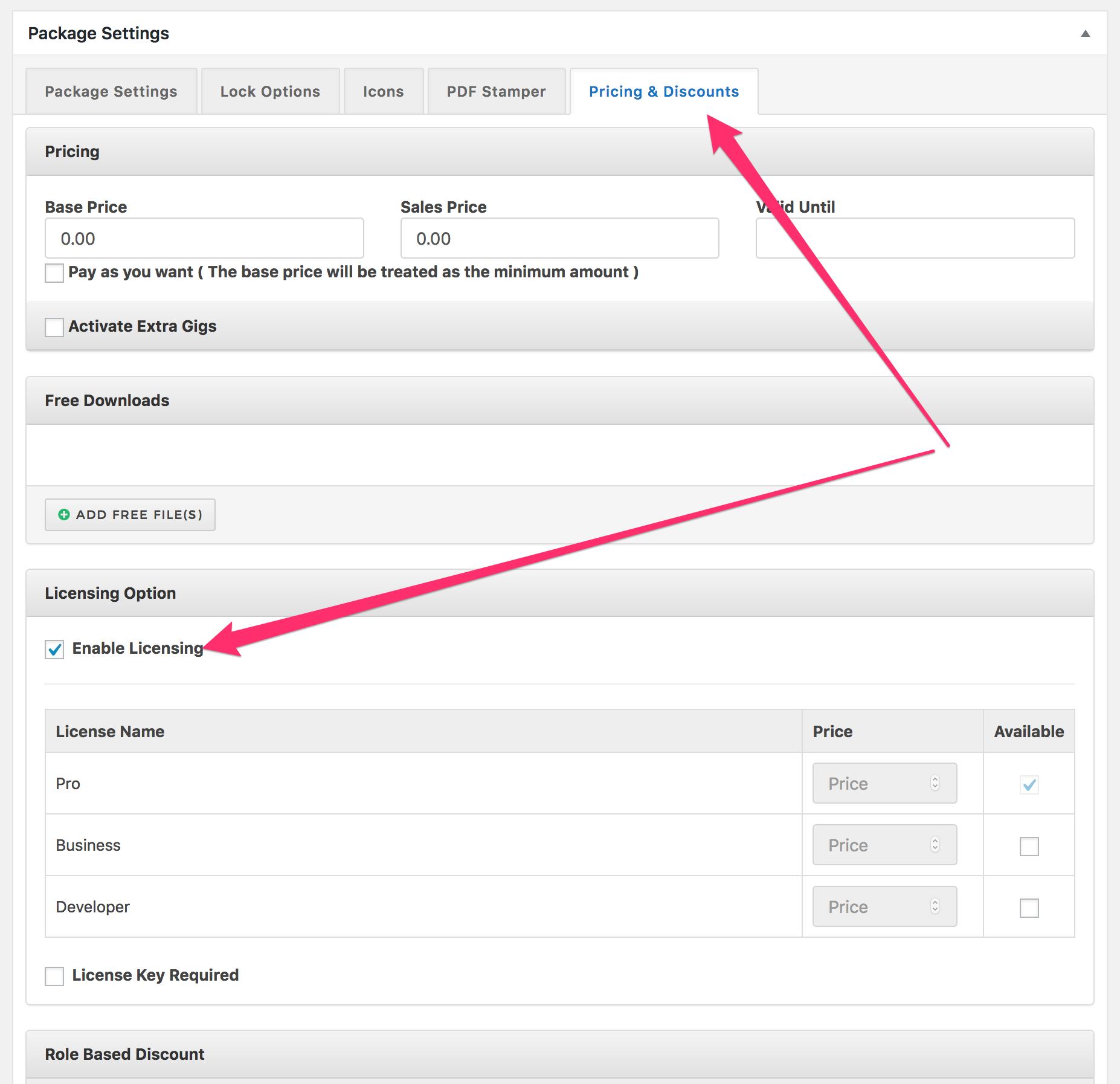
You need to enable licensing to make the key visible:
https://www.evernote.com/l/AV0XHwvYPnNJo69xjmCU_EQW67drhWdqM7wB/image.png