Forum Replies Created

Tell me first, where are you facing problems now, in your live site or staging site?
Nothing else, here it is:

Your staging site doesn’t need it as you were not using a custom header/footer or template.
Please update WordPress.That will resolve the issue.
It looks like another plugin or active theme has a class with the same name, for this moment, please open /wp-content/plugins/download-manager/src/Widgets/WidgetController.php and remove the line include __DIR__.'/Affiliate.php';
In the next update, we shall change the filename to avoid the naming conflict.
I’ve tested on our site, emails are functioning properly, please check your server log or settings, why emails are not sending even though the email function is triggering properly.
Okay now, after I added add_filter("wpdmpro_single_main_loop", "__return_true");, it was not showing properly on live site due to custom templates.
A discussion to help establish release specifications for master cell banks of parental host cells
First of all, please rename the wpdm plugin dir from download-manager-6.0.3 to download-manager, then let me know.
@cwlc, you don’t need to use shortcode like [widget id="wpdm_listpackages-15″], I’ve installed wpdm Gutenberg blocks add-on, you may use it to embed packages visually.

In case, you missed it, here is how to use wpdm Gutenberg block:
All are updated and okay now. Please let me know if I missed something.
Okay now, after i’ve updated the archive page add-on.
The issue was due to js errors coming from other plugins, however, after deactivating the cache plugin it is working fine, please exclude the live chat room window excluded from the cache.
Hi,
Your license key is active and open, it should work fine, but, it looks like your server firewall is blocking wpdownloadmanager.com while trying to validate the key.
Please send me temporary wp-admin login info in a private reply to check your issue in detail.
Hi,
you purchased only WordPress Download Manager Pro, no premium add-on is included there. However, please let me know where exactly you are facing a problem and give me temporary wp-admin login info in a private reply, I shall assist you with the setup.
Hi,
Sorry for the confusion, I just rechecked wpdm 5 code, and the adjustment for wpdm 6 is coming within tomorrow.
Hi,
Multi-file downloads are working fine. You simply need to attach the file using the server file browser ( as server path ) instead of using the media library button ( where they attach as URL ).
The issue is fixed and updated on your site. Working fine now.
I forgot, with video player active, there is another option, selection hide everything from wpdm settings:

That may serve your purpose.
ex:
https://members.ateb-group.co.uk/download/webiber
the player is always playable for everyone. However, soon we shall bring more control options for the video and audio player.
We have fixed the issue with v6.0.3. Also, updated on your site.
To use custom file type icons, please user template tag [file_type_icon] or PHP code <?= WPDM()->fileSystem->fileTypeIcon($filename_or_ext); ?>
And you need to create a dir named wpdm-file-type-icons inside /wp-content/uploads/ dir and add your file type icons, all icons should be in SVG format.
In that case, updating wpdm will not erase your icons.
Hi,
If you want to embed video on the page, please use the option “Attach from media library” or attach video as URL.
Example:
https://members.ateb-group.co.uk/download/webiber
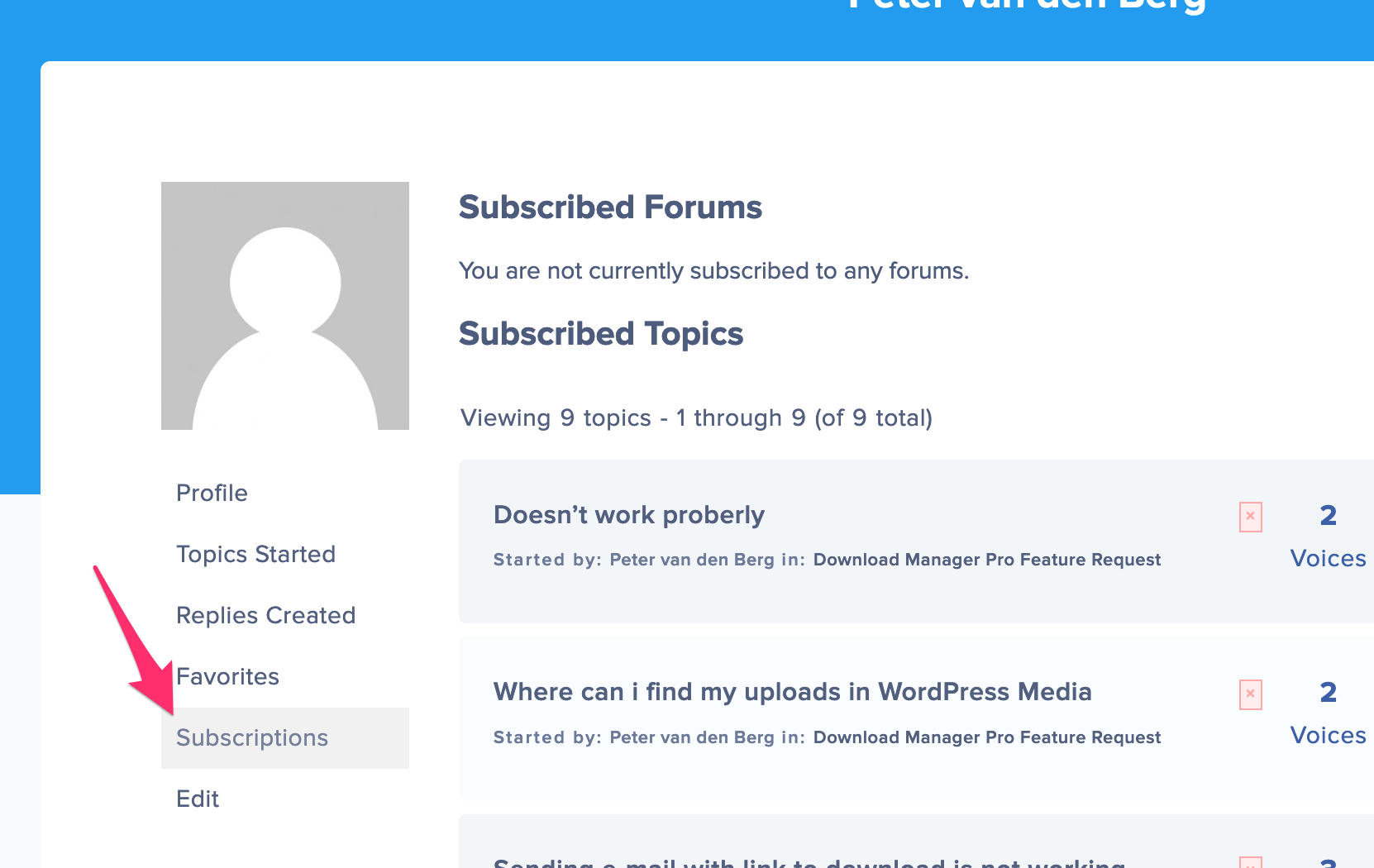
You may remove your forum topic subscriptions from here:
https://www.wpdownloadmanager.com/support/users/24se7en/subscriptions/