
Forum Replies Created

okay now, the issue was due to outdated wpdm template files in your theme dir.
Hi,
It shouldn’t happen with the latest version of wpdm pro. If you are not using 6.0.4, please update, otherwise, give me temporary wp-admin login info in a private reply to check in detail.
Not possible at this moment, but we shall add more options with pdf viewers soon.
Hi,
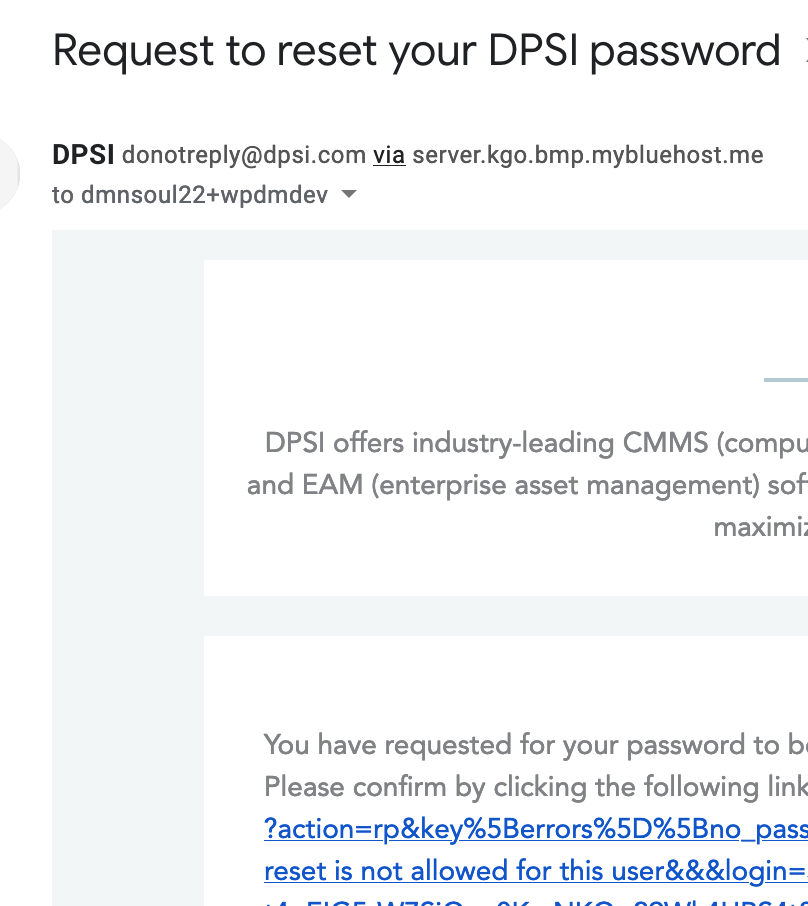
It is probably due to a password reset restriction in your site, showing error Password reset is not allowed for this user
Please update all wpdm add-ons you are using there. Download the latest versions from our site.
The error is coming from wpdm-pdf-stamper add-on, you need to update all add-ons too, please download all add-ons from https://www.wpdownloadmanager.com/user-dashboard/?udb_page=purchases and update.
Hi,
We shall add this as a settings option.
6.0.4 is a minor bugfix release over 6.0.3, changelog is here https://www.wpdownloadmanager.com/wordpress-download-manager-change-log/, however, if you want me to assist you with the update, please send me temporary wp-admin login info in a private reply.
Please update to 4.1.6, we moved the auto expanse feature to an option, now it will because like before by default.
I’ve tweaked a file on your site to make it work, however, we reuploaded wpdm pro 6.0.4, please download again and update your copy.
Hi,
We have added an option to bypass the conflict with the last update. Please add the following lines at the end of your theme’s functions.php when you are using custom template:
add_filter("wpdmpro_single_main_query", "__return_true");
add_filter("wpdmpro_single_main_loop", "__return_true");The user search issue is fixed, we shall update the chart library soon.
The issue was due to an outdated download notification add-on, I’ve updated the add-on, and it is working fine now.
In 3.2.11, the class is renamed to WPDM_Affiliate to resolve the naming conflict. Code is here https://plugins.svn.wordpress.org/download-manager/trunk/src/Widgets/Affiliate.php.
Please try deleting and reinstalling from wordpress.org. If that doesn’t resolve the issue, it could be something else, please send me temporary wp-admin login info in a private reply to check it on your site.
Hi,
WPDM emails are working fine now on your site, finally, I found the issue was due to email template settings. I’ve selected the email template and saved settings again and it started working fine.
Pro comes with lots of additional features are multi-file packages, email lock and many more. But, I’m not sure what screenshot you are talking about. Also, you can use 15 add-ons for free ( https://www.wpdownloadmanager.com/downloads/free-add-ons/ ) with the wpdm pro.
Hi,
For such site migration, you even don’t need to use wpdm export/import option. You can use wp’s native data export/import option, which will work perfectly for featured images too.

Hi,
Rest API add-on update is coming soon.
Please deactivate and delete what you are using now, download the latest version from https://www.wpdownloadmanager.com/user-dashboard/?udb_page=purchases, then install and active.
new version doesn’t have /download-manager/libs/ dir.
Update to the latest version. The codebase is changed totally in the new version.
Hi,
Please follow the steps to upgrade:
1. Please deactivate all wpdm add-ons
2. Download the latest versions from https://www.wpdownloadmanager.com/user-dashboard/?udb_page=purchases ( core plugin and add-ons )
3. Install and activate the latest version
4. Activate your add-ons
5. Done!
From the next update, you will be able to use the automatic upgrade as usual.
Or, send me temporary wp-admin login info in a private reply, I shall do that for you.
Okay, the add-on is removed.
The shortcode you are using, looks like from another plugin, you may need to contact that plugin support. You may try adding wpdm package shortcode there:

Or you may also contact that plugin support.