
Forum Replies Created

User’s favourites are visible at user’s public profile page, shortcode [wpdm_user_profile]:
https://demo.wpdownloadmanager.com/wpdmpro/profile/?profile=admin
We shall add a menu at user dashboard page with the next update.
Please make file plugin files writable or give me ftp info.
Don’t worry about that, when you use [thumb] tag in link/page template, it creates a custom thumbnail with specified size, and wpdm store those custom thumbnails in cache dir.
Hi,
Thanks for pointing the issue. We have adjusted it for next update. BTW, if you are selling only digital products you will not need woocommerce at all 🙂 .
If you enabled the term lock, then every user, who downloaded the item, is checked the terms.
The issue is coming from WP Smush plugin, they shouldn’t add sitewide CSS without prefix. Please ask them to add a prefix to their CSS.
Please add flaturl=0 with shortcode.
[wpdm_user_dashboard flaturl=0]
The file is in /jupiter/ dir. But they used shortcode there instead of the regular loop. You need to copy that file to create a new file named taxonomy-wpdmcategory.php , and replace the shortcode with wpdm category shortcode.
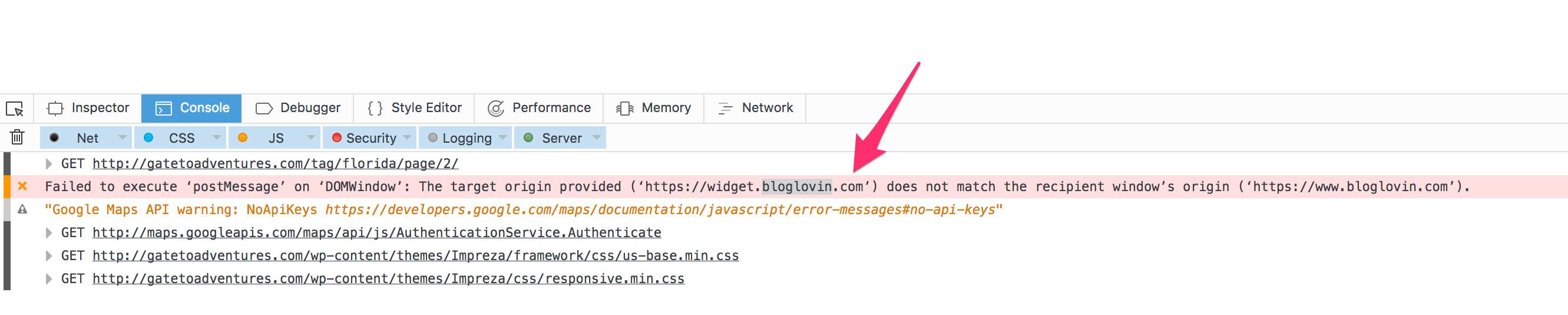
I actually don’t blame theme author, also not our fault, conflict sometime happens, now the easiest solution is disabling the preloader function.
https://www.evernote.com/l/AV2LONvI95lM0LKuu5Arn81jjrynoK2GKnQB/image.png
in that case, it could be category.php, please give me temporary wp-admin login info in a private reply, I shall find the exact file from your theme and will let you know.
For that issue, you need to contact your hosting support.
Yes, it seems like javascript conflict with your page loader.
Please give me temporary wp-admin login info in a private reply to check your issue.
Please use the following addon to create image button:
Please use the following add-on to generate shortcodes:
To use Panel 1/3 link template, you simply need to select that template from dropdown before inserting shortcode.
Yes,
You need to create a new link template with following code:
<a href="[page_url]">[thumb_400x300]</a>
Then use the link template ID with shortcode
In every update, we are adding new link templates with new styles, also trying to make template building process easier. But still there will require some basic html/css knowledge to build a new link template.
Yes, use following css:
.wpdm-all-packages-table th:nth-child(4){
width: 120px !important;
}
You may need to remove 4 in nth-child with appropriate column number.
dot is gone now, added custom css:
.jqueryFileTree li:before,
.w3eden li:before{
content: "" !important;
}
Please give me temporary wp-admin login info in a private reply to check your issue.
Please give me temporary wp-admin login info in a private reply.
Please update wpdm pro to latest version v4.6.6, that should fix the issue.
I just tested now, it seems like working fine for me.
https://www.evernote.com/l/AV1TAim0-DlGPZu1Ymym_eHDkU0qtgMZBlwB/image.png
