
Forum Replies Created

Now everything is working fine. please check
Thanks.
Sorry for some late reply. I hope everything is working fine now.
Thanks.
Sorry for some late. Can you please update your WordPress version for checking if it helps you.
Thanks.
No, From my side Imagick is not activated. So it is taking the time. I hope soon I can back to you.
Thanks.
Sorry for the inconvenience. please update it manually for now.
Thanks.
Can you provide a screenshot or provide a package URL for adjusting the issue?
Thanks.
It is working fine from my side. However, I have updated WPDM plugin to the latest one. I hope now everything will work fine.
Thanks.
Please, give your temporary wp-admin login details in a private reply for checking the issue in details
Thanks.
Please check this shortcode,
Thanks.
Hi,
Please follow the doc here, I hope this will help to disable American express card, https://www.paypal.com/ca/smarthelp/article/how-do-i-add,-remove,-or-update-the-accepted-card-types-in-my-paypal-manager-account-faq1491
Thanks.
Sorry for delay reply,
I think this is causing for PHP memory setting
Fixing the Error there are a couple of ways on how to go about resolving this error. These include:
1.Editing the wp-config.php file
2.Editing the php.ini file
3.Editing the .htaccess file
1.Editing the wp-config.php file
Here you will need to edit thewp-config.php file.
define( 'WP_MEMORY_LIMIT', '256M' );
2.Editing the php.ini file
On a live install, the file can be accessed within the root of your install, that is within the /public_html/ folder. Note that the file is not installed by WordPress but in most cases set up by your host. If you are using CPanel as your control panel, for example, make sure the checkbox for “Show Hidden Files” is checked and then click Go. You may check into this article on how to go about editing the file. Before editing the file, kindly preserve a backup to it by downloading it to your computer.
Once this is done, open the file, add or edit the following line:
memory_limit 512M
3.Editing the .htaccess file
The .htaccess file is a file located within the root of your WordPress files.
You will need to add or edit the following code to the bottom of the file:
php_value memory_limit 256M
With this done, you can then save your changes and check if the error is resolved.
Thanks.
You are most welcome
thanks.
Please, give your temporary wp-admin login details in a private reply for checking the issue.
Thanks.
I can’t say. But, you can remember which version was suitable with the old WordPress version
Thanks.
We have got the issue. soon we shall update the add-on. However, I have updated it on your side.
Thanks.
Please, give your temporary wp-admin login details in a private reply for checking the issue.
Thanks.
I think it is your old request. For discuss further, you can mail here support@wpdownloadmanager.com. and for urgent requirements, you can place a request here also, https://www.wpdownloadmanager.com/user-dashboard/?udb_page=upgrade
Thanks.
For getting older version, please knock here, support@wpdownloadmanager.com
Thanks.
For making Email list faster, you can read this article,
or Mailerlite integration you can place a feature request here, https://www.wpdownloadmanager.com/support/forum/download-manager-pro-feature-request/
or, immediate customization, you can place a request here, https://www.wpdownloadmanager.com/user-dashboard/?udb_page=upgrade
Thanks.
It is working fine from the side,
https://indianadistrict5.com/download/wpdm-test
can you please share your related packages, please
Thanks.
You can check the shortcode lists here,
https://www.wpdownloadmanager.com/doc/short-codes
I hope it may help you.
Thanks.
You shall find an interface as I image attached in the block editor of pages or posts
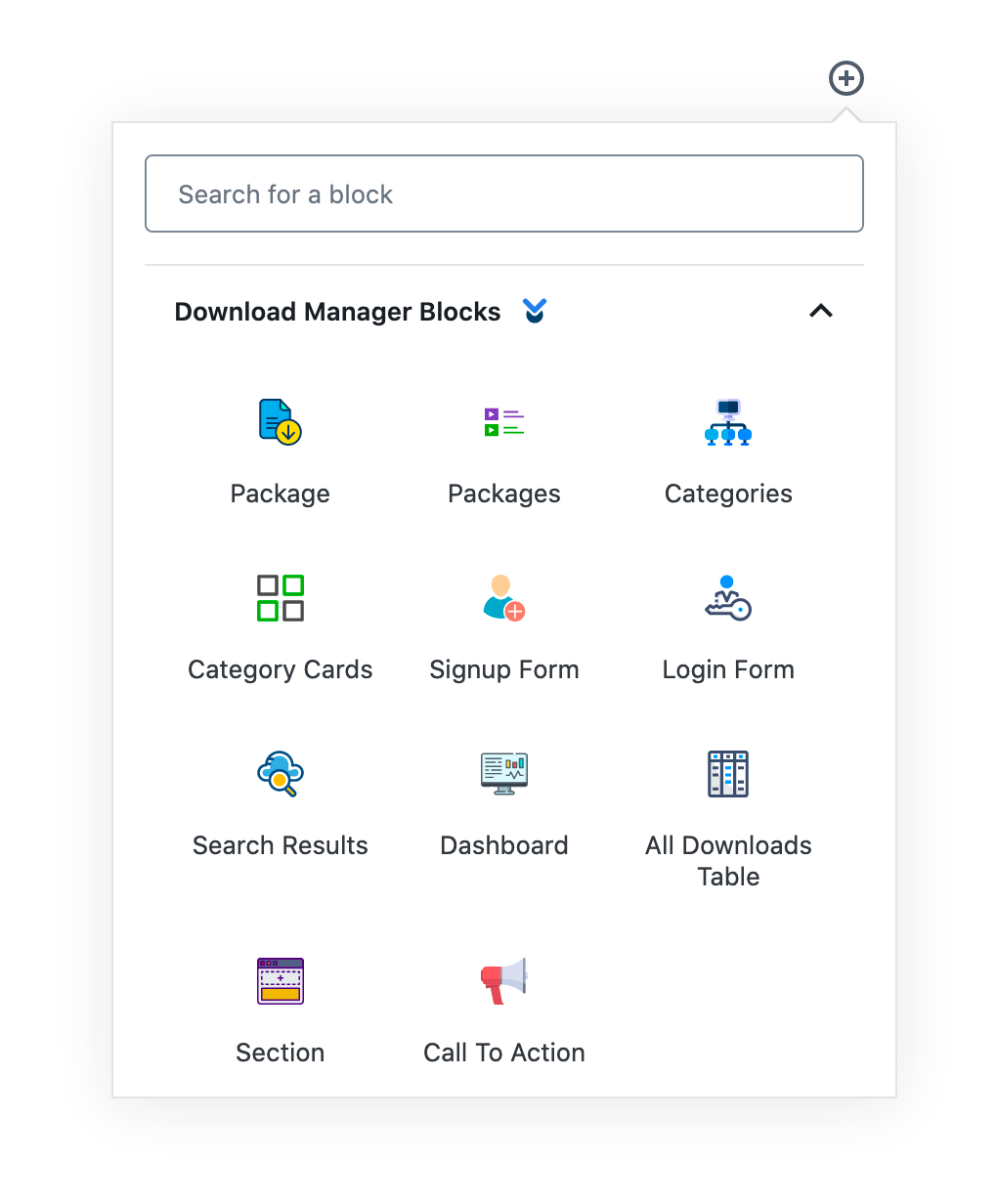
it is same as using other blocks editor, but using it, you will be more familiar
Thanks.
Yes, I am checking your topic
Please, give your temporary wp-admin login details in a private reply for checking the issue.
Thanks.
Hi @bueltmmj,
I think your uploads https://mcmsi-extended-storage-1.s3.us-east-2.amazonaws.com/uploads/ files has restriction problem, but I have tested with other file uploading to the packages. it is working fine there. please check.
Thanks.