
Forum Replies Created

Yes, your site is updated now with that option, but we are still tweaking the feature for better performance. The public update is coming soon.
Hi,
When sending an email, for most servers, you can’t use an unverified address as from address, that will send the email in the spam folder. For the same reason, the plugin can’t use the user’s email address as from address, also for privacy reasons. But with the email message, there is a link for the reply.
We have address the link preview option, now in the testing phase, we shall release a new update soon.
Please send me temporary wp-admin login info in a private reply to check.
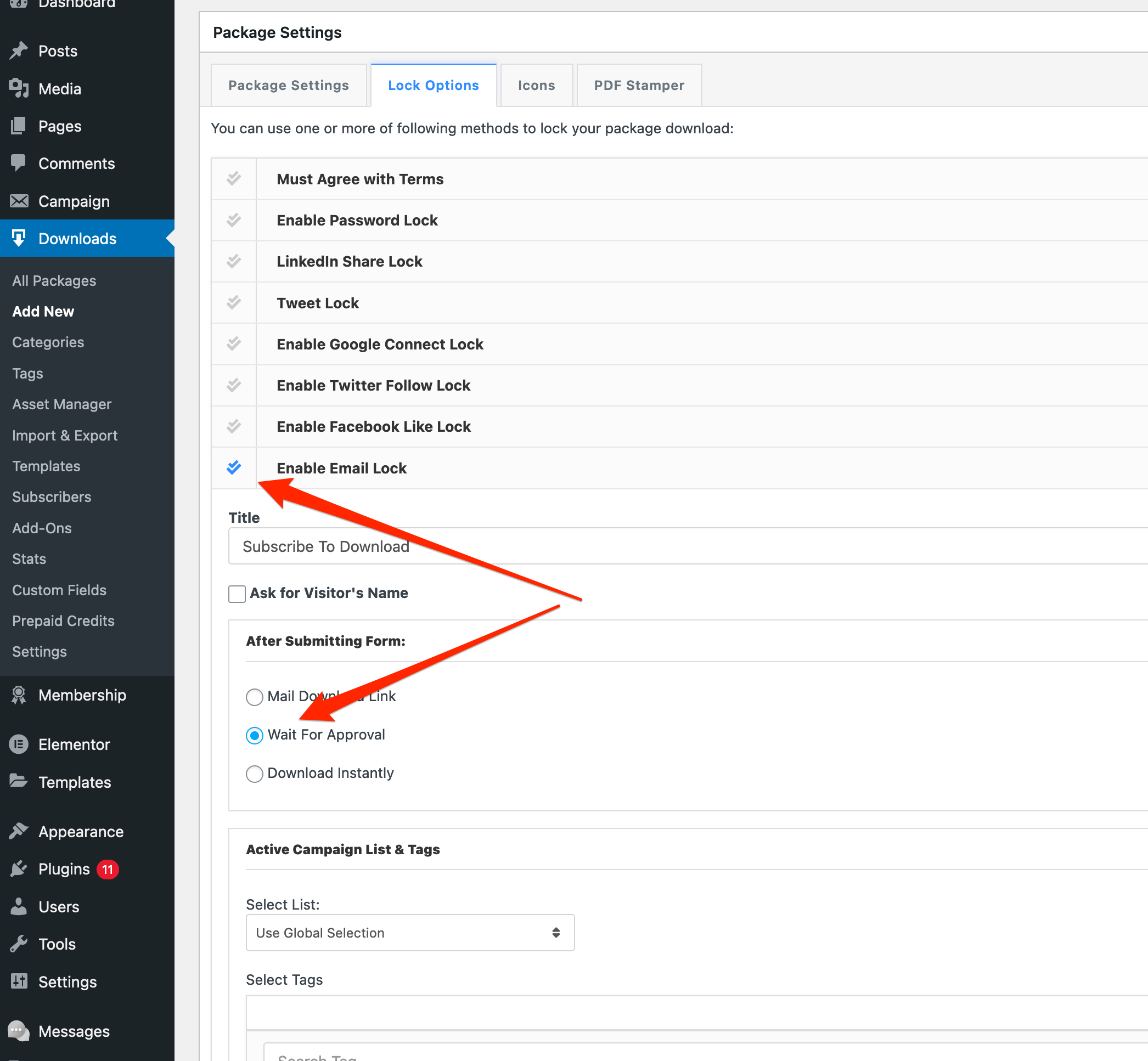
You need the check the following option:
Hi,
Here is the issue, the old version of the lazy download add-on was using session instead of URL parameter to handle package ID and add-on settings, but due to various caching plugin, the session was not functioning properly, like when you trying to download a package, it was downloading another one from the old cache. So, we had to resolve the issue by excluding session use and adding encrypted URL parameters to transfer the data. But there is no error with the plugin.
Hi,
#1. You can send a link, for now, it will not convert the HTML, but we shall improve it with the next update.
#2. okay now
#3. Reply email is working fine on our test:

But, I’m checking it again in detail
#4. Attachment working fine on safari now
#5. We shall add multi-admin support in the next update, however, it can be improvised now by the admin replying from the front-end.
Hi,
Sorry for the delays, somehow I missed your email. Checking now.
Hi,
As it is now, the tree view is not possible here with [wpdm_my_downloads]. But we have an add-on with some alternative views, please check:
Hi,
Allow access option is fully functional, Effective Access to "Package P" = Selected roles in "Allow Access" field + All selected roles for "Category A" + All selected roles for "Category B" = Subscribers, Authors, Editors/ please check the doc here:
okay now, you were using parameter name categories="software" wrong, it should be category="software" as explained here:
Hi,
[wpdm_archive_flat ...] short-code doesn’t have search option.
Hi,
Yes, it was not working as the login page was not selected on pm settings, working fine now. I’ve tested it.
Yes, please download the private message plugin again and update your copy.
Hi,
Please give me temporary wp-admin login info in a [private reply, I shall set this up there for you.
Hi,
I’ve checked it on our setup and found the issue. An update with the fix will be available by tomorrow. Thanks
Okay now:
https://nature-itn.eu/nature-download-page-login/
The problem was due to your theme css,

Added Solution:

Hi,
wpdm_all_packages has an optional parameter login with value 0 or 1, if you set login=1 as the shortcode parameter, the shortcode result will be members-only/login-protected. But if you want to make the shortcode result public, please skip the login=1 totally or set login=0.
Shortcode doc page:
https://www.wpdownloadmanager.com/doc/short-codes/wpdm_all_packages-list-all-downloads-in-tabular-format-in-a-page/
Hi,
That can’t be an issue with our plugin, as all those URLs are generating using the same code base and generating no error. May you please try contacting AdSense support.

Hi,
To lazy download work properly, there needs an URL parameter like this https://khandishnetwork.com/please-wait/?pack=042aec9e604155f2f06c0a16c5f9ba06, but when there is a parameter, the ad is not showing, though no js error on that page. You probably try embedding ad code directly on that page instead of using the ad manager plugin.
Hi,
As we check, due to server cache, there will require an URL parameter on the waiting page to work lazy download properly, but you need to check it in google ad settings, why the ad is not showing for the URLs with parameter. By default, google ads don’t cause any trouble for the URLs with parameters.
Hi,
That’s the point, seme thing is working fine on your homepage https://khandishnetwork.com/, the issue is not related to our plugin. Probably, you need to contact better ad manager support.