-
Search Results
-
I just updated to 4.6.6. and two things have happened.
1) when I updated the plugin, it seems to delete the plugin from the wordpress install and I have to go and download the plugin and manually upload. I am pretty sure this is not intended behavior so I wanted to inform you about it.
2) When I updated to 4.6.6., the single file downloads section on each package page is now missing on my site. The settings are still enabled to allow single file downloads, but it is just not showing up, I tried changing the page template, and it still didnt show up.
You can see the page on https://lead.victorylifechurch.com/resource/jubilee-2016-leadership-conference/
Topic: License Key Invalid
Ref order ID: 58be7dc52f671
Hi
We have the Pro version of Downloads Manager. For a few days now it has said that the license key invalid (although the key has not changed, and we only subscribed on March 7). I have the latest version installed on WP 4.7.4Please help
Cheers
ChrisHello. I have added a few downloads through the Browse function from a folder structure that resides inside the WordPress installation while I was working locally on my computer. When I moved the site on a server, updated the base directory and uploaded the same file structure from the local server to the remote server those downloads do not work anymore(File not found). The Attach File section in the download’s admin page show as ( attached file is missing/deleted ) so maybe for some reason it’s trying to remotely locate the file using the previous location form my localhost. Is there a way to solve that problem? It’s a quite big one because I am compiling all site downloads locally and the will do the migrate to the server.
Hello,
I am currently experiencing more issues.
1.) When I click on the main page I have applied the shortcode to I get this warning multiple times:
Warning: Missing argument 1 for wpdm_download_url(), called in /home/cpwpwhhv/public_html/employees/wp-content/plugins/download-manager/tpls/wpdm-all-downloads.php on line 149 and defined in /home/cpwpwhhv/public_html/employees/wp-content/plugins/download-manager/wpdm-core.php on line 48
2.) I have enabled the locking option, but there is still a download link that users can click on that does not require them to check the “agree to terms” checkbox before downloading.
Please help me.
I’m using the twenty seventeen theme, and very few plugins, none that are conflicting with the DM plugin. I’ve already went through the process of trying a different theme (which was uneccessary since I’m using the default theme anyway), and I’ve deactivated all plugins except DM.
I need this resolved ASAP.
Thanks!
Page is here: http://paradigmusa.net/downloads/?orderby=title&order=asc
password: paradigmWe are getting the error:
Warning: Missing argument 1 for wpdm_download_url(), called in /home/paradigmfsg/public_html/wp-content/plugins/download-manager/tpls/wpdm-all-downloads.php on line 149 and defined in /home/paradigmfsg/public_html/wp-content/plugins/download-manager/wpdm-core.php on line 48Also the search and display fields are not displaying above the table.
This is a new install and we have tried a different theme with the same results. Any ideas what the issue is?
Thanks
Topic: License Key Problems
I think you have issues with your license key process. I purchased both the pro version and the ALL ADD ONS and was going fine working on the site and then out of nowhere got a ‘trial key expired’ notification. We never used a trial key. Also, I should have access and install ALL ADD ONS, so why do so many in the Add Ons area say BUY NOW. either it’s ALL or it’s NOT ALL.
Here’s the information via screenshots. The license key from my profile/downloads area shows the exact same key as the one on our site.
Add Ons Area:
https://www.evernote.com/l/AKTf7pC14hBH7aUN9EoawvYeUhzKlJg5MXcLicense Info on Site:
https://www.evernote.com/l/AKSy3HrhWfBE_IR5rnVCWD1bINcnM61aHfkLicense Info from Order Number:
https://www.evernote.com/l/AKSy3HrhWfBE_IR5rnVCWD1bINcnM61aHfkAdditionally, I don’t think your forum is sending out messages when you toggle it to notify via email. i’m not getting anything from you guys. I got them previously on another question on the form, but not these last two
Hello,
I get following error when using this shortcode:
[wpdm-all-packages items_per_page="20" categories="Flyer,Folder" jstable=1 order_by="field_name" order="ASC"]Warning: Missing argument 1 for wpdm_download_url(), called in .../wp-content/plugins/download-manager/tpls/wpdm-all-downloads.php on line 149 and defined in.../wp-content/plugins/download-manager/wpdm-core.php on line 48Warning: Missing argument 1 for wpdm_download_url(), called in .../wp-content/plugins/download-manager/tpls/wpdm-all-downloads.php on line 149 and defined in .../wp-content/plugins/download-manager/wpdm-core.php on line 48Plus I forgot:
WP Version: 4.7.3
PHP 5.6
Theme: Enfold Kriesi
best regardsTopic: Wrong Download
Hi,
I emailed about this but perhaps a forum post will be quicker.
I just bought ‘WPDM Directory Add-on’ for a single site. Order number is # 58f89d0a6b1f0. When I go to downloads it downloads some other plugin called ‘WPDM – Archive Page’ – this is not the one I want!
Can you help me please. Thank you!
I have selected the option “Hide everything” for the question “When user is not allowed to download:” but it is not working correctly. All files are still showing up for all user roles. I’m using the data tables to display the available downloads. I’m not sure how or why this is happening, but thanks for the help!
NickTopic: WPDM ZOHO integration
Hello,
I just bought the WPDM add-on to integrate with ZOHO CRM.
It works fine, but it is not really usable for the following reasons:
– Each times someone downloads a file, WPDM creates a lead in the CRM. SO if the same person downloads 5 files, you end up with 5 new identical leads…
– The add-on does not pass to the CRM the name of the file that has been downloaded.Would it be possible to modify the add-on so it works like this:
– creates a lead ONLY if the contact does not already exist in the CRM
– checks if the lead already exists by matching email address
– if the lead already exists: do NOT modify the lead source
– for each download, adds a task to the lead with the following info:
+ task name = name of the file that has been downloaded
+ task due date = date of the download
+ task status = closedthanks a lot
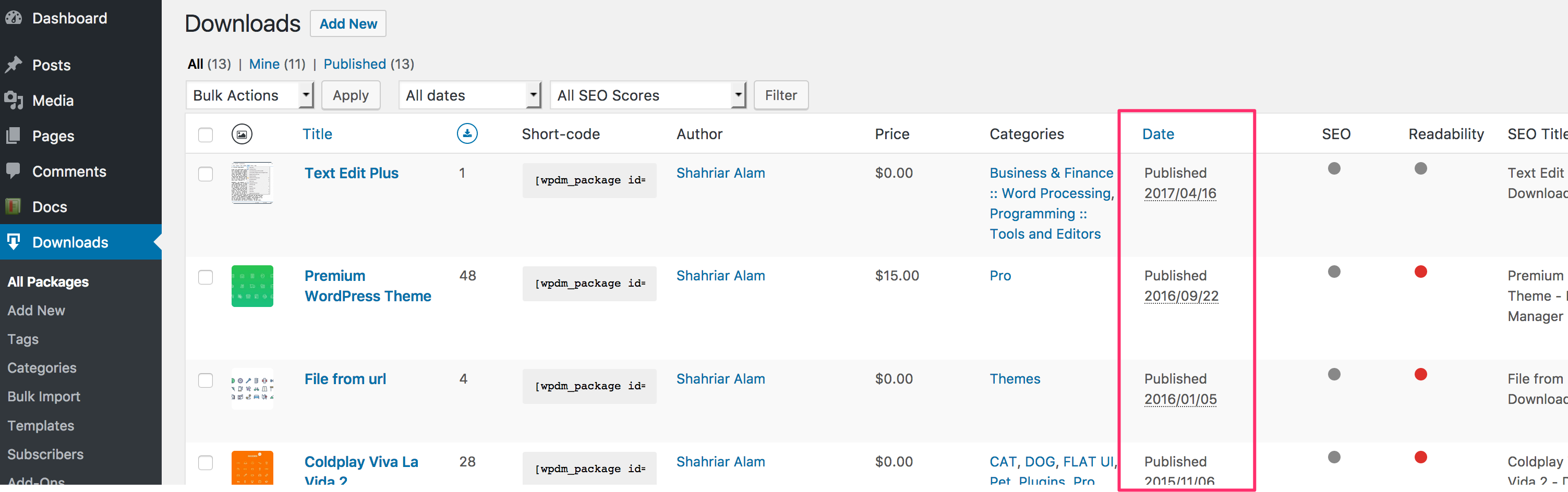
Hi I have added some shortcode downloads to this page https://autopool.com.au/downloads/ under the Pool Heaters Section, but they are not appearing? See attached screenshot. When I copy and paste an existing shortcode to that area it shows up? Not sure why this is happening? I can try to de-activate and reinstall the plugin but will I lose all my existing downloads if I do this?
Can you please help me on this?