
Forum Replies Created

Okay now. I’ve adjusted it in the newsletter plugin. Your server was not sending emails for HTML formatting issues with email. Now sending email using wpdm default template and it is working fine.
I’m already testing it now on your site, you will get it working or a clear explanation within today.
I just fetched the CRON URL, it showing the email sent successfully. Now, I’ve added your corn URL in https://www.easycron.com with 1 hour interval.
May you please try now and let me know if you are receiving update email
Hi,
I’m testing the issue and preparing a new update for the add-on, please allow another 24 – 48 hours.
I just checked, to send a notification to selected members, you even will not need cron, the email triggers as soon as you publish/update a package. I’ve tested it now, and received update notification properly:

Hi,
Sorry for your troubles, we have fixed the issue, the update is coming within the next few hours. For now, I just updated the function on your site.
I’ve found the issue and an update will be released within the next few hours. Thanks for your patience and for staying with us.
@bgrinter, if you can’t save settings, it may happen due to some server settings, especially in siteground hosting. Please add the following to your site’s .htaccess file to get it to work:
<IfModule mod_security.c>
SecFilterRemove 001868
</IfModule>
Or, you also may contact hosting support.
Here is the solution:
Yes, your site is updated now with that option, but we are still tweaking the feature for better performance. The public update is coming soon.
Hi,
When sending an email, for most servers, you can’t use an unverified address as from address, that will send the email in the spam folder. For the same reason, the plugin can’t use the user’s email address as from address, also for privacy reasons. But with the email message, there is a link for the reply.
We have address the link preview option, now in the testing phase, we shall release a new update soon.
Please send me temporary wp-admin login info in a private reply to check.
You need the check the following option:
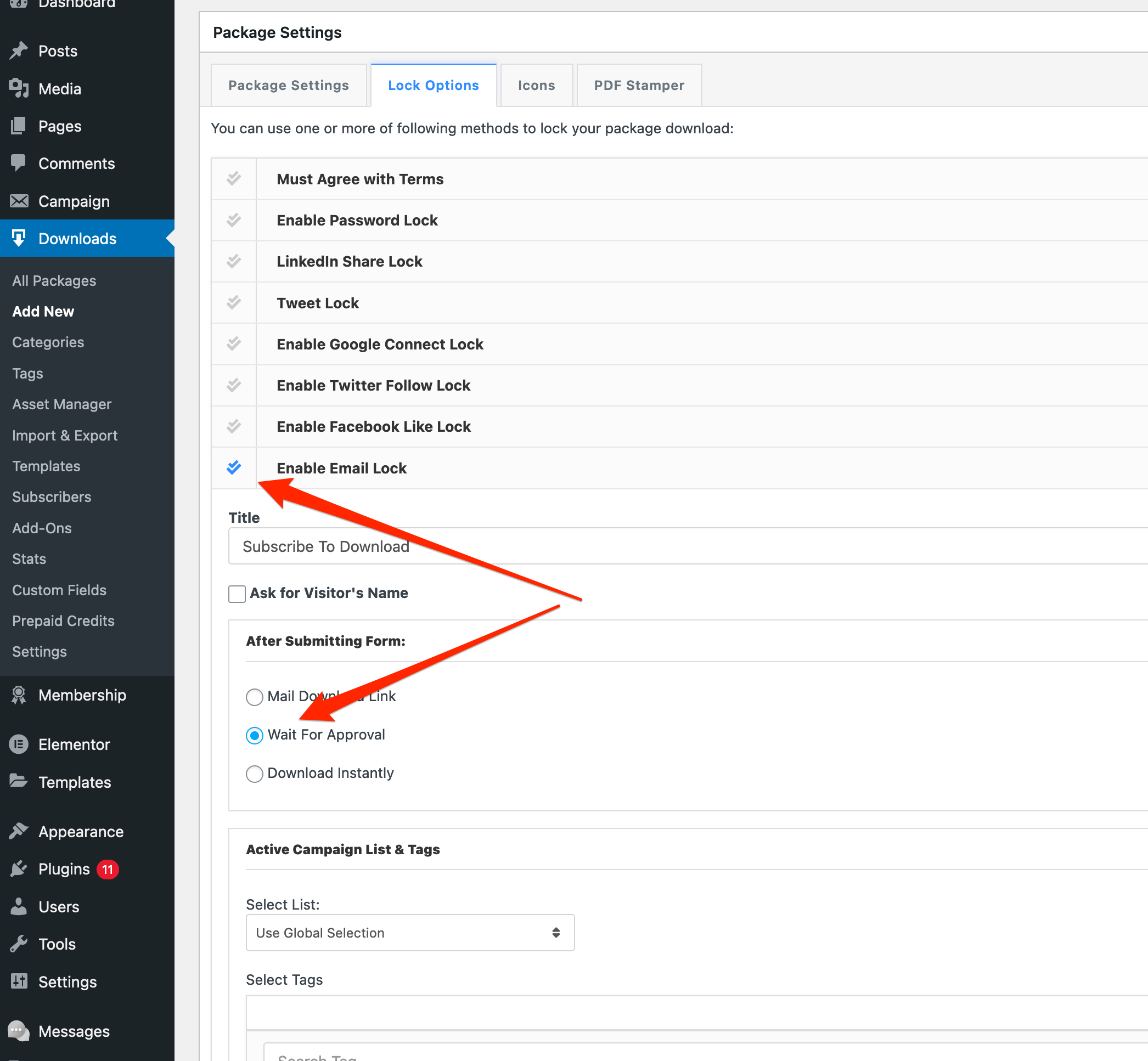
Hi,
Here is the issue, the old version of the lazy download add-on was using session instead of URL parameter to handle package ID and add-on settings, but due to various caching plugin, the session was not functioning properly, like when you trying to download a package, it was downloading another one from the old cache. So, we had to resolve the issue by excluding session use and adding encrypted URL parameters to transfer the data. But there is no error with the plugin.
Hi,
#1. You can send a link, for now, it will not convert the HTML, but we shall improve it with the next update.
#2. okay now
#3. Reply email is working fine on our test:

But, I’m checking it again in detail
#4. Attachment working fine on safari now
#5. We shall add multi-admin support in the next update, however, it can be improvised now by the admin replying from the front-end.
Hi,
Sorry for the delays, somehow I missed your email. Checking now.
Hi,
As it is now, the tree view is not possible here with [wpdm_my_downloads]. But we have an add-on with some alternative views, please check:
Hi,
Allow access option is fully functional, Effective Access to "Package P" = Selected roles in "Allow Access" field + All selected roles for "Category A" + All selected roles for "Category B" = Subscribers, Authors, Editors/ please check the doc here: