


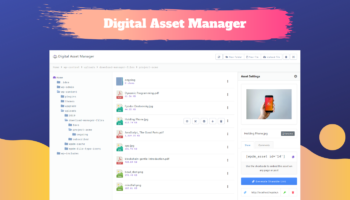
WordPress Download Manager Pro v4.4 has been released. We added an awesome feature with this update. Now you can give your site users an awesome user dashboard form where they will able to see some recommended downloads, their download history and stats. Also we have fixed 6 issues found with previous version.
What is new with WordPress Download Manager Pro v4.4:
- Fixed individual download issue
- Fixed base name issue for non-ascii file names
- Fixed issues with docx preview
- Fixed issue with file size calculation for dir attachment
- Fixed issued with template tag
[file_list_extended] - Fixed issues with Linkedin app id settings
- Added pause option with play button
- Added new short-codes
wpm_package_countandwpdm_download_count - Added New Short-code
wpdm_user_dashboardfor User Dashboard - Added Download History Page
- Redesigned all link templates
- Global option for single file download
- Global option for zip cache in multi-file package
- Package option for zip cache
- Added new option to enable/disable pagination & search option for file list in a package
If you still using old version of WordPress Download Manager Pro, we strongly recommend you to update your copy ASAP, as always, you can get the latest version from Premium Download Area .

12 Comments
Folks
I have an issue as plugin will not activate due to fatal error:
Fatal error: Cannot redeclare dd() (previously declared in /home/content/p3pnexwpnas01_data03/12/2904312/html/wp-content/themes/TESSERACT/functions.php:5) in /home/content/p3pnexwpnas01_data03/12/2904312/html/wp-content/plugins/download-manager/wpdm-functions.php on line 5392
Looks like your theme using a function with same name “dd” as download manager. However, please delete it from /download-manager/wpdm-functions.php on line 5392 or post in forum http://www.wpdownloadmanager.com/support/forum/download-manager-pro/ so that we can help you to adjust it.
How do I find (!) and install updates for the add-ons? My WP plug-in page says there is a 2.4.0 version of the “WPDM – TinyMce Button” but your download page still has the 2.3.1. ? So where is the new version? Same with the “WPDM – Extended Short-codes”.
Why can’t we update add-ons like we update plug-ins???
Sorry, we forgot to update version number in product page of tinymce button add-on, but extended short-code looks updated, however, in case of free add-ons, simply need to download again from product page to get the latest version and for pro add-ons, you can download latest version from account dashboard. Additionally we are working on auto-update feature.
Maybe a stupid question. How do I install the new 4.4 version? First delete the old version or do I have to do this in another way?
Thanks for your help.
Kind regards,
Martien
Yes, here are the steps: http://www.wpdownloadmanager.com/support/topic/how-to-update-the-paid-plugin/ 🙂
Ilove the Plugin and themes , and what can i say about the support , the support from this crew is the best what i see i have over 100 wordpress sites but this Plugin and Theme + Support is awesome thank ya Guys for all.
Thanks 🙂
Hello. Will this version allow the plugin to be updated ‘normally’ within the WordPress backend plugin area, by just clicking the button?
Sorry, not yet. We are still working on it.
I love this plug-in. Every update is amazing feature.
The support is fast and attentive.
4.4 perfect!
Thanks 🙂