
Forum Replies Created

Please activate Bootstrap 3 from Downloads > Settings > User Interface Tab. Bootstrap 4 version doesn’t have the preview support yet.
Could you please tell how you are adding dropbox files?
Hi, Clear your browser cache and as well as WP cache. It will be solved.
Hi, you can use the following code:
[wpdm_all_packages items_per_page="25" order_by="publish_date" order="DESC" jstable=1 cols="title,package_size|download_count|publish_date|download_link" colheads="Title|Package Size|Download Count|Publish Date|Download Link"]
Let me know if that helps. You can replace items_per_page=”25″ as per your need!
Could you please share your admin login in a private reply to let me check the issue inside?
Could you please share your admin login in a private reply to let me check the issue inside?
Could you please share your admin login in a private reply to let me check the issue inside?
Hi Mark, Please see the attached image. The download link you are talking about is related to Download Monitor by some other company, not by Download Manager by W3Eden
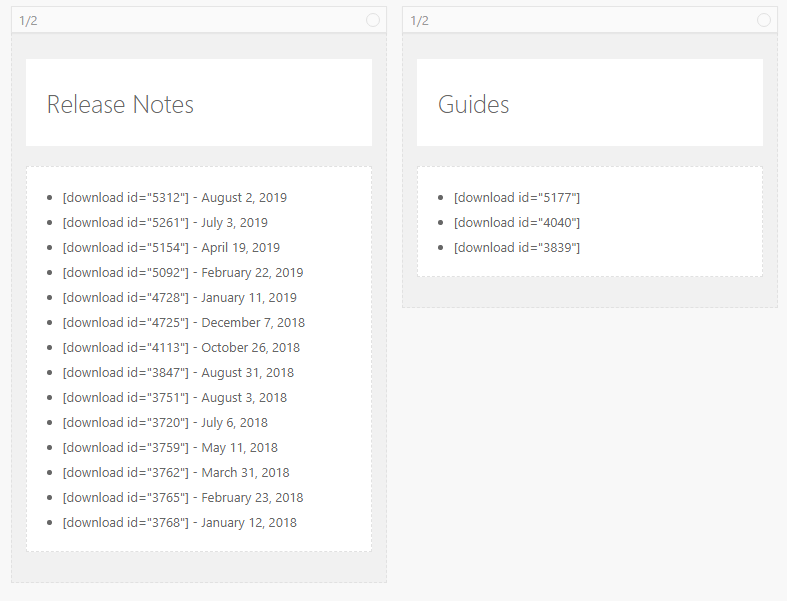
Create a page with following shortcode [wpdm_frontend flaturl=0]
After that
Go to Downloads Frontend Access Frontend Settings Register Page, and select the page you created with Shortcode.
I have gone through your Admin area and also test several pages from the menu. Haven’t noticed any error. And noticed that you are also using Download Monitor by Never5! Could you please tell exactly where are you facing this 404 error?
Hi Juliane, I am not sure what sort of support you want. If you have purchased a license please send your problem details in our Pro support section with detailed problems/issues statement. https://www.wpdownloadmanager.com/support/forum/download-manager-pro/
Could you share me the Admin login details in a private reply to check the details?
Could you share me the Admin login details in a private reply to check the details?
Yes, I have tested that on mobile device it is not downloading. Allow me some time to get back with results/solutions.
Please clear your browser cache and try again. Let me know the result.
Thank you. In which link you encounter the issue? Please send me the link.
Could you please share your admin login details in a private reply to check the issue by myself?
No, You dont need to do anything. Just transfer your site as usual.
Hi,
Could you please share the link where you used the above shortcode?
There may be some file permission issues. Can you share your AWS credentials with us? (including the Instance key)?
Could you please share your admin login in a private reply to let me check the issue inside?
Hi Saeid,
Could you please share your admin login in a private reply to let me check the issue inside?
Regards / Salahuddin Ahmed
You need to put your Amazaon S3 Access Key & Secret Key in the Settings area to make it work!