
Forum Replies Created

Please download 6.2.0 now and update again, it is fixed there.
Hi,
3.2.47 shouldn’t have the issue anymore, input like https://xxx.xxx/'"><img src=x onerror=alert(origin)> filtering properly. May you please give me an input for which you are facing the issue.
Hi,
Finally looks like you were able to complete the purchase. Your order is active now.
We shall add a hook there to modify user’s base dir, but it will not be possible to add the feature with core, as wp user can have multiple roles.
Please use the following code:
add_filter('wpdm_dashboard_menu', function ($menu){
	unset($menu['account']['items']['edit-profile']);
	return $menu;
});Hi,
We are already preparing an update, it will be released within next 2 weeks.
Hi,
No problem, I’ve reactivated your subscription.
Using this plugin you can create your custom mailing list ( user group ):
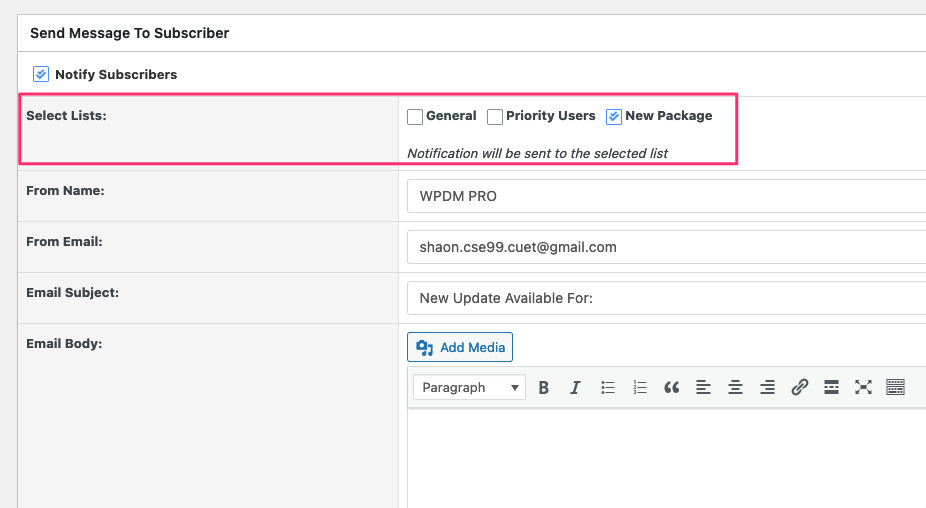
Hi,
You may use:
Hi,
All In One WP Security plugin was blocking an payment validation request that’s why your order was not completing properly, it is working fine after I disabled that plugin.
Hi,
Your license key is active and show be working fine. Please check if your server firewall is blocking wpdownloadmanager.com. Also, please give me temporary wp-admin login info in a private reply to check your issue in detail.
Hi,
You can use template tag [product_preview_WxH] ( ex: [product_preview_800x1200] ) tag to show image preview.
Hi,
WPDM doesn’t have any specif tag for media image and so, there is no need of any tag to pull alt from media image. For featured image, use [featured_image] tag, that uses native get_the_post_thumbnail function. May you please explain clearly with which part of the template you using the alt tag, for which image, in case, I’m missing the point.