
Forum Replies Created

Support, you already have a page, where you need to add a download button, so, here what you need to do:
- Go to Admin Menu Downloads Add New
- Add title, description, upload file and publish
- Now, go to Admin Menu Pages
- Click on the page title where you need to add download link
- Click on the blue button:
https://www.evernote.com/shard/s349/sh/bc1af9eb-af75-46f0-9b71-531882de8147/d081a9ec57d6b99255ff260b12ed323f/deep/0/Add-New-Post—WordPress-Themes—WordPress.png - Click on the file title and it will insert the shortcode in the page
- finally, Update the page.

But when you only have a few files to download, the quickest way is using Quick add option with TinyMCE button:
https://www.evernote.com/l/AV1LN_Ekl2pI26fuUAbJz6qk6gPU-rUKP9oB/image.png
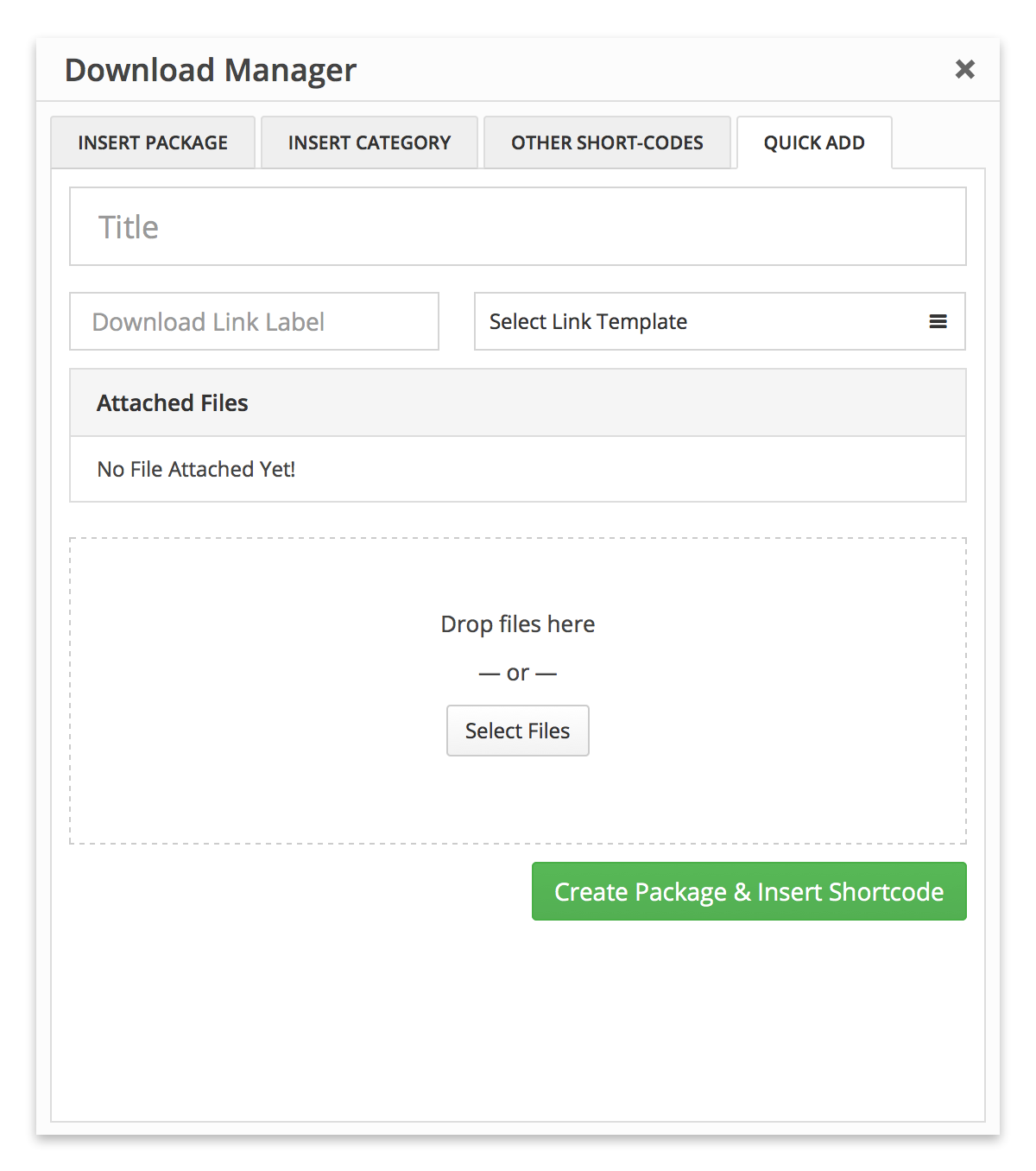
But, when you have lots of files with different categories to download, you need to create all categories and add all files from Admin Menu Downloads
After you are done with adding all categories and files, now you can use category shortcode or file shortcode in page content to share your files or you can link categories or files directly with your menus from menu manager here Admin Menu Appearance Menus.
BTW, the process in Add New File and Add New Package are almost same.
Sorry, you can’t filter the tree view by tags, but you can do that using category. You can create sub-groups tree view using parent category.
Ex:
[wpdm_tree category=”all-documents” download_link=1], where “All Documents” should the parent category.
No reconfiguration is required, if you reinstall the plugin everything will be there as it was without any doubt.
Sorry for the trouble, there was an issue with sanitizing filename option. Please reattach the files from “Browse” tab.
You can assign a folder in the same server to a package, then show the list like this:
You’re welcome. No worry, we are always here for you 🙂
So, how are you detecting now, “when they stop being a customer”.
If you check it in our demo here https://demo.wpdownloadmanager.com/wpdmpro/archive-page-default/, it is working fine, so I need to check it in your installation. Please give me temporary wp-admin login info in a private reply.
ok now, no additional CSS required there, the issue with wrong plugin dir name, I’ve reinstalled wpdm pro and everything is working fine.
You can download it from here:
Ok now, it was because of old tpl files in theme dir.
It some server, the main plugin causing some trouble with auto update, but you can auto-update add-ons without any trouble, however, we are working on this.
Sorry, not clear, may you please give me your URL to check.
please give me the URL to suggest you required CSS to remove the dots.
“a way to revoke access when they stop being a customer.” — you can do that simply using access option, you can put customers to a certain user role and when a member drops from being a customer, change his role.
I found the add-on deactivated, I’ve activated and it is working fine now.
It is because, the view mostly depends on your active theme. You only can select a link template or show some package info, you can configure it from Admin Menu Downloads Settings Frontend tab Category Page Options panel
Seems like, to solve your biggest problem, it will require creating custom theme template, explained here:
Please download the latest version from premium download area ( https://www.wpdownloadmanager.com/user-dashboard/purchases/ ) and update your copy.
Okay, here is a special discount only for you 🙂
https://www.wpdownloadmanager.com/cart/?savedcart=591ae52ddffa2
please give me ftp access to plugins dir, I shall disable wpdm login functions.
Please give me temporary wp-admin login info in a private reply to check your issue.
Actually, to edit such code, you will need good experience with PHP coding, and there it is a template tag, not short-code, template tag need to be placed in link or page template ( https://www.wpdownloadmanager.com/doc/templates/ )