
-
Search Results
-
When we receive the notification email and click the download link, we get an alert stating that the link has expired. However, if we use the Direct Download button instead, the file downloads successfully.
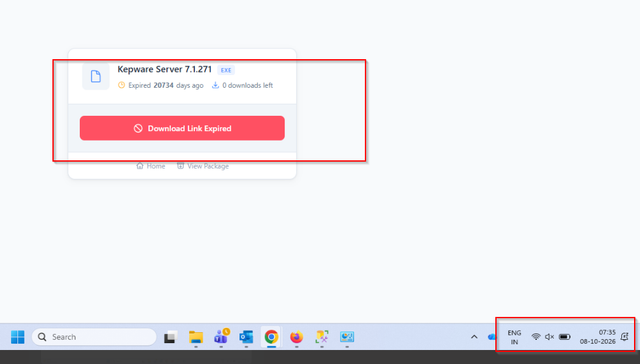
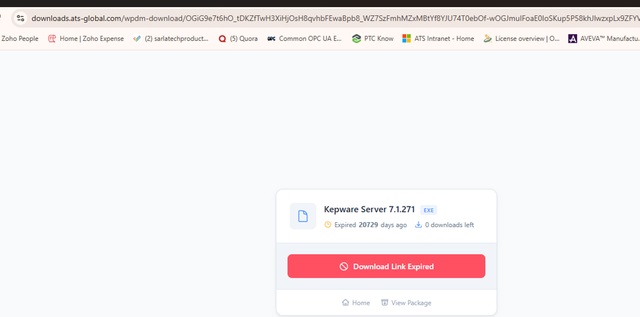
I just had the license that was purchased by mistake swapped for the correct one, but I get an “Invalid Link” error when trying to manually download the plugin and add-ons. This happens on your website’s dashboard.
We are a WordPress website agency, and we have a client site using the free version of Download Manager. It was working fine until a couple of months ago, when users trying to download files with a password started inconsistently seeing an “Invalid Download Link” error.
We initially thought it was a caching issue and excluded the download page from Edge full-page caching, but it did not resolve the issue. We are wondering if it has to do with the “Lock Options” since the client has been using password-required downloads on the free version, but from your documentation it seems that should work fine, and the restriction is on setting a specific number of times that the password can be used. Is that correct?
Are there any other known issues with DIVI or plugin incompatibilities that may cause the “Invalid download link” issue?
Hello,
Automatic updates of Download Manager Pro fail on both domains attached to our license. We had to install 7.5.4 and 7.5.5 manually from our account. Order ID and domains follow in a private reply.
Environment
WordPress 7.1, PHP 8.4, Download Manager Pro 7.5.5 (installed manually)What happens
1. WordPress offers the update, then fails with an unpack error.
2. The package URL (https://www.wpdownloadmanager.com/?wpdmppdl=…&domain=…) returns HTTP 200 with a 1.7 KB HTML page saying “Invalid Access!” instead of a zip.What we checked
–POST /wp-json/wpdmpp/v1/license/validate, called from each server, returnssuccess: true,status: VALID,order_status: Completed, but alsodomain_registered: falsefor both domains, although both are listed inlicense.domains.
–domain_registeredstays false after several validation calls, so a successful validation does not seem to register the domain.
– A freshdownload_urlreturned by that endpoint (ind=0) also answers “Invalid Access!”, with or without&domain=. The older URL stored on the site fails the same way, so this is not a stale link on our side.Possibly related (7.5.x)
is_valid_license_key()insrc/wpdm-core.phprewrites the__wpdm_license_detoption withoutdownload_url, whileUpdater::updateCore()builds the update package from that field. Revalidating the license from the settings screen would therefore leave WordPress with an empty update package. We did not revalidate for that reason.Questions
1. Could you register both domains on the license, or tell us why they are reported as not registered?
2. Is anything else preventing the package URL from serving the zip for a valid license?
3. Is the missingdownload_urlafter revalidation a known issue?Thank you,
Sylvain – e-laboTopic: Invalid download link
Hi,
I am getting this “Invalid download link” 500 error on downloads when i enable reCAPTCHA. The reCAPTCHA appears to be setup correctly, and the test button in download manager settings says pass. When i’m logged into the wordpress site, downloads work fine, so its like even though acccess control is set to “All visitors”, its not actually giving access to guests.
I’ve read through every other invalid download link post on this forum and nothing seems to have helped. I deactivated any plugins that looked like they could interfere with no improvement.
I enabled debug logs and ran them through copilot, this is its summary:
“This shows:
– The page loads correctly.
– CAPTCHA validation succeeds.
– A WPDM AJAX request returns 400.
– The generated download link then returns 500 Internal Server Error.So the problem is not Google reCAPTCHA. The test result and logs both confirm CAPTCHA validation is successful.
The fault appears to be inside WordPress Download Manager (WPDM) after CAPTCHA has been accepted.”
Any ideas?
Hi,
Is there a way to change button color values in link templates? I’ve duplicated and modified a couple of them, but I haven’t been able to change that value.
Thanks.
Hi there, I am using this shortcode.
On initial load it only shows the packages from the 2 assigned Categories, Once I choose a Category from the drop down and then choose “all categories” in the drop down it shows all packages from all categories of my website and not the 2 assigned to this shortcode like on the initial load of the page.
[wpdm_all_packages category_filter="true" categories="Kleine Leute Großer Gott, Kleine Leute Großer Gott Zusatzmaterial" tag_filter="true" orderby="date" order="DESC" cols="page_link|categories|publish_date|download_link" colheads="Titel|Kategorie|Datum::150px|Download::100px"]
Any solution for this?
THX GabrielTopic: Sort by date not working
Hi there, as many other users I have the same problem. Unable to sort by date. The Table would always sort by the first column.
[wpdm_all_packages category_filter="true" categories="Kleine Leute Großer Gott, Kleine Leute Großer Gott Zusatzmaterial" tag_filter="true" orderby="date" order="DESC" cols="page_link|categories|publish_date|download_link" colheads="Titel|Kategorie|Datum::150px|Download::100px"]Any solution for this?
THX Gabriel


