Running a small business means wearing many hats. You’re the CEO, marketer, support team, and everything in between. The last thing you need is to manually send emails to every new subscriber, abandoned cart, or inactive customer.
That’s where email automation comes in — set it up once, and let it work for you 24/7.
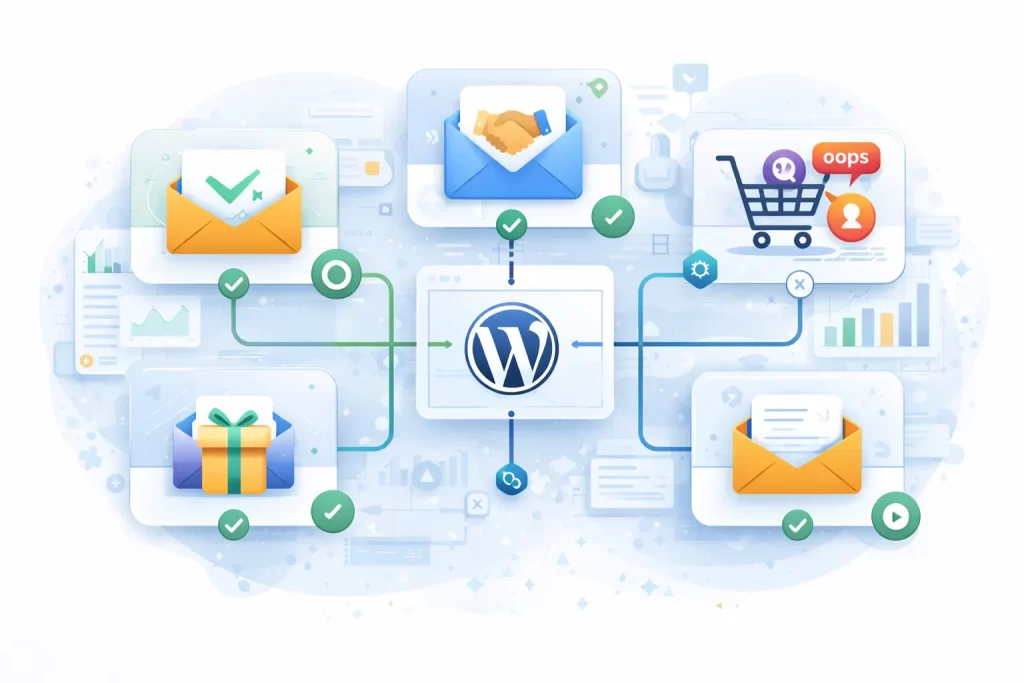
In this guide, we’ll cover the 5 essential email automations every small business should implement today. These aren’t fancy nice-to-haves; they’re proven revenue drivers that top businesses use to nurture leads, recover sales, and build lasting customer relationships.
Looking for a powerful WordPress email automation solution? Check out Outreach — a modern email marketing and automation plugin built specifically for WordPress.
Why Email Automation Matters for Small Businesses
Before we dive in, let’s look at why automation is non-negotiable:
- Saves 10+ hours per week on repetitive email tasks
- Increases revenue by 320% compared to non-automated emails (Campaign Monitor)
- Improves customer retention with timely, relevant messages
- Works while you sleep — literally 24/7 engagement
Now, let’s set up your automation engine.
1. Welcome Email Series (The First Impression)
Your welcome email is the most opened email you’ll ever send — with open rates averaging 50-60% (4x higher than regular campaigns). Don’t waste this opportunity with a boring “Thanks for subscribing.”
What to Include:
Email 1 (Immediately): Warm welcome + deliver any promised lead magnet
- Thank them for joining
- Deliver the freebie/discount they signed up for
- Set expectations (what emails they’ll receive)
Email 2 (Day 2): Your story + value proposition
- Share your brand story briefly
- Explain how you help customers
- Include social proof (testimonials, stats)
Email 3 (Day 4): Best content or product showcase
- Share your most popular blog post or product
- Provide genuine value
- Soft CTA to explore more
Email 4 (Day 7): Engagement driver
- Ask a question to encourage replies
- Invite them to follow on social media
- Offer exclusive subscriber benefits
Example Subject Lines:
- “Welcome to [Brand]! Here’s your [freebie]”
- “The story behind [Brand] (and why we’re different)”
- “Our customers’ favorite [product/resource]”
- “Quick question for you, {{first_name}}”
2. Abandoned Cart Recovery (The Money Saver)
Did you know 70% of online shopping carts are abandoned? That’s potential revenue just sitting there. An abandoned cart email sequence can recover 10-15% of those lost sales.
The 3-Email Recovery Sequence:
Email 1 (1 hour after abandonment): Gentle reminder
- “Did you forget something?”
- Show the abandoned items with images
- Clear CTA to complete purchase
- No discount yet — many will convert without one
Email 2 (24 hours): Address objections
- “Still thinking it over?”
- Include customer reviews/testimonials
- Answer common questions (shipping, returns)
- Create gentle urgency (“Items selling fast”)
Email 3 (72 hours): Final push with incentive
- “Last chance” messaging
- Offer a small discount (10%) or free shipping
- Scarcity element (“Cart expires soon”)
- Make it easy — one-click return to cart
Key Elements:
- Product images in the email
- Clear, single CTA button
- Mobile-optimized design
- Personalization (name, specific items)
3. Post-Purchase Follow-Up (The Relationship Builder)
The sale isn’t the end — it’s the beginning of the customer relationship. Post-purchase emails have 40% higher open rates than promotional emails because customers are actively engaged.
The Post-Purchase Sequence:
Email 1 (Immediately): Order confirmation + thank you
- Confirm the order details
- Express genuine gratitude
- Set delivery expectations
Email 2 (After delivery): Check-in + support
- “How’s everything going with your [product]?”
- Offer helpful tips or tutorials
- Provide easy access to support
Email 3 (7-14 days later): Review request
- Ask for a review or testimonial
- Make it easy with a direct link
- Explain how reviews help (social proof)
Email 4 (30 days later): Cross-sell/upsell
- Recommend complementary products
- “Customers who bought X also loved Y”
- Exclusive returning customer discount
For Digital Products:
If you sell digital downloads (like many WordPress Download Manager users), your post-purchase sequence might include:
- Download instructions and quick-start guide
- Video tutorials or documentation links
- Upgrade offers to premium versions
- Request for ratings/reviews
4. Re-Engagement Campaign (The Win-Back)
Subscribers go cold. It happens. But before you delete them, try to win them back. Re-engagement campaigns can recover 5-10% of inactive subscribers — and those who don’t respond help you clean your list.
When to Trigger:
Start a re-engagement sequence when a subscriber:
- Hasn’t opened emails in 60-90 days
- Hasn’t clicked in 90+ days
- Hasn’t purchased in 6+ months (for customers)
The Re-Engagement Sequence:
Email 1: “We miss you”
- Acknowledge the silence
- Remind them why they subscribed
- Highlight what they’ve missed
Email 2 (3 days later): Value bomb
- Share your best content or offer
- Give them a reason to re-engage
- Exclusive “welcome back” discount
Email 3 (7 days later): Last chance
- “Should we part ways?”
- Clear choice: stay or unsubscribe
- Final incentive to stay
- Respect their choice either way
Subject Lines That Work:
- “We haven’t heard from you in a while, {{first_name}}”
- “Is this goodbye? (We hope not)”
- “Before you go… a special offer inside”
- “Should we stop emailing you?”
5. Birthday/Anniversary Emails (The Personal Touch)
Birthday emails generate 342% higher revenue per email than promotional emails (Experian). They feel personal, timely, and give you a perfect excuse to offer something special.
What You Need:
- Collect birth dates during signup (just month/day is fine)
- Or use subscription anniversary as an alternative
Birthday Email Ideas:
Option 1: Simple discount
- “Happy Birthday, {{first_name}}! Here’s 25% off”
- Exclusive birthday-only code
- Extended validity (use within 7 days)
Option 2: Free gift
- Free product with purchase
- Free upgrade or premium feature access
- Bonus content or resource
Option 3: Double points (for loyalty programs)
- 2x points on birthday purchases
- Bonus points just for having a birthday
Subscription Anniversary Alternative:
Don’t have birthdays? Celebrate their subscription anniversary instead:
- “You’ve been with us for 1 year! 🎉”
- Recap their journey (purchases, downloads, engagement)
- Thank them with a special offer
How to Set Up These Automations
Most email platforms offer automation features, but if you’re running a WordPress site, you have a powerful option that keeps everything in-house:
Using Outreach for WordPress
Outreach is a modern email marketing and automation plugin that brings enterprise-level features to WordPress:
- Visual Automation Builder — Drag-and-drop workflow creation
- Trigger-Based Automations — Fire emails on subscriber actions, purchases, tags, and more
- Wait Steps — Add delays between emails (hours, days, weeks)
- Conditional Logic — Branch workflows based on subscriber behavior
- Segmentation — Target specific lists or tags
- No Monthly Fees — Unlike SaaS platforms, you own your data
Plus, it integrates seamlessly with WordPress Download Manager for digital product businesses.
Quick Implementation Checklist
Ready to set up your automations? Here’s your action plan:
| Automation | Priority | Time to Set Up | Expected Impact |
|---|---|---|---|
| Welcome Series | 🔴 High | 1-2 hours | +50% engagement |
| Abandoned Cart | 🔴 High | 1 hour | +10-15% recovered sales |
| Post-Purchase | 🟡 Medium | 1 hour | +25% repeat purchases |
| Re-Engagement | 🟡 Medium | 30 min | Better list health |
| Birthday | 🟢 Low | 30 min | +342% revenue/email |
Start with the welcome series — it’s the highest impact and applies to every subscriber. Then add others based on your business model.
Conclusion
Email automation isn’t just for big companies with dedicated marketing teams. With the right tools and these five essential automations, any small business can:
- Save hours of manual work every week
- Increase revenue with timely, relevant emails
- Build stronger customer relationships on autopilot
- Compete with larger competitors
The best part? Set it up once, and it works forever. Your future self will thank you.
Start with the welcome series today. Your subscribers are waiting.
Recommended Tools:
- Outreach — Email marketing & automation for WordPress
- WordPress Download Manager — Digital product delivery
Have questions about email automation? Drop a comment below!