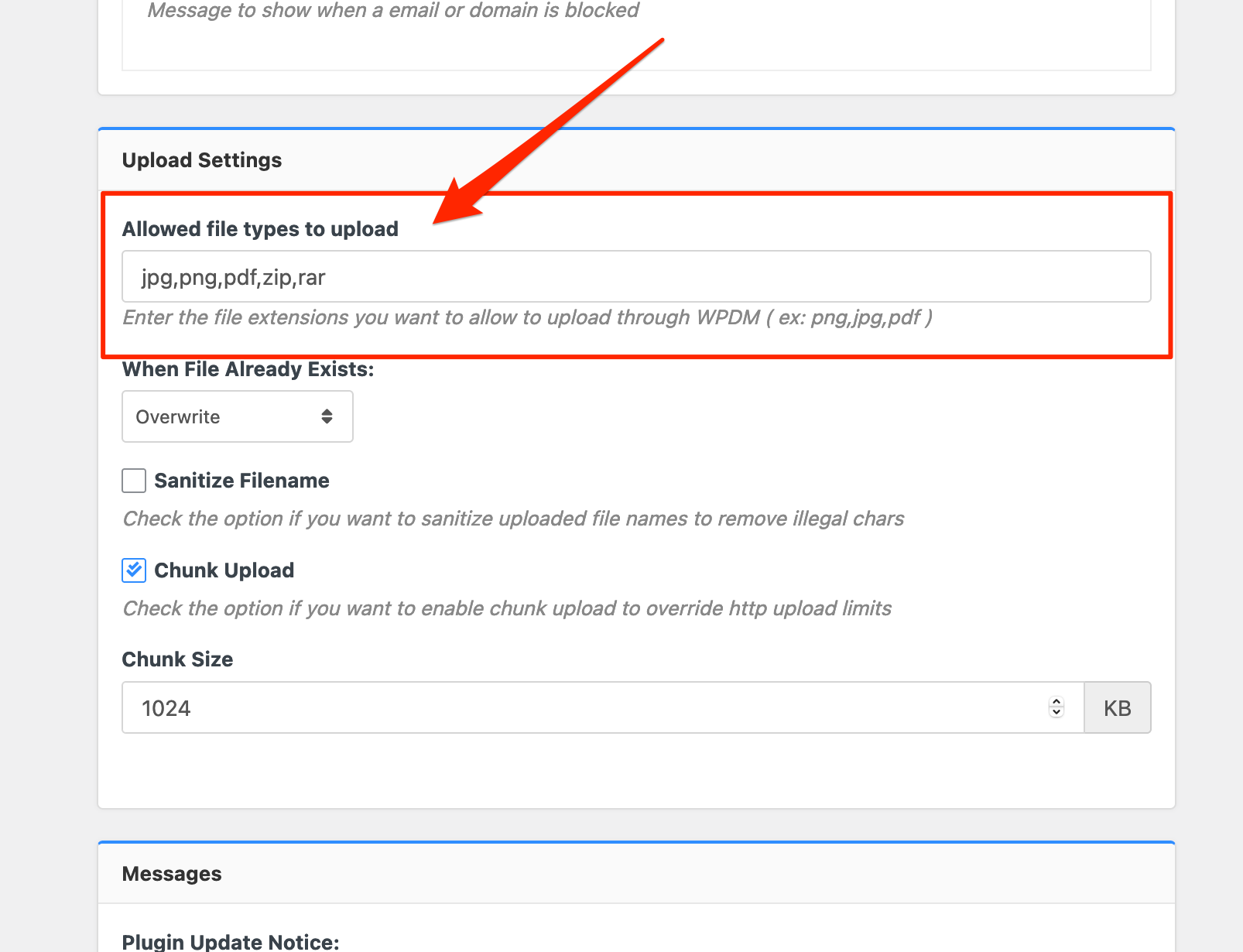
Hello @ukfastcar,
In my inspection, I found that the Downloads►All Files section is working fine. Please have a look at this.
Also, in the above-mentioned link, there is no shortcode used that’s why it’s showing blank like this.
Can you please let me know how it was showing before?
Thank you
Hi Humayon,
It has not been resolved on my end as I still see the same issue and now have a further issue.
In the admin section – Downloads – All Files I still get the same error
Also now on the home page when I click All Downloads link the page shows but with now download links?
All Downloads
Thanks
Ian
Hi @fscedfu/,
Sorry for the inconvenience.
You are updating the WPDM Pro after a long time. So, simply visiting the link and page template menu on the admin dashboard will resolve the issue. As the action will regenerate the templates automatically in the new style.
Go to Downloads>templates then visit all tabs there.
Hopefully, your problem will be solved.
Thanks
Hello,
I’m listing packages with the Directory Add-On and a custom link_template.
[wpdm_archive cat_view="extended" link_template="5a7c0d281e05c" showcount="1" items_per_page="10" order_by="title" order="asc"]
After updating Download Manager from 5.4.1 to 6.0.5 and also updated all the Add-ons, it wont list the packages anymore because I get a JS-error: Uncaught ReferenceError: wpdm_asset is not defined
function getDownloads(cp, container, init) {
WPDM.blockUI('#wpdm-archive-page');
var scode_params = typeof wpdmap_params !== 'undefined' ? wpdmap_params : '';
jQuery('#wpdm-downloads').prepend('<div class="wpdm-loading">'+wpdm_asset.spinner+' '+__('Loading', 'wpdm-archive-pae')+'...</div>');
var from_date = ''; var to_date = ''
if(jQuery('#dates_filter').is(':checked')) {
from_date = wpdmap_sdate;
to_date = wpdmap_edate;
}
init = typeof init === 'undefined' ? 0 : 1;
jQuery.post(location.href, {
action: 'get_downloads',
cp: cp,
init: init,
search: jQuery('#src').val(),
category: wpdmac_category,
tags: wpdmac_tags,
orderby: jQuery('#order_by').val(),
order: jQuery('#order').val(),
from_date: from_date,
to_date: to_date,
date_col: wpdmap_dcol,
sc_params: scode_params
}, function (response) {
if(typeof container === 'undefined') container = '#wpdm-downloads';
jQuery(container).html(response.html+wpdmapPagination(cp, response.last));
WPDM.unblockUI('#wpdm-archive-page');
});
}
Why is not wpdm_asset defined? Can you please help me?
Hello @thehawkman,
Hope you are well.
For #1, please check option from Insert URL option as I attached image,

For #2, For creating an account and setting pages, can you please check these options as I image attached,

and you can also check, Admin Menu Downloads Settings Frontend for restricting role-based upload, please also check the doc here,
[wpdm_frontend] – Front-end Uploader UI / Author Dashboard
For #3, if you are trying to give role-based commission to the site users of their sales amount, From premium package add-on, and you can check the payout settings here,
Payout Settings
For #4, And for You are not allowed issue, can you please check the Allow Access option from the frontend uploader
I hope these may help you, please let me know if you have other queries
Thank you and regards
Hello,
Please update the WPDM plugin now. New version released 2hours ago. Query tag has been fixed.
you can follow the shortcode structure here: https://www.wpdownloadmanager.com/doc/short-codes/wpdm_tag-query-all-downloads-from-specified-tags/
Let me know if you still find the issue.
Thanks
Hi Tanvir,
Please check the screenshot.
I want a sidebar that shows the category of the download, most popular downloads, and want to remove all blog features…
What I can do? I just purchased the PRO version but it seems not work.
Packaa
Thanks Kabir.
The solution you suggested me, means that I have to rearrange all my pages, all my categories and all my downloads.
Since it is no longer possible to restore the original document sequences exposed on each page, this will require a lot of work …
The WPDM Widget Pack is not what I need, I need the WPDM ListPackages widget or a way to automatically restore/convert it into a different WPDM widget but with the same functionalities.
Am I the only one who has reported this problem?
If a widget existed, why was it removed for no reason and not reported in the plugin’s change log?
Cheers!
All Pages are Broken due to Download Manager Pro
https://blackvue.com/downloads/
Currently, we have deactivated it and the website working properly.
Please help me out on this
Could you clarify what the CSS issue was and where you found it? I am still seeing the same thing with the login box that you sent in the screen shot when in incognito mode. If I use my wp-login account I can then see the downloads page but only when I am logged into a WordPress account. This is the same as before where I can only view the downloads page when I am logged into WordPress however, for this site we don’t allow others to make accounts so they wouldn’t be able to view the page in its entirety.
-
This reply was modified 4 years, 4 months ago by
ClearTouch.
This reply has been marked as private.
Hello @robcasella1,
Sorry for this inconvenience.
Make sure that WPDM and all add-ons you are using of WPDM are in the latest version. If you can’t update it directry from WordPress dashboard, Please update from here.
wpdm_my_downloads shortcode is from this addon:
Advanced Access Control
Make sure you have updated this to the latest 3.0.5 version.
If, still the problem exists then please share your admin login credentials with us in a private reply so that we can debug and give you a better solution about it? I see this while trying to access your site.

Best Regards
Hello @eammendola,
Hope you are well.
wpdm-all-downloads.php is renamed as all-packages-shortcode.php, and the file location is /download-manager/src/Package/views/, however the template customization rules are same as mentioned here.
Thank you
This reply has been marked as private.
If you go to Downloads -> Templates -> Link Templates
and if you check each previews for each of the templates you would see that all of them except a few hyperlinks. Only ones which have [title] instead of [link] defined in the template do not show it.
So is there any in which I can remove it
Hi,
You can select a specific category for all the same topic files, then use this shortcode and add that category slug on the shortcode. You can add those languages’ names in the title. I think, it will look considerably similar to your example page/
Thank you
Is there a way to bundle certain downloads together? I have 10 downloads I’d like to be tagged in their individual categories, but I’d also like to bundle them all together as a single package and tagged as another category… Is there a way to do this easily? Or should I just create them both ways?
Hi,
I am using the version 1.4.0 of file cart and i just noticed that when you click the plus symbol on the file cart button, it saves the file in the file cart and when you download, it actually downloads the zip folder. The problem i have with it is that, it happens on all protected files and i am not even logged in. So that is a big issue.
Hello @seankobuk,
I shall check your issue. I think it is related to the [wpdm_my_downloads] shortcode of Advanced Access Control add-on. And here Eid Vacation is going on.
Thank you
Hello @msamavi,
Hope you are well. You can check the option from Downloads > All Packages as I image attached,

and after that, you shall get the interface like as I image attached,

I hope it may help you. please let me know if you have other queries
Thank you and regards
I have been tracking the continued divide by zero warnings. There is a repeatable pattern using the URL below that triggers the PHP warnings. These appear to be coming from search engines. This one is a URL that Bing submitted. When I load this up in a browser, it takes me to our root downloads page but still logs two divide by zero warnings.
https://www.parallax.com/download/?sc_params=8f21da0HQKgCXlRKhkNahaYXW0cIa0pqu1kBUm6HQmUB8R-9Sr9w0uyy-fS7SBpPROs5BJYE4Vjyi9bJ7FWGYaCc2dFJSloYDna-I65yCvvSvXBh1n6YTEVpl34p70I3fcv6VL7r_xY68iGViGzLeQyc6a07L2dt32AOLnPQgVw0GTe4Ww6t-mfWbnePifxmQvZ2mVo35g_BWcwRWGiRKc_TFF_99biH7bwwmGR0GXT4AVpdisqeWe4zN76GYTYJ&cp=46
More background on this issue. We are using shortcodes in Elementor to render lists of downloads based upon category. The pagination setting “items_per_page” used to be “item_per_page”. I don’t know if this is a recent change or if our developer fat-fingered the setting and it has always just worked.
The second thing we found was that the template setting seems to work with link templates, but not page templates. This appears to be a change from previous versions.
This is eventually what we were able to get working. The template is a very slightly modified version of the “link-template-default-icon” link template.
[wpdm_category id="bss-primary-downloads" operator="IN" toolbar="1" order_by="field name" order="asc or desc" items_per_page="10" template="link_default_icon_custom" cols=1 colspad=2 colsphone=1]
This reply has been marked as private.
Hello @9seeds,
Hope you are well. You shall find the option from Downloads > Templates > Import Template as I image attached

please check
Thank you