-
AuthorSearch Results
-
Jun 7, 2020 at 9:20 am #130002
Nayeem RiddhiModeratorSorry for the inconvenience, have you made the custom templates manually like creating PHP file, example
custom-template-file.phpfrom the scratch or made them from theDownloads > Templates > Create New Templatesection. let me know.Thanks.
Borhan ChowdhuryModeratorHi Greg Harte,
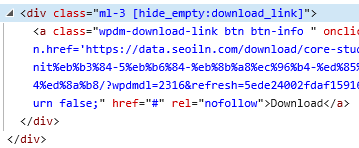
We are sorry for the inconvenience caused to you. Thank you for your patience. [wpdm_all_packages] doesn’t have the options to change download link from the shortcode as there are different kinds of packages.
But we’ve come with a solution to your problem – SHOWING ADD TO CART BUTTON IN [wpdm_all_packages] Responsive Table.please follow the steps.
1. download the file (wpdm-all-downloads.php) from here https://drive.google.com/file/d/1H-Prpy0CUaWP5PiDCD1H2teH6z3Kqh2u/view?usp=sharing
2. put the file into the following directory of your WordPresswp-content/themes/{YOUR ACTIVATED THEME}/download-manager/
(if thedownload-managerfolder not available in your ACTIVATED THEME then please create it)
that’s it. you should now see theAdd To Cartbutton in the table rows.Thanks.
-
This reply was modified 5 years, 8 months ago by
Borhan Chowdhury.
Jun 6, 2020 at 5:08 pm #129954
Nayeem RiddhiModeratorYes, available. please visit
Downloads > Settings > Basic > Misc Settings. you shall find necessary shortcodes and also the settings for login/register. please checkThanks.
Jun 6, 2020 at 4:59 pm #129953In reply to: update error
Nayeem RiddhiModeratorHi,
Please follow these steps below for updating the Plugin for now,
1 ) Deactivate and delete the old version. You won’t lose any data.
2 ) Download latest version from here https://www.wpdownloadmanager.com/user-dashboard/?udb_page=purchases
3 ) Install the latest version and activate the license key.To enable the auto-update, login to your WPDM account from the
Downloads > Settings > Licensetab. If login is successful and you have an active subscription then you can update the future releases right from your plugins page.Thanks.
Jun 6, 2020 at 12:20 pm #129916
Nayeem RiddhiModeratorThere is called an add on named Download Notifications that enables you to notify instantly when someone downloads a file from your site. https://www.wpdownloadmanager.com/download/download-notifications/. please check, it may help you.
Thanks.
Jun 6, 2020 at 7:52 am #129901Topic: Mailchimp add-on
in forum Download Manager Pro
Sybille van ZuylenParticipantHi,
I bought the mailchimp add-on yesterday, thinking it would allow me to link downloads to my mailchimp groups. But the add-on only manages lists…
In mailchimp you can subscribe your audience into lists and then divide the audience into groups. As I’ve got a few different platforms, I have one list for each platform and each list is divided into groups according to the products that are bought or the subscriber’s interests. If the audience is not divided into these groups, I can’t target my mailings as much as I need to.
Is there a solution for this, if not do you plan on fixing this?Thanks
Jun 6, 2020 at 3:28 am #129874In reply to: Issue after recent upgrade
Eli LinaresMemberThis reply has been marked as private.Jun 5, 2020 at 10:23 am #129807In reply to: download.png is available
studiovivParticipantIs there a way to update all downloads with the new icon?
Jun 5, 2020 at 10:11 am #129805In reply to: Update to 5.0.5 from 5.0.2 not available
Nayeem RiddhiModeratorHi,
Please follow these steps below for updating the Plugin for now,
1 ) Deactivate and delete the old version. You won’t lose any data.
2 ) Download latest version from here https://www.wpdownloadmanager.com/user-dashboard/?udb_page=purchases
3 ) Install the latest version and activate the license key.To enable the auto-update, login to your WPDM account from the
Downloads > Settings > Licensetab. If login is successful and you have an active subscription then you can update the future releases right from your plugins page.Thanks.
Jun 5, 2020 at 9:11 am #129794
Nayeem RiddhiModeratorHi,
Has the problem been resolved? you shall find the option for putting licence key
Downloads > Settings > Licensesection.Please follow these steps below for updating the Plugin for now,
1 ) Deactivate and delete the old version. You won’t lose any data.
2 ) Download latest version from here https://www.wpdownloadmanager.com/user-dashboard/?udb_page=purchases
3 ) Install the latest version and activate the license key.To enable the auto-update, login to your WPDM account from the
Downloads > Settings > Licensetab. If login is successful and you have an active subscription then you can update the future releases right from your plugins page.Thanks.
Jun 4, 2020 at 6:54 pm #129776Topic: How to make a post
in forum Download Manager Pro
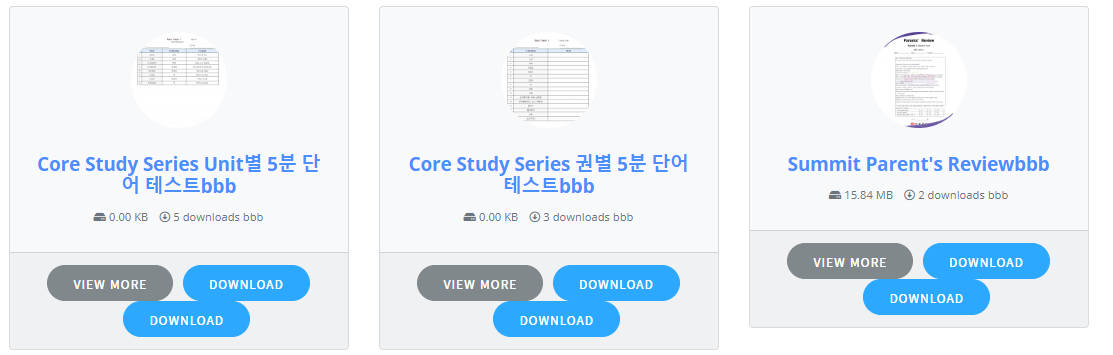
Ryan BurgerParticipantHow do I made a page that lists all my downloads available – similar to what I see at:
Jun 4, 2020 at 3:25 pm #129768In reply to: Form Lock Add on upgrade
Haitham ElrefaieParticipantstill the same, when I upgrade using the updates tab it uninstalls the add on and the manual download link downloads the old version not the updated one
Jun 4, 2020 at 2:39 pm #129761In reply to: Form Lock Add on upgrade
ShahriarModeratorPlease logout and login again from Downloads > Settings > Updates Tab. If that doesn’t work then upgrade manually. You can download the latest version here https://www.wpdownloadmanager.com/user-dashboard/?udb_page=purchases
Jun 4, 2020 at 2:16 pm #129760Topic: Form Lock Add on upgrade
in forum Download Manager Pro
Haitham ElrefaieParticipantI’ve form lock 1.7.5, when upgrading using the WPDM install tool in Downloads>settings, it just removes the package without installing the new version. and I do not have another way to get the zip file for the update
Jun 3, 2020 at 3:55 pm #129723In reply to: Manually add a package to a user account
ShahriarModeratorHi,
Giving 100% discount is one way to do it. But you can actually manually create order and assign them to users from Downloads > Orders page.
https://drive.google.com/uc?id=1JvWHjwvQhsGmboL_x_QI7ulEUt2Qt-Xz
Thanks.
Jun 2, 2020 at 1:47 pm #129625
Jason LevandoskiParticipantPlease send me the latest Form lock manually. It does not update properly through the Update area. Also my account downloads is not showing the latest version.
Thanks,
JasonJun 2, 2020 at 9:52 am #129608In reply to: Image variations unprotected
Nayeem RiddhiModeratorHi,
For #1, you can apply for role-based protection as brother Shahjada clarified.
#2, For image (in galleries, lightboxes, etc.), you can follow, this template hierarchy doc, https://www.wpdownloadmanager.com/doc/templates/template-tags/, here, you will find tag name for images
[thumb_gallery_WxH]also for featured image preview[preview]tag. you can use them. you can do it fromDownloads > Templates > link-templates/page-templates, you can clone them or create a new one. and thus you can edit them or use in your own packagesettings > page-templates/link-templates.
Furthermore, for this doc, https://www.wpdownloadmanager.com/doc/template-files/
by default, you are usinglink-template-default.phpfor link template andpage-template-default.phpfor the page template. As documentation, you have to copy the file in the theme directory naming a folder calleddownload-manager, then paste it inpage-templatesfor page template orlink-templatesfor link template. and edit them as your own requirements.#3, you can do it by Set
Downloads > Settings > Basic > File Download > Mask Download Link#4, you can protect them from role-based protection too.
#5, For that you can use it in your page template the
[preview]tag#6, You can remove the download link tag from your own custom template and apply for the role-based protection.
Thus, I think you can solve your problem.
Thanks.
May 31, 2020 at 4:27 pm #129528In reply to: Form Lock Popup is not working.
Jeremiah LimParticipantThanks for the instructions. Strange. When I download the .zip file for form lock from the downloads area and install it, the version installed is 1.7.5
May 31, 2020 at 8:32 am #129475In reply to: Problem updating to 5.0.94.
Nayeem RiddhiModeratorHi,
Please follow these steps below for updating the Plugin for now,
1 ) Deactivate and delete the old version. You won’t lose any data.
2 ) Download latest version from here https://www.wpdownloadmanager.com/user-dashboard/?udb_page=purchases
3 ) Install the latest version and activate the license key.To enable the auto-update, login to your WPDM account from the
Downloads > Settings > Licensetab. If login is successful and you have an active subscription then you can update the future releases right from your plugins page.Thanks.
-
This reply was modified 5 years, 8 months ago by
Nayeem Riddhi.
May 29, 2020 at 8:19 am #129372In reply to: Automatic update does not work
Nayeem RiddhiModeratorHi,
You can follow these steps for updating your WPDM,
1 ) Deactivate and delete the old version. You won’t lose any data.
2 ) Download latest version from here https://www.wpdownloadmanager.com/user-dashboard/?udb_page=purchases
3 ) Install the latest version and activate the license key.To enable the auto-update, login to your WPDM account from the
Downloads > Settings > Licensetab. If login is successful and you have an active subscription then you can update the future releases right from your plugins page.Thanks.
May 29, 2020 at 5:14 am #129368
Nayeem RiddhiModeratorHi,
Now Download link is Ok, I have adjusted it from your custom
wpdm-all-downloads.phpfile.Thanks.
May 28, 2020 at 8:44 am #129310In reply to: Singol total download.
Nayeem RiddhiModeratorYes, you can check this doc, https://www.wpdownloadmanager.com/doc/short-codes/wpdm_all_packages-list-all-downloads-in-tabular-format-in-a-page/
May 28, 2020 at 7:18 am #129303In reply to: Last update broke everything (wtf!?)
ShahjadaKeymaster@gkmockups, 3,4,5,6 and 7 are okay now, had to select temporary storage management option:

We have added it in the last update, still testing all options for premium packages plugin, for now, keeping it “Save in file” will reinstate everything as they were.
Anyone else, who is having issues with temporary, simply visit
Admin Menu ► Downloads ► Templatespage, that will auto-convert all custom templates to our newly implemented XML format and will show everything fine frontend as they were.May 28, 2020 at 4:09 am #129287
Nayeem RiddhiModeratorHi,
For that, you can check this doc, https://www.wpdownloadmanager.com/doc/short-codes/wpdm_all_packages-list-all-downloads-in-tabular-format-in-a-page/. there also other shortcodes, you can also visit them from the right sidebar.
Thanks.
May 28, 2020 at 12:47 am #129277In reply to: Trying to understand a non-download/blank page
rivetedParticipantOnly your test file seems to work. Do I need to delete all of my previously uploaded files and re-upload?
All of the current files still show just a download (empty file).Could it have something to do with the import process?
I have deleted all of the downloads and re-uploaded them and they seem to be functional at this point.
-
This reply was modified 5 years, 8 months ago by
riveted.
-
This reply was modified 5 years, 8 months ago by
-
AuthorSearch Results
Search Results for 'all+downloads'
-
Search Results
-
Topic: Mailchimp add-on
Hi,
I bought the mailchimp add-on yesterday, thinking it would allow me to link downloads to my mailchimp groups. But the add-on only manages lists…
In mailchimp you can subscribe your audience into lists and then divide the audience into groups. As I’ve got a few different platforms, I have one list for each platform and each list is divided into groups according to the products that are bought or the subscriber’s interests. If the audience is not divided into these groups, I can’t target my mailings as much as I need to.
Is there a solution for this, if not do you plan on fixing this?Thanks
Topic: How to make a post
How do I made a page that lists all my downloads available – similar to what I see at:
Topic: Form Lock Add on upgrade
I’ve form lock 1.7.5, when upgrading using the WPDM install tool in Downloads>settings, it just removes the package without installing the new version. and I do not have another way to get the zip file for the update