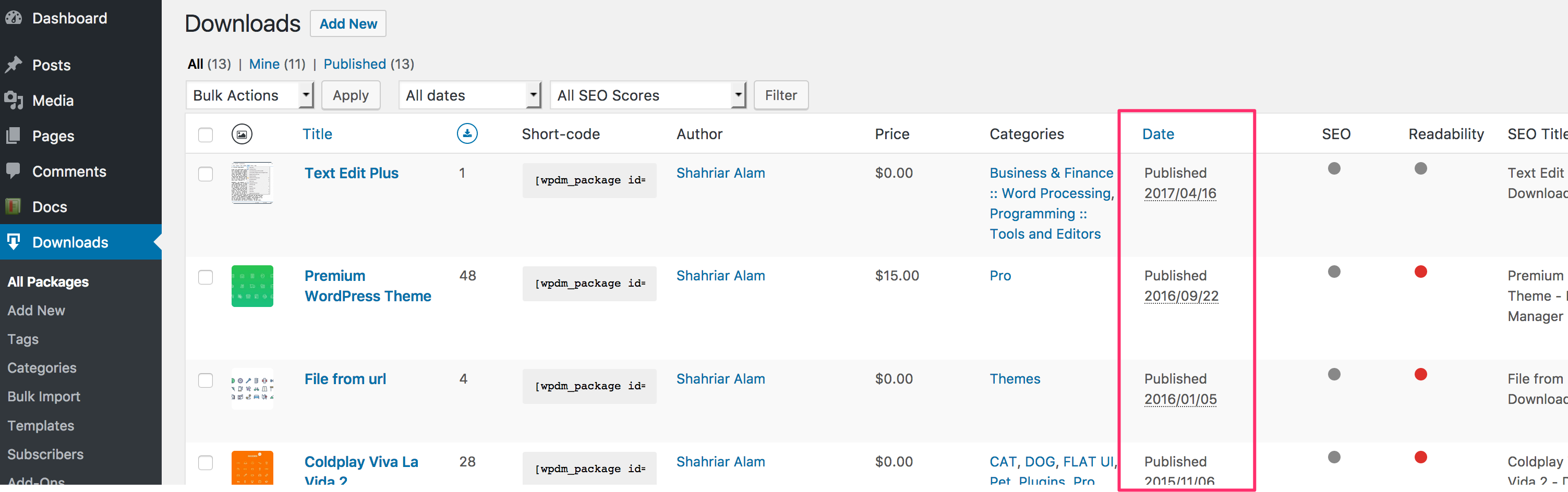
So I just paid another $89 so I could download the 4.6.5 version and I still do not see the ability to keep the filename extension there, when you said it was going to be part of 4.6.3.
Example………
I have already in the downloads, a file called:
Filename.zip
I upload a new version called: Filename.zip
The plugin should Overwrite the Filename.zip with the new Filename.zip, and keep the same filename of the file called Filename.zip
Update to my original post…the license key still says invalid, but the plugin still works. Also, I ended installing this plugins free DropBox add-on, which fixed the file upload problem. It uploads and downloads so fast now! I would still like to know why the license key says invalid though. Thank you!
Hi
We have the Pro version of Downloads Manager. For a few days now it has said that the license key invalid (although the key has not changed, and we only subscribed on March 7). I have the latest version installed on WP 4.7.4
We are getting the error:
Warning: Missing argument 1 for wpdm_download_url(), called in /home/paradigmfsg/public_html/wp-content/plugins/download-manager/tpls/wpdm-all-downloads.php on line 149 and defined in /home/paradigmfsg/public_html/wp-content/plugins/download-manager/wpdm-core.php on line 48
Also the search and display fields are not displaying above the table.
This is a new install and we have tried a different theme with the same results. Any ideas what the issue is?
I think you have issues with your license key process. I purchased both the pro version and the ALL ADD ONS and was going fine working on the site and then out of nowhere got a ‘trial key expired’ notification. We never used a trial key. Also, I should have access and install ALL ADD ONS, so why do so many in the Add Ons area say BUY NOW. either it’s ALL or it’s NOT ALL.
Here’s the information via screenshots. The license key from my profile/downloads area shows the exact same key as the one on our site.
Additionally, I don’t think your forum is sending out messages when you toggle it to notify via email. i’m not getting anything from you guys. I got them previously on another question on the form, but not these last two
Error Message on Page: Warning: Missing argument 1 for wpdm_download_url(), called in /www/htdocs/w015e1c2/Website/wp-content/plugins/download-manager/tpls/wpdm-all-downloads.php on line 149 and defined in /www/htdocs/w015e1c2/Website/wp-content/plugins/download-manager/wpdm-core.php on line 48
Warning: Missing argument 1 for wpdm_download_url(), called in /www/htdocs/w015e1c2/Website/wp-content/plugins/download-manager/tpls/wpdm-all-downloads.php on line 149 and defined in /www/htdocs/w015e1c2/Website/wp-content/plugins/download-manager/wpdm-core.php on line 48
Hello,
I get following error when using this shortcode: [wpdm-all-packages items_per_page="20" categories="Flyer,Folder" jstable=1 order_by="field_name" order="ASC"]
Warning: Missing argument 1 for wpdm_download_url(), called in .../wp-content/plugins/download-manager/tpls/wpdm-all-downloads.php on line 149 and defined in.../wp-content/plugins/download-manager/wpdm-core.php on line 48
Warning: Missing argument 1 for wpdm_download_url(), called in .../wp-content/plugins/download-manager/tpls/wpdm-all-downloads.php on line 149 and defined in .../wp-content/plugins/download-manager/wpdm-core.php on line 48
Plus I forgot:
WP Version: 4.7.3
PHP 5.6
Theme: Enfold Kriesi
best regards
I emailed about this but perhaps a forum post will be quicker.
I just bought ‘WPDM Directory Add-on’ for a single site. Order number is # 58f89d0a6b1f0. When I go to downloads it downloads some other plugin called ‘WPDM – Archive Page’ – this is not the one I want!
It seems like the count is using the packages under that category, but the theme template is also showing items from subcategories, however, wpdm has nothing do there, it totally depends on theme feature. But, if you use the category shortcode, it will show the items properly.
Hi, Sorry for the delay. There was a minor error in your shortcode. You were using two different characters on left and right of package id. Use single quote on both sides or do not use the quote at all. You can also copy the correct shortcode from all packages page. I have placed the correct shortcode there, now it is working as expected.
However, updating/re-installing plugin does not delete your downloads.
I have selected the option “Hide everything” for the question “When user is not allowed to download:” but it is not working correctly. All files are still showing up for all user roles. I’m using the data tables to display the available downloads. I’m not sure how or why this is happening, but thanks for the help!
Nick
#1. Admin Menu Downloads Subscribers menu show the list of emails and other user info you collected using email lock option. But, register signup visitors as wp user.
#2. add flaturl=0 to avoid permalink issue, like [wpdm_dashboard flatur=0]
#3. Got the issue with description, shall adjust it with the next update
#4. From next update, when you setup wpdm login and reg form, they will replace default reg and login form.
The user will receive an email with download link after they enter their name and email, those data ( name and email ) is accessible from Downloads Subscribers menu. No new user will be created in the process.
Can you tell me what changes I need to make to wpdm-all-downloads.php?
1. I want to show the modified date instead of the create date
2. When I click on the title it takes me to a separate page instead of downloading the file. I want this to be the same as clicking the button.
It is not possible to use Link Template in all downloads table. Yoy can use Directory add-on for this purpose. It show list of downloads in various ways and has link template support.
i really need this pop over mess disabled. I need the form to show on the page. We are now on day 2 with no downloads coming in which is how we make our sales. Can we please get a more prompt turnaround on this situation.
Author
Search Results
Viewing 25 results - 3,126 through 3,150 (of 4,487 total)