

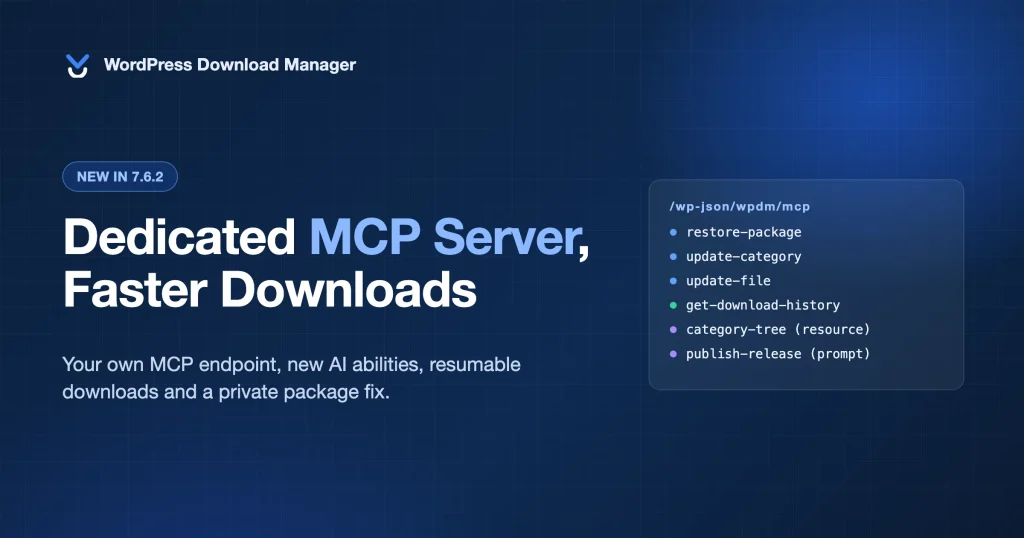
Download Manager 7.6.2 is out, and it is a bigger release than the version number suggests. Two weeks ago we introduced WPDM Abilities & MCP integration, which lets Claude, Cursor and other AI agents manage your WordPress downloads. This update gives those agents a dedicated MCP server, resources and prompts, and six more abilities. It also makes file downloads faster and resumable, adds server-side file delivery, and closes several security issues, including one reported by an outside researcher. The same security and MCP changes ship in the free Download Manager 3.3.74 on WordPress.org.
Here is what changed, why it matters, and what to do after you update.
What’s New in Download Manager 7.6.2
- A dedicated MCP server at
/wp-json/wpdm/mcpthat lists every enabled ability as a first-class tool - MCP resources and prompts: the category tree and your download settings as resources, plus prompts for publishing a release and writing an activity report
- Six new AI abilities: restore trashed packages, edit and delete categories, list tags, edit attached file details, read download history and regenerate master keys
- Faster, resumable downloads with exact speed limits, byte ranges, ETag and HEAD support, and streamed ZIPs for multi-file packages
- File Delivery settings for Nginx X-Accel-Redirect and Apache X-Sendfile, with a one-click delivery test
- Security fixes for private package downloads, social lock bypasses, X sign-in and media preview links
If you only have a minute: update the plugin now for the security fixes, then read on for the MCP changes.
Security Fixes: Update First
This release is marked as a security update. We recommend updating every site as soon as possible, whether or not you use the AI features.
Private packages were downloadable by logged-in users
A researcher at wellknown.info reported that the download handler only checked a package’s status for logged-out visitors. A user with any role, even Subscriber, could download a private, draft or pending package if its access setting allowed all visitors. In 7.6.2 an unpublished package requires permission to read that package on every request, no matter who is asking. The lock options dialog received the same check, so it no longer returns download links for packages the user cannot access. Thanks to wellknown.info for the responsible disclosure.
Social lock and sign-in hardening
- Facebook Like lock. The endpoint issued a download key to any request. Facebook has retired the Like button, so the lock now shows a notice instead. This also removes a reflected cross-site scripting issue on the package parameter.
- LinkedIn lock. Unlocks only after a sign-in that your site started, verified with a one-time state, an auth code and a working token.
- X sign-in. Sign-in identified visitors with the site’s own token, so everyone landed in one account. It now exchanges the visitor’s own token and refuses administrator accounts. Social sign-in handlers also only answer when that network is turned on in Social Settings.
- Audio and video previews. Preview keys are only issued for published packages the visitor can already access. Reported by Ananda Dhakal via Patchstack.
Facebook Like, LinkedIn and X locks are being rebuilt on current platform APIs for the next feature release. Until then, the Facebook Like lock shows a notice and the others work as described above.
A Dedicated MCP Server for Download Manager
In 7.6, agents reached Download Manager through the MCP Adapter’s default server. That server exposes three generic tools (discover, describe, execute), so an agent had to look up what Download Manager could do before every call. It worked, but the agent never saw the real tool names, input schemas or safety hints.
Download Manager 7.6.2 registers its own MCP server with the adapter at /wp-json/wpdm/mcp. Every enabled ability appears in your AI client as its own tool, with a description, a JSON schema for its inputs and outputs, and annotations that tell the client whether the tool is read-only, idempotent or destructive. Clients use those hints to decide what to run automatically and what to confirm with you first. Claude Code, for example, lists wpdm/list-packages and wpdm/trash-package side by side and treats them differently.
The default adapter server keeps working, so existing connections are not affected. The group toggles in Downloads → Settings → AI Abilities control both servers: an ability of a disabled group is not listed on either.
Connecting to the new server
The Connect an agent panel in the AI Abilities tab now shows the dedicated endpoint, the number of tools, resources and prompts it offers, and copy-ready setup for your client. Clients that speak Streamable HTTP, such as Claude Code, connect directly with an application password:
claude mcp add --transport http wpdm https://your-site.com/wp-json/wpdm/mcp \
  --header "Authorization: Basic BASE64_OF_USERNAME_COLON_PASSWORD"
Claude Desktop, Cursor and VS Code go through the mcp-wordpress-remote proxy, with the new URL in place of the default server:
{
  "mcpServers": {
    "wpdm": {
      "command": "npx",
      "args": ["-y", "@automattic/mcp-wordpress-remote@latest"],
      "env": {
        "WP_API_URL": "https://your-site.com/wp-json/wpdm/mcp",
        "WP_API_USERNAME": "agent-user",
        "WP_API_PASSWORD": "xxxx xxxx xxxx xxxx xxxx xxxx"
      }
    }
  }
}
The server needs the free MCP Adapter plugin, the same as before. The settings tab now also warns you when application passwords are unavailable, which WordPress does on sites without HTTPS, since agents cannot sign in without them.
MCP Resources and Prompts
MCP has three kinds of building blocks. Tools do things. Resources are documents an agent can read. Prompts are reusable instructions the agent can load. Until now Download Manager only offered tools. This release adds both of the others.
Resources
- Category tree. Your whole package category tree as JSON: every category’s ID, slug, package count, allowed roles and children. An agent reads it once before filing a package instead of calling the category tool over and over.
- Site settings. The download settings an agent needs to get a job right: file types allowed for downloads, upload and link limits, the roles that can be given access, package statuses, the site timezone and which ability groups are enabled. Agents read it before attaching files or setting access, so they stop guessing. This resource has its own group toggle, Site settings.
Prompts
- Publish a release. Step-by-step instructions to publish a new download: create the package, attach the file, file it under a category, publish it and report the download page. Give it a title, a file URL and a category, and the agent follows the same checklist every time.
- Activity report. Instructions to write a weekly or monthly download report from the activity summary and download stats abilities, so a quick “write last week’s report” produces a consistent document.
Both resources require author-level access, the same as the tools that use them. In Claude Desktop and Claude Code, resources appear under the attachment menu and prompts under the slash commands for the server.
Six New AI Abilities
The 7.6 abilities covered the everyday work. These fill the gaps users asked about in the first two weeks:
- Restore a package. Brings a trashed package back with the status it had before it was trashed, so a published package returns as published, not as a draft. Only users who can delete packages can restore them.
- Edit a category. Rename a category, change its slug, description or parent, and set or clear the roles allowed to download from it. The ability refuses to make a category its own ancestor and reports a taken slug instead of silently changing it.
- Delete a category. Removes a category and reports how many packages were affected and how many child categories moved up to the parent. Packages are never deleted with their category. This is the first ability marked destructive, so clients ask before running it.
- List tags. Search and page through package tags with their package counts.
- Edit an attached file. Change a file’s title, version or password without re-uploading it.
- Download history. Page through individual downloads, newest first, filtered by package, user or date range. Each row includes the package, the user, the file and the version. IP addresses are included for administrators only.
- Regenerate a master key. Issue a new master download key for a package and get the new URL back. The old link stops working immediately.
That brings the core set to 20 tools, 2 resources and 2 prompts, plus the five commerce abilities in Premium Packages.
Smaller improvements to the AI abilities
- Rate limits are now atomic, so parallel calls cannot slip past the per-minute limit.
- Sorting packages by downloads keeps packages that never recorded a download instead of dropping them from the list.
- Daily download stats stay on the right date across daylight saving changes.
- The Recent activity log loads in pages and can be filtered by user.
- The Copy button no longer covers code in the settings tab.
Faster Downloads That Resume
The download engine was rewritten in this release cycle. Three things change for your users:
- Exact speed limits. Downloads are paced by elapsed time, so a 500 KB/s limit delivers 500 KB/s, not somewhere near it.
- Resume and range support. Downloads honour standard byte ranges with ETag, Last-Modified, If-Range, 304 Not Modified and HEAD requests. A dropped connection resumes where it left off, download managers and browsers can fetch in parallel, and repeat requests for an unchanged file cost nothing.
- Streamed ZIPs. When the ZIP cache is off, multi-file packages stream as the archive is built, with exact sizes and ZIP64 support for archives over 4 GB. Users see the download start immediately instead of waiting for the ZIP to finish.
File Delivery settings
Under General → File Download you can now choose how files are served: through PHP (the default), through Nginx X-Accel-Redirect or through Apache X-Sendfile. Both server methods hand the file to the web server after Download Manager has checked access, which frees PHP workers and makes large downloads much lighter on the server. The settings panel shows the configuration snippet for your server and a Test Delivery button that checks the chosen method end to end before you switch it on. Note that X-Sendfile cannot limit download speed; if you rely on speed limits, use PHP or X-Accel-Redirect.
How to Update
- Download Manager Pro: update from Dashboard → Updates or download 7.6.2 from your account. The full changelog lists every change.
- Free Download Manager: update to 3.3.74 from Plugins or WordPress.org. It includes the security fixes, the dedicated MCP server, the resources and prompts, and the new abilities.
- Using AI abilities? Open Downloads → Settings → AI Abilities, enable the Site settings group if you want agents to read your download settings, and point your client at the new endpoint. Nothing else changes.
Frequently Asked Questions
Do I need to reconnect my AI client after updating?
No. The default MCP Adapter server keeps working with your existing configuration. To get first-class tools, resources and prompts, switch the URL in your client to /wp-json/wpdm/mcp, which takes a minute.
Is the dedicated MCP server on by default?
The server registers whenever the MCP Adapter plugin is active, but it only lists abilities from groups you have enabled. On a fresh install every group is off, so the server is empty until you turn something on.
Can an AI agent permanently delete anything now?
Deleting a category is the only destructive ability, and it only removes the category term. Packages in it are kept and child categories move up to the parent. Packages can still only be trashed, and the new restore ability brings them back.
Which security issues affect the free plugin?
The private package download issue and the lock options leak affected both editions and are fixed in free 3.3.74. The media preview fix shipped in free 3.3.73. The social lock and X sign-in fixes apply to Download Manager Pro, where those features live.
Do the faster downloads need any configuration?
No. Exact speed limits, range requests and streamed ZIPs work out of the box after updating Download Manager Pro. The File Delivery options are optional and off by default.
Does X-Sendfile work with download speed limits?
No. When the web server delivers the file, PHP cannot pace it. Use the PHP or X-Accel-Redirect method if you need speed limits.
Get Download Manager 7.6.2
Download Manager Pro 7.6.2 and the free Download Manager 3.3.74 are available now. Update for the security fixes today, then connect your agent to the dedicated MCP server and let it handle the routine work. If you are new to the AI features, start with the WPDM Abilities & MCP integration guide.
