
Forum Replies Created

I just opened it in an editor ( Visual Studio Code ) and save it. Then imported it and it worked.
You can use attire to build any of those layouts. And we are only maintaining attire. Right sidebar items come from widgets. You need to place widgets there.
Please select bootstrap 3 from wpdm UI settings to fix the view. However, we recommend https://www.wpdownloadmanager.com/download/attire-allinone-wordpress-theme/, we are not maintaining other themes anymore. You can achieve a similar view using Attire too.
Please send me the CSV file to check, it could a line break char issue and char encode formatting.
Please send me temporary wp-admin login info in a private reply to check your issue.
May you please give me the permalink rule you are using, so that I can test it in my setup
Permalink change shouldn’t cause any issue here, but don’t know anything about Permalink Manager Pro
Yes, it works for guest users too, as you see in the demo:
https://demo.wpdownloadmanager.com/wpdmpro/
May you please setup somewhere accessible from the internet so that I can check your setup. Also, if your site has any js error and if you are using js compression such issue may happen due to that error.
WPDM post type label is Downloads, no option to change it, but the breadcrumb plugin may have a hook to change the wording. Also, if you disable the archive page from wpdm settings, the “Downloads” archive link should hide in the breadcrumb.
We shall add the option with the next update of wpdm pro.
Probably, also they may have specific documentation for that.
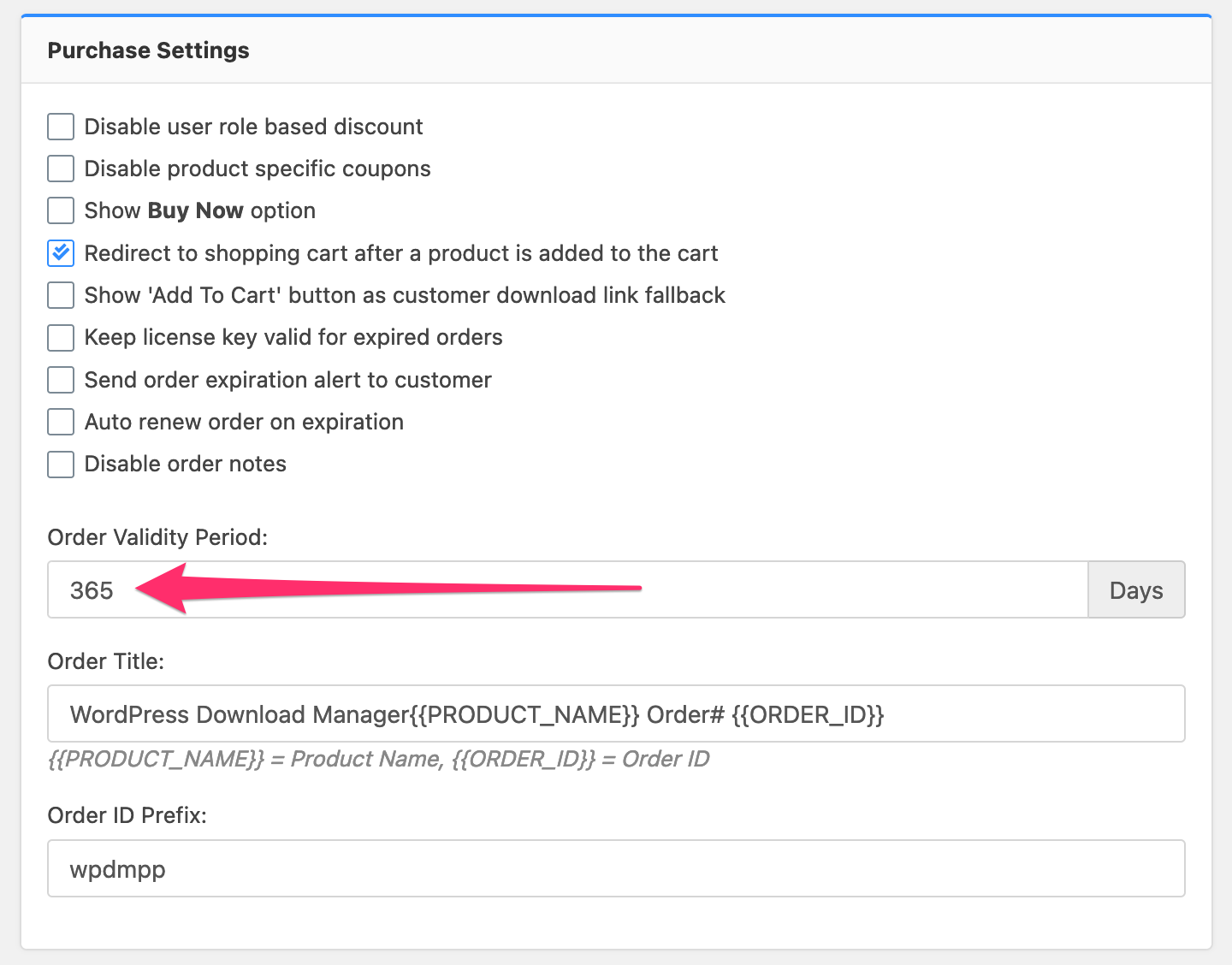
You can change the expiration period from Admin Menu ► Downloads ► Settings ► Premium Packages ► Purchase Settings:
The user will get the temporary link.
We are using wp rocket, wpdm pro, and premium package at wpdownloadmanager.com. The screenshot we sent you is from our site. It is working fine. May you please give me temporary wp-admin login info, I can check and set it up there for you.
Alternatively, you can check check “Never cache this page” from edit page window the the mentioned pages:

Hi,
You don’t have to disable cache from all pages, just exclude the following pages:
# Cart Page: The page where you used the shortcode [wpdmpp_cart]
# Login page: the page where you used the shortcode [wpdm_login_form] or GB login block
# Registration page: the page where you used the shortcode [wpdm_reg_form] or GB signup block
# Account page: the page where you used the shortcode [wpdm_user_dashboard] or GB user dashboard block
If your cart page URL is https://www.wpdownloadmanager.com/cart/, you need to add the rule /cart/(.*) and so on for others.
Try using a different link template, ex: link-template-bsthumnail