
Forum Replies Created

I have referred this to our senior developer, soon you shall get an update about this
thanks
you can put these options as I image attached,

thanks
Hi,
For the upgrade, please check this option Downloads > Settings > License option and save settings again. Then try again to update. It will work then,
otherwise only for the add-on,
you can follow one of these steps for now,
1 ) Deactivate and delete the old version. You won’t lose any data.
2 ) Download the latest version from here https://www.wpdownloadmanager.com/user-dashboard/?udb_page=purchases
3 ) Install the latest version and activate the license key.
thanks
please check now, if it is Ok or not, https://tkpoa.wpengine.com/wpdm-test/
thanks
For search option in single multiple files, there needs some customization, you may knock here, https://www.wpdownloadmanager.com/user-dashboard/?udb_page=upgrade, for the single files you may share the attached links
thanks
It will auto-sync the packages where you have uploaded any files in a specific bucket or in a folder within a bucket
thanks
Hi,
Have you checked Downloads > Stats > Download-History, please let me know if it fulfils your requirements
thanks
I have checked here, it is working fine here, https://tkpoa.wpengine.com/wpdm-test/, please check
thanks
I have found the issue, soon you shall get an update about this,
thanks
please activate your site login credentials, I have replied your earlier topic too,
thanks
Are you missing this option as i image attached,
https://www.wpdownloadmanager.com/wp-content/uploads/2014/05/Pre-Paid-Credit-Payment-Gateway.png
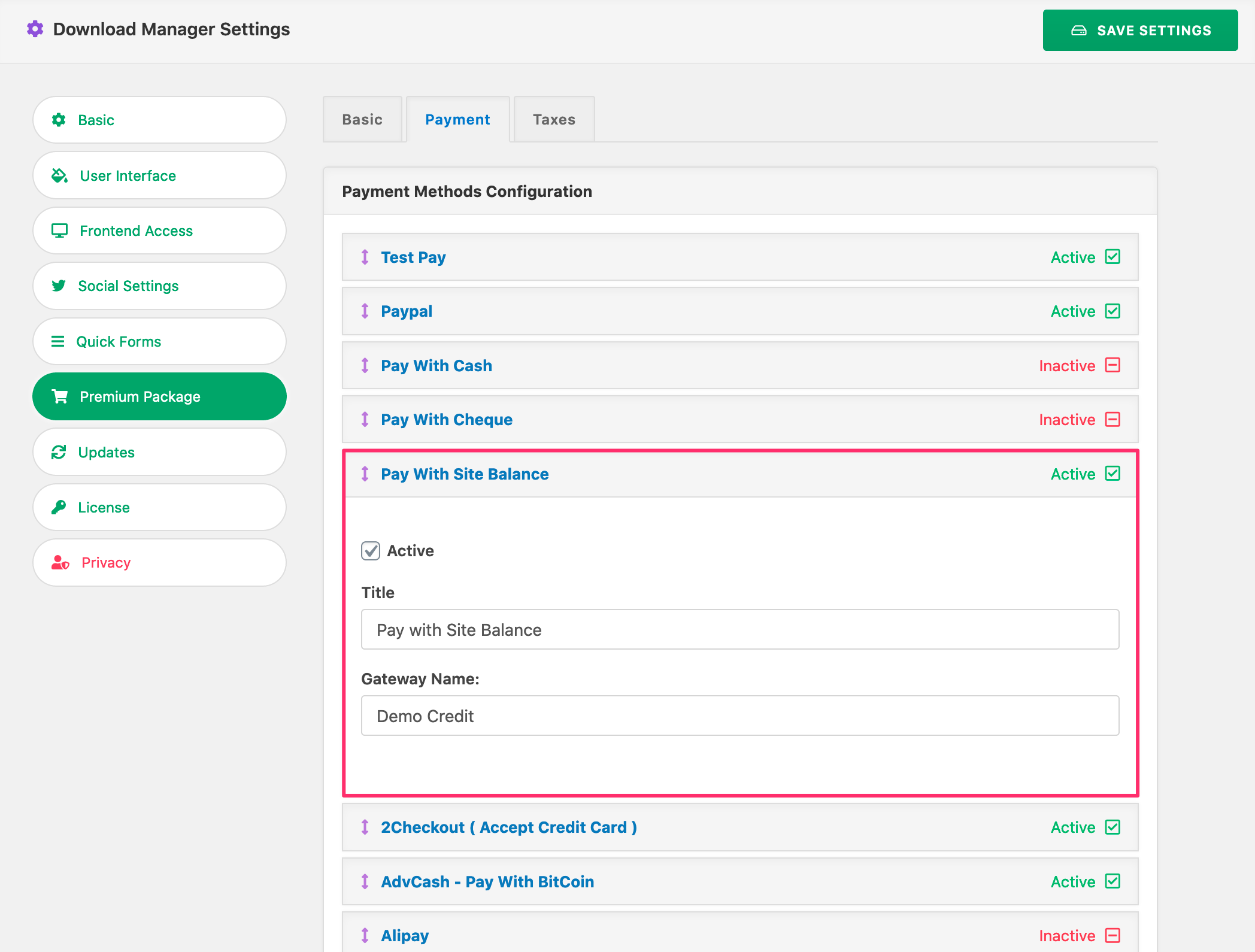
however, please activate your site login credentials too,
thanks
For publish or updated packages, you may use this add-on, https://www.wpdownloadmanager.com/download/wordpress-newsletters-autoresponder-plugin/,
your option will notify for download notification for the above option
thanks
Hello,
please use orderby instead of order_by, then it should work, please let me know,
thanks
Hi,
If I get you, are you using both this add-on, https://www.wpdownloadmanager.com/download/download-notifications/ and this, https://www.wpdownloadmanager.com/download/advanced-access-control/, please let me know
thanks
please check this option as I image attached for Auto-sync with globally,

or you can also manually disable the auto-sync option too from the package settings
thanks
For a combination of tags and categories, you can also check this shortcode also, https://www.wpdownloadmanager.com/doc/short-codes/wpdm_packages-wp_query-in-a-shortcode-for-download-manager-packages/
thanks
please use category ID separately also put the subcategories ID for showing their related packages. I think thus, you will able to show related package appropriately
thanks
[wpdm_category] shortcode doesn’t have a parameter called tags, but you can use [wpdm_tag] shortcode and it is working fine here, https://pocketprograms.com/wpdm-tag-test/, and for email-lock, it may be conflicting somewhere within your plugins, I have seen that there are many plugins installed in your site, can you please enable/disable them for checking, please
thanks
Yes, please use items_per_page instead of item_per_page, then it should work
thanks
Please, give your temporary wp-admin login details in a private reply for checking the issue
Thanks
Please, give your temporary wp-admin login details in a private reply for checking the issue
Thanks
you can use an add-on like dropbox-explorer, https://www.wpdownloadmanager.com/download/dropbox-explorer/ for attaching files from dropbox, however, if you need more customization, you may lock here please, https://www.wpdownloadmanager.com/user-dashboard/?udb_page=upgrade
thanks
Sorry for the inconvenience, can you please update the dropbox add-on to the latest version please, I was checking with the older version if there any conflict remained within the add-on. please check it and update it to the latest version, please then let me know
thanks