-
Search Results
-
Topic: Critical Error
Hello,
We’ve been using WPDM for several years on our website, with no headaches.However, now on the front-end, when someone visits the download page it says “There has been a critical error on this website. Learn more about troubleshooting WordPress.” Below that text, it shows the header of the WPDM table, but no information.
We’re using the [wpdm_all_packages] shortcode, and that’s it.
I switched on PHP errors, and reloaded the page, and it shows the following….
Fatal error: Uncaught Error: Class ‘liveforms’ not found in /DELETED_SERVER_ADDRESS/public_html/wp-content/plugins/download-after-submit/download-after-submit.php:77 Stack trace: #0 /DELETED_SERVER_ADDRESS/public_html/wp-includes/class-wp-hook.php(292): liveform_for_wpdmpro->download_lock(”, Array) #1 /DELETED_SERVER_ADDRESS/public_html/wp-includes/plugin.php(212): WP_Hook->apply_filters(”, Array) #2 /DELETED_SERVER_ADDRESS/public_html/wp-content/plugins/download-manager/libs/class.Package.php(1000): apply_filters(‘wpdm_download_l…’, ”, Array) #3 /DELETED_SERVER_ADDRESS/public_html/wp-content/plugins/download-manager/libs/class.Package.php(1150): WPDM\Package::activeLocks(1331, Array) #4 /DELETED_SERVER_ADDRESS/public_html/wp-content/plugins/download-manager/tpls/wpdm-all-downloads.php(294): WPDM\Package::downloadLink(1331, 0, Array) #5 /DELETED_SERVER_ADDRESS/public_html/wp-content/plugins/download-manager/libs/class.ShortCodes.php(563): include(‘/DELETED_SERVER_ADDRESS…’) #6 /DELETED_SERVER_ADDRESS/public_html/wp-includes/shortc in /DELETED_SERVER_ADDRESS/public_html/wp-content/plugins/download-after-submit/download-after-submit.php on line 77
Any suggestions of how we can fix this error?
I have tried to use the [wpmd_frontend] code, but I find limits in the function and it doesn’t work with my theme.
I want my document managers to use the backend, but when I assign Document categories to a Role, those users are still seeing every package in the backend Downloads Section.
How do I limit the backend Downloads manager All Packages to show only packages for the role authorized to see those categories?
Hi team
Today I Update Download Manager 3.1.25 to 3.1.26 in all my websites.
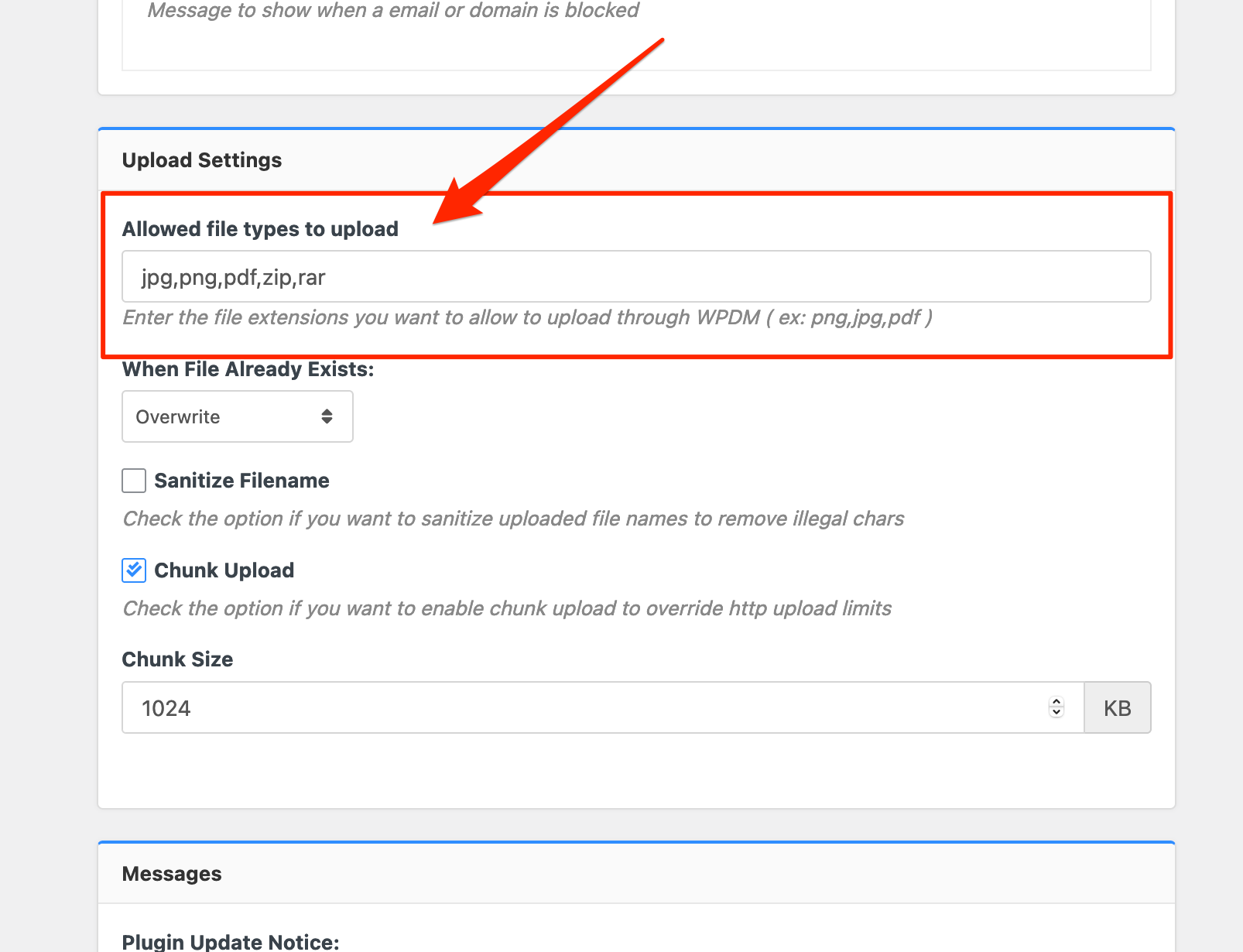
Unfortunately since this update, there is a little issue. My downloads and uploads are blocked with the famous message “Invalid File Type”.
Of corse I put the files types in the Basic settings : https://prnt.sc/12m7ug2
but only files pdf and zip, which are valid for WordPress, still able to download.I also tried to install the plugin in my test website to be sure, and still not working.
I think there has been a change in this new version which blocks this function and prevents it from working well.
Thank you to check this bug.
Have a nice day.Topic: Memory Problem
Fatal error: Allowed memory size of 402653184 bytes exhausted (tried to allocate 60918080 bytes) in /usr/www/users/tckleb/wp-includes/wp-db.php on line 2056
Since we are getting more and more Files in the Download section the system keeps getting slower and slower and with the last file we put in we now get this error in the backend and the frontend. I read a lot here in the forum before asking and the overall solution seems to be raising the memory limit to 1024, which is simply not possible in a quite standard hosting package and from my point of view also not needed. Is there any other possible solution?
The customer would possibly upgrade to pro, but I don’t see that helping with the memory problem. Both sides in the backend and frontend which display all files put out the error. If I only got some Downloads on a page in the frontend it seems to work. Looks like it’s running out of memory when too many files are getting diplayed.
What can we do?
Thanks for your help!
Cheers, Markus
How could I translate strings using wpdm-archive-page shortcode? I use Loco translate and I can’t find strings for translating these ones.
Please see attached screenshot.
Strings to translate are: Search, Order By, Order by list (Publish date, …), Order (ascending order, descending order), all downloads.
Thank you in advance.