-
Search Results
-
I am using:
WP Download Manager Pro
Gravity Forms
WPDM Form LockEverything works as it should, as far as I can see. However, I want to send data to our marketing automation system, Pardot.
Normally, that would be an easy task in Gravity Forms, as I can simply add an URL to the confirmation as a redirect.
But if I do that when the form is used as a form lock, the redirect with disrupt the form lock flow, and redirect the user away from the download option.
Is it possible to trigger the URL some other way upon form completion? Perhaps using your Web hooks add-on?
is it possible can we add support __wpdm_additional_previews with photon module.
Acutely the jet-pack photon module Speed up image load times and enable lazy loading.
It currently only acts on images in posts and pages, as well as featured images/post thumbnails via the image_downsize filter.
Examples of WordPress functions using the image_downsize filter: the_post_thumbnail_url, get_the_post_thumbnail, get_the_post_thumbnail_url, wp_get_attachment_image, wp_get_attachment_image_src.
but it’s didn’t work with additional preview (wpdm_dynamic_thumb).
is it possible can we enable photon functionality of jet-pack with additional preview?please let us know for the feedback.
As this matter is urgent, I would appreciate a reply as soon as possible.After updating Free Download Manager (to 3.1.02) I cannot download files from my website.
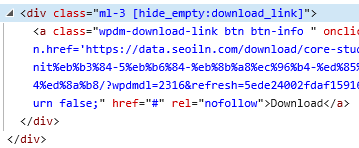
The page just scrolls to the top of the page and the URL changes to the same URL but with an added # at the end.
Can you please help?
Hi
I added a dummy package from the media library (where I have uploaded my files) and now, when I go to download the PDF,
1) It shows the full address (without unmasking it) in the address bar. So the user can simply share the link with other people. The nature of this whole setup is to let them to download and see the file ONLY and ONLY if they pay and they have valid membership.2) My settings are set correctly I believe – I only attach one PDF file per package: Here is screenshot – when I tried the Activate flat download url it actually gave me 404 error.
3) I know that I can drag and upload the file from my computer, but for a bulk process, I cannot upload every single file. I can upload them somewhere within the WPDM dir. But I don’t know if that would still show the naked URL.
4) How can I show the first page screenshot of PDF file? I’d like users see the first page screenshot regardless of their membership status. Currently I used
[thumb_700x400]but it doesn’t work with the same package (from media file) that I explained above. I don’t know if I’m using the wrong code or what….Here is What I chose .
Your help would be greatly appreciated!
In Korea, many people still use MS-Explorer.
So there is a problem when downloading a file in Korean.
But there’s no problem with Google’s Chrome.
So I have to change the file class.FileSystem.php from line 111 to the next code whenever WPDM version up.if (!isset($extras['play'])) { if (get_option('__wpdm_open_in_browser', 0) || wpdm_query_var('open') == 1) header("Content-disposition: inline;filename=\"{$filename}\""); else $ua = htmlentities($_SERVER['HTTP_USER_AGENT'], ENT_QUOTES, 'UTF-8'); if (preg_match('~MSIE|Internet Explorer~i', $ua) || (strpos($ua, 'Trident/7.0') !== false && strpos($ua, 'rv:11.0') !== false)){ header("Content-disposition: attachment;filename=".iconv('utf-8', 'euc-kr', $filename).""); }else if(preg_match("/Edge/",$ua)){ // do stuff for EDGE header("Content-disposition: attachment;filename=".rawurlencode($filename).""); }else{ // safari, chrome and firefox, etc... header("Content-disposition: inline;filename=\"{$filename}\""); } header("Content-Transfer-Encoding: binary"); }Could you add this code to next version-up for Korean?
Hi,
We have a site that has installed inside it as a plugin WPML and DOWNLOAD MANAGER.
An android application has also been created to display the site as an application.
Android to display the pdf requires that the download link be added to the download link “https://docs.google.com/gview?embedded=true&url=”.
We have modified the custom template so that that string is automatically added before the [download_url] tag.
The problem arises in English language which is added after the lang=en download link.
This generates the wrong display of the pdf.
How can we make sure that it is automatically removed from every link that has the string “lang=en”?
Working link:
https://docs.google.com/gview?embedded=true&url=https://www.rallydiromacapitale.it/download/hotel-booking-form-english-version/?wpdmdl=727&refresh=5ee0a6e8cd9d11591781096
Link is not working:
https://docs.google.com/gview?embedded=true&url=https://www.rallydiromacapitale.it/download/hotel-booking-form-english-version/?lang=en&wpdmdl=727&refresh=5ee0a6e8cd9d11591781096Thanks in advace
how can I add download URL in email template like when someone makes purchase audio they can get download link directly in the email soo they click and download the file directly via clicking link
Hi guys,
I have added some roles in the functions.php file using this code
add_role('student', 'Student', '');This created a fatal error on the site. I found this error in the error log:
[01-Jun-2020 05:48:54 UTC] PHP Fatal error:  Uncaught Error: Cannot unset string offsets in /home/site/dev.siteurl.org.au/wp-includes/class-wp-role.php:75
Stack trace:
#0 /home/site/dev.siteurl.org.au/wp-content/plugins/download-manager/libs/class.Apply.php(665): WP_Role->remove_cap('access_server_b...')
#1 /home/site/dev.siteurl.org.au/wp-includes/class-wp-hook.php(287): WPDM\libs\Apply->sfbAccess('')
#2 /home/site/dev.siteurl.org.au/wp-includes/class-wp-hook.php(311): WP_Hook->apply_filters(NULL, Array)
#3 /home/site/dev.siteurl.org.au/wp-includes/plugin.php(478): WP_Hook->do_action(Array)
#4 /home/site/dev.siteurl.org.au/wp-settings.php(540): do_action('init')
#5 /home/site/dev.siteurl.org.au/wp-config.php(92): require_once('/home/site/...')
#6 /home/site/dev.siteurl.org.au/wp-load.php(37): require_once('/home/site/...')
#7 /home/site/dev.siteurl.org.au/wp-blog-header.php(13): require_once('/home/site/...' in /home/site/dev.siteurl.org.au/wp-includes/class-wp-role.php on line 75
The fatal error goes away when I disable the Download Manager plugin. Any help would be appreciated.
Topic: Downloads Manager Link