

Custom Upgrade Service
Price: $[price] Request Customization Though we are upgrading the download manager pro…

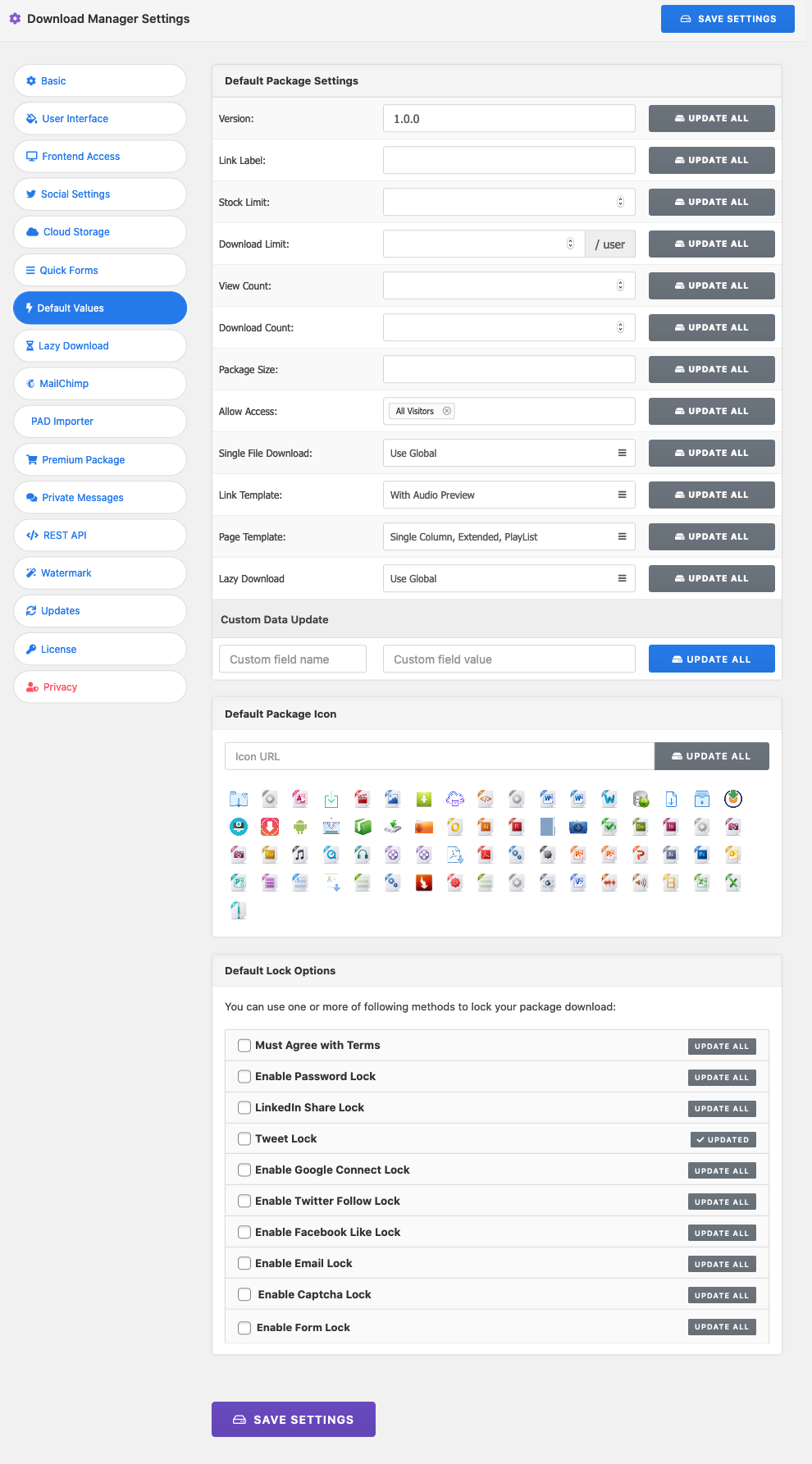
WPDM Default Values saves you from filling in the same package settings over and over. Set your defaults once, and every new package you create in WordPress Download Manager, from the admin area or the front-end author dashboard, starts with them already filled in. When a setting needs to change everywhere, apply it to all your existing packages with one click.
Price: $[price] Request Customization Though we are upgrading the download manager pro…

$59.00 — $149.00 Select License Pro For single installation $59.00 Developer Up-to…

Login is required to access this page Login Version 3.3.2 Download 191…

$39.00 Add To Cart Version 1.0.0 Download File Size 1.72 KB File…
29 Comments
I want to remove the default setting of “All Visitors” of the “Allow Access” field to be blank by default. This is to prevent having to deselect “All Visitors” for a file every time creating a new file/package. But doesn’t seem to work. Is this possible? And a bigger question for WPDM, why is “All Visitors” the default setting? It’s a big security concern if someone forgets to remove that value. It overrides any category permission settings.
What is the maximum number of entries this add-on can handle?
No limit from add-on, it will depend on your server.
Unfortunately, it doesn’t work. After setting a new value and saving, nothing changes. When I return to Default Values again, I have the default settings back there. In addition, you cannot even select an icon.
Hi,
Please post in the forum https://www.wpdownloadmanager.com/support/forum/download-manager-pro/, we shall help you with the setup.
Hello, will this change the values of already published packages or only newly created ones? Thanks!
You can bulk update already published packages too using this add-on.
I want to add a role to the “Allow Access” part of my documents already on my site. Would this Add-On let me add the role to my documents all at once instead of going in to add the role one by one?
Hi,
You can use allow access field for all files in a single click using this add-on, but it will not marge new role with the current value, it will erase the current value and update it using the new value.
Do the default values not work in the front end “Add New” section? They work in the backend fine just not the front!
So, there’s no default option choice for templates in the pro version and I’ve got to extra buy this add-on? Mmmh?
This will not help me out if I have used the “insert package” button in the page editor and set a link template here?
Installed the plugin but the “default values” tab is not showing?
To check this issue, please mail temporary login info to support@wpdownloadmanager.com. There might be some js error. You can try disabling other plugins. btw, your provided mail does not work.
the only complaint Shaon, is that you cant mass update the icons…. anyway you could twerk this to make it be able to?
Don’t worry, we shall add it within this week 😉
Has this actually been added? I’d like to have this update all icons feature.
Yes. The feature is available now.
My maaan! Thanks Shaon, Love your work!
Any more information on the update Shaon?
Released, please update your copy.
New update is coming within next few hours with bulk update feature :).
so does this version (1.3.0) have the “mass update” feature?
or is it still to be released?
No Yet, but as we promised, bulk update feature will be added within this month ( hopefully within next week ).
The icon section of this addon doesn’t appear to save which icon was selected.
I already have a site with wpdm and a lot of packages.. this plugin will change settings for all packages or only the ones added after i install this plugin?
Next update of the plugin will have mass update feature.
Hi!
Even i changed the allow access role it still revert to “All Visitor” role when im adding new package.
we have fixed the issue, please update to latest version.
FYI: You simply need to download again to get the latest version