

WPDM – HubSpot CRM Integration
Automatically push email lock leads from WordPress Download Manager to HubSpot CRM.…
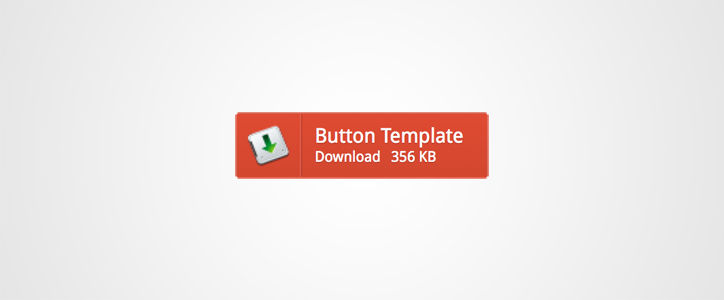
WPDM Button Templates will add an additional short-code code with WordPress Download Manager Pro, which will help your to create css3 buttons styles link template with different style.
[wpdm_button_template id=package-id style="style-name" align="alignment"]
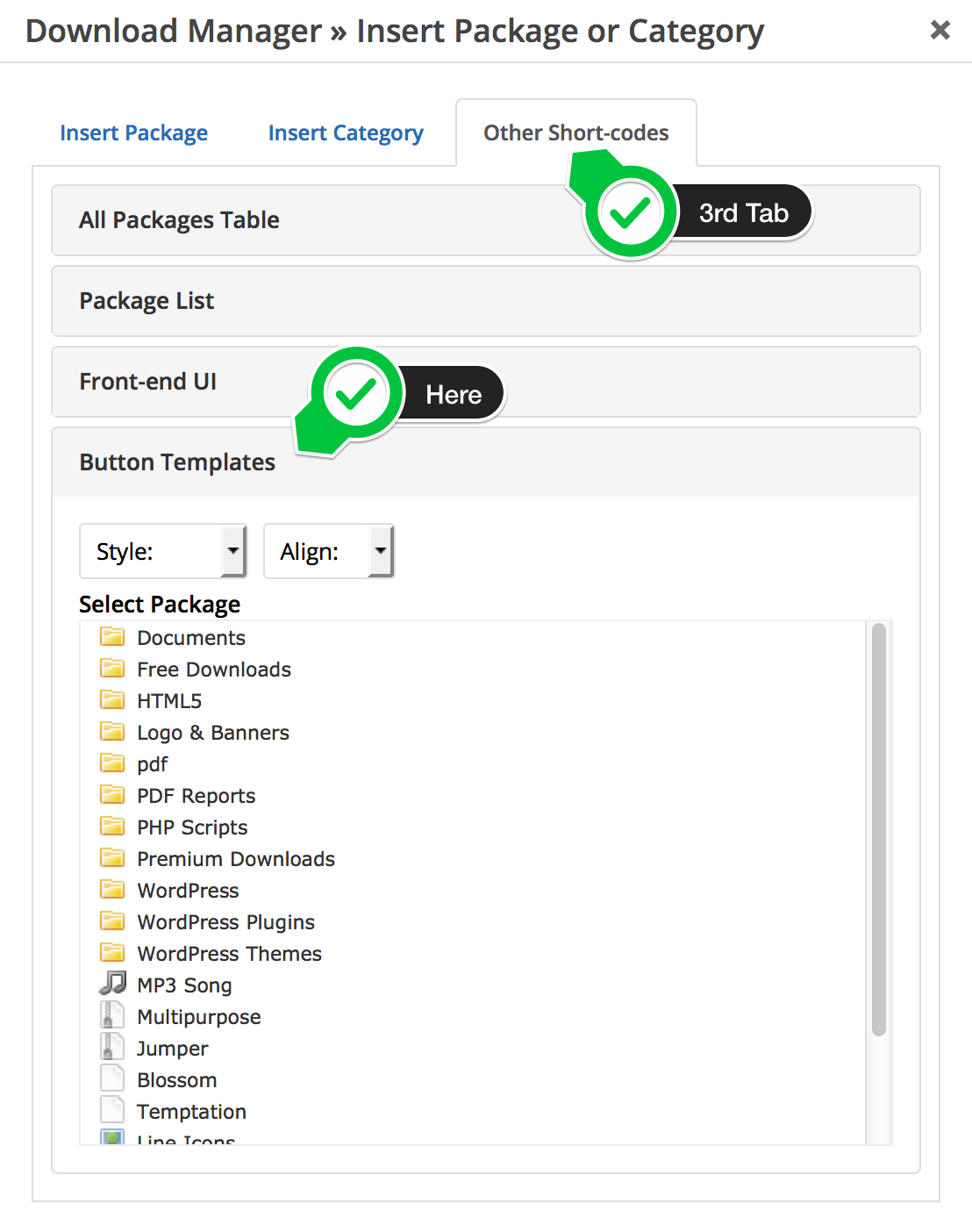
http://demo.wpdownloadmanager.com/wpdmpro/button-templates-add-on-free/
Automatically push email lock leads from WordPress Download Manager to HubSpot CRM.…

$49.00 — $99.00 Select License Pro For single installation $49.00 Developer Up-to…
This plugin will help you to manage, track and control file downloads…

$49.00 — $149.00 Select License Pro For single installation $49.00 Business For…
31 Comments
https://prnt.sc/sba7l2
Are these button available in premium version?
No, they are custom designed in the theme.
See this – https://prnt.sc/rnd95l
Can I create a post like this with the help of this plugin?
Hi,
The screenshot you sent is using wpdm pro.
https://www.wpdownloadmanager.com/pricing/
thanks for this information
Hey You Have Any Tutorial Make Like – https://prnt.sc/rnd95l
I Want To Know How To Bulid This Type Buttom befor buy pro wpdownload manages
Please follow the docs:
https://www.wpdownloadmanager.com/building-a-wordpress-download-manager-link-template-from-scratch/
https://www.wpdownloadmanager.com/doc/templates/creating-a-new-template/
Hi I have a problem with this addon, NOTHING shows up in the post.
Using the buttons crashes my page
I have even tried using your reference above
[wpdm_button_template id=package-id style=”style-name” align=”alignment”]
Please create a support ticket here https://www.wpdownloadmanager.com/support/forum/download-manager-pro/ and send temporary wp-admin login info as a private reply in that ticket. We have to check your site to find issue. The add-on is working fine in my test setup.
Hello, I have this problem that when I put align=”center”, it will be displayed in the center but if I click on the button it will not download the file, but instead, it will move to the “left” position and when I stop clicking on it, it goes back to “center” position. And even more, to download it I have to click on the “left” position even when the button shows in “center” position, so it seems like, when I put align=”center”, the button appearance changes but the button is still in the “left” position.
Is it just me?
Please give me your URL to check.
Hey. I have the same problem. Right now I have testet this in Chrom and Edge. If I center or right align the button then it will shift left when clicked. Also it will not download the PDF linked to.
This work fine if I use align=left
I am using WP 4.9.5 and php 7.2
It is working fine in our demo https://demo.wpdownloadmanager.com/wpdmpro/button-templates-add-on-free/, so if none of you can share your URL, we’ve nothing to do there. As the issue also could be due to CSS conflict with your active theme.
Thanks, the issue fixed and plugin updated, please reinstall/update the plugin from
Admin Menu >> Downloads >> Add-onsmenuHey
The center don’t work on your test site.
I have a link here for you http://www.odinsoft.dk/Sites/vand/eksempel-side/
Hi, is it possible customize button dimensions by shortcode or something else?
Thanks in advance.
Button sizes are not customization in this add-on, you may try wpdm image button add-on here: https://www.wpdownloadmanager.com/download/wpdm-image-button/
Hi Shahjada,
thanks for your prompt reply.
Best regards.
Hi, thnx for these great plugins!
I’m using WPDM, with addons TinyMce Button and Button Templates, on a kind of member site (created with Members plugin). Here’s what’s going wrong with Button Templates.
The member site has content only available for users who are logged in; so when not logged in, the site is empty (just the login screen). At this site I want to protect downloads/files in such a way, that only logged in users can download, even if someone knows the direct URL.
When creating a download using WPDM, leaving ‘Allow Access’ to ‘All Visitors’, and inserting a link with TinyMce Button, I get these download links – which are good:
Download link at the page where I inserted the download:
– http://heerlenstandby.marcbijl.nl/bestanden/#
Download link at the page of the file/download itself:
– http://heerlenstandby.marcbijl.nl/download/test-download/#
The good thing of these links is that, when logged out, they do not work; a user who is logged out cannot download the file, but gets redirected to the login screen. Intended or not, this is what I want.
However, when using Button Templates, I get a link like this:
– http://heerlenstandby.marcbijl.nl/download/test-download/?wpdmdl=1655
The bad thing of this link is that, when logged out, it still works; a user who is logged out can download the file. This is not what I want…
I realize I can set the ‘Allow Acces’ to all seperate roles that are allowed to download the file – and remove the ‘All Visitors’ option; however, why is the download link created by Button Templates different from the one created by WPDM?
Cheers,
Marc
Need login info to test your site, please post it in the support forum and add login info in a private reply.
Hello, how are you? First of all amazing add, just a quest, where do i go to install it? I can´t find it
Install & Activate it just like any other regular plugin
The button template is quite elegant. Is there any way of incorporating the number of downloads?
Is there any way to make that all the button will be a link to the download?
Thanks!
not yet, but I’ll add the option with the next update of the add-on.
Is this only for the pro Version ??
All add-ons including this one now also work with free version
[wpdm_button_template id=”655″ template=”blue” align=”center”]
that should work fine except your theme css causing any conflict, anyhow please post a temporary wp-admin login info in with a private reply in forum to check it in details.
i’ve added the shortcode but the button doesn’t appear with the template selected but trasparent.
please give me the exact short-code you are using.