

pCloud Connector
$49.00 — $99.00 Select License Pro For single installation $49.00 Developer Up-to…

Seamlessly integrate your Dropbox cloud storage with WordPress Download Manager. Dropbox Explorer lets you browse, manage,
and attach files directly from your Dropbox account — without ever leaving your WordPress dashboard.
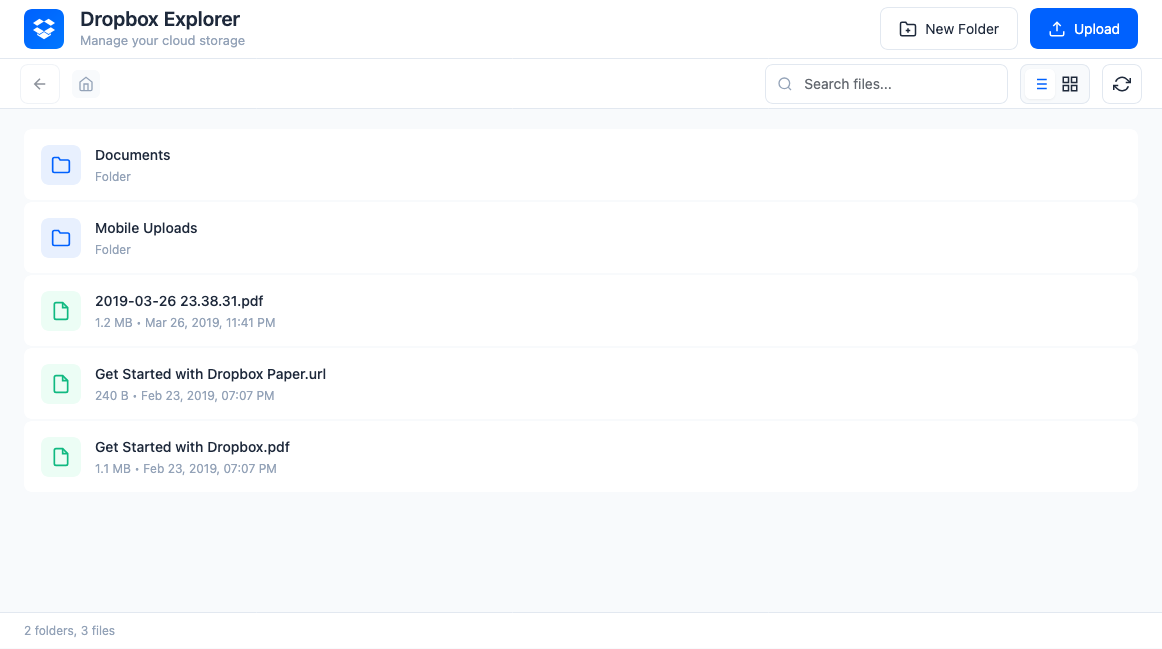
A beautiful, full-screen file manager built right into your WordPress admin. Browse your entire Dropbox storage, create folders, upload
files, and manage your cloud content with an intuitive interface that feels native to WordPress.
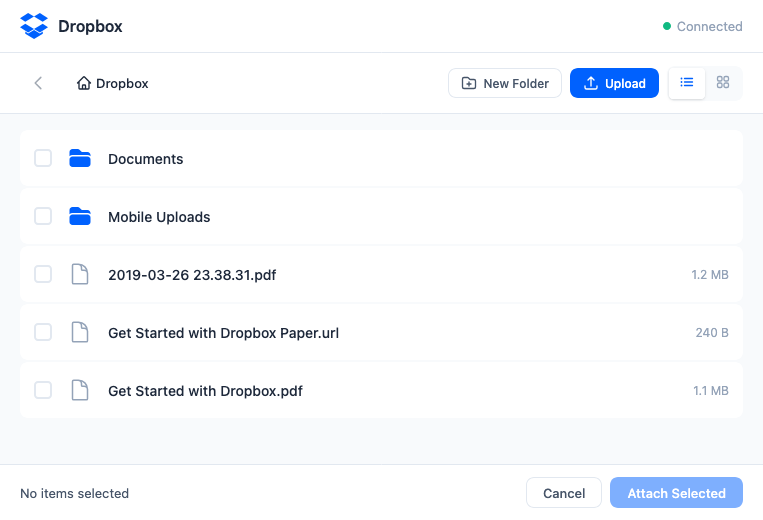
Attach Dropbox files to your download packages in seconds. The integrated file picker opens as a modal window when editing packages, letting
you select single or multiple files from your Dropbox storage.
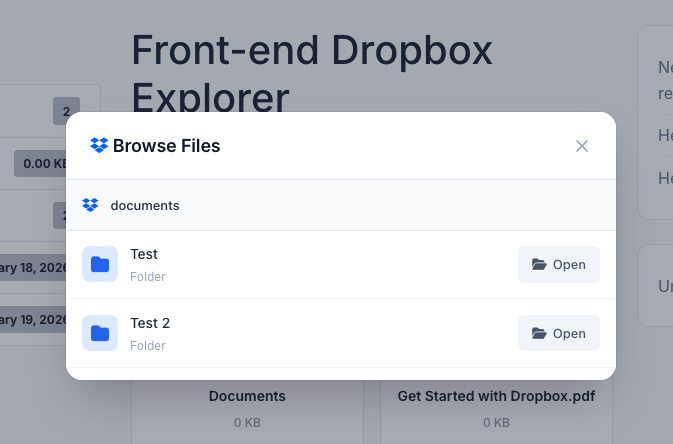
Let your users browse Dropbox folders directly on package pages. When you attach a Dropbox folder to a package, visitors can explore
subfolders and download individual files — perfect for distributing large file collections or organized document libraries.
This HTML is clean and ready to paste into your WordPress page editor. It highlights the three main features shown in your screenshots (Admin
Explorer, File Picker, Frontend Browsing) and includes benefits, requirements, and use cases to help convert visitors.
Usage:
How to use Dropbox to store your files and allow users to download them from your website
$49.00 — $99.00 Select License Pro For single installation $49.00 Developer Up-to…

$39.00 Add To Cart Version 2.1.1 Download 28 File Size 2.23 KB…

$199.00 — $599.00 Select License Pro For single installation $199.00 Business For…

$39.00 — $99.00 Select License Pro For single installation $39.00 Developer Up-to…
21 Comments
Hi Just checking if i have a .csv file in drop box – where can i upload it too in a customers order? Can it be added to a completed Order in the Customers Dashboard? Loaded into notes? If cant add the .csv file can i just add the Drop box link? thank you
I have been able to connect my dropbox files and also am able to view in a dropbox subfolder.
1. I wish to have the users download the file directly to their desktop
2. Is there a restriction on the file size available for download in the linked dropbox folder.
DO I have to go for the pro version to avail of 1 & 2
TIA
#1. Possible with wpdm pro. Also for the new dropbox API, your php version has to be 7+
#2. No limit.
How can I show the Dropbox folder subfolder so the users can navigate to the Dropbox folder and search for files without adding all the files but just adding just the folder? As of the moment, if I tick the folder, the user can only download the folder as a zip file. I want to be able to navigate on that file on the other page.
Hi, where can I get dropbox Api key?
I don’t seem to have download stats showing on any of my downloads (and I know for certain that they have been downloaded). Is this because they are all stored and served via the Dropbox addon?
All downloads are logged including the ones served from Dropbox. Please create a ticket in our support forum to check the issue.
Hello !
If I use the Pro version!
When I link to Dropbox how can I direct the link to download.
Because the current Click will lead to the Dropbox page.
I want when customers Click will download directly!
Yes, possible with the pro version.
Will there be an option to download the Dropbox files as a zip in the near future? If so – when roughly?
I am currently unable to attach Dropbox folders. I am running an older version – 1.2.2 because 1.3 throws fatal errors on my installation.
Getting a 401 error after a certain period of time. When linked initially I don’t have this issue, however after linking a dropbox link and then trying to download I get a 401.
Can you force the download to come from dl.dropbox.com rather than dropbox.com so that it doesn’t not try to download in a frame but downloads directly instead. Right now on my site in Firefox and Chrome coming from dropbox.com is triggering a content security policy issue.
Hi. This add-on don’t display the size of dropbox attachment. Just zero instead. Can you fix it?
For now you need to input the size manually.
how can i add multiple dropbox accounts?
Now it supports single dropbox account only.
Hi, I love your plugins, especially this one. But I got a annoyed bug. The file I choose by Drop in app is seem changes everday. I must choose file again to make it work.
In more detail, I choose a file from Dropbox, no problem, it’s blazing fast, unlike Google Drive. But after one day, The file can not download anymore, when I click download button, it shows 404 Dropbox link. Then I choose file again, it works again, and tomorow, 404 again.
Can you take a look at this! Thanks!
We have fixed the issue, please update your copy.
There is an error with this add-on {“error”: “Origin does not match any app domain”}
Please follow the step instruction here http://www.wpdownloadmanager.com/how-to-use-dropbox-to-store-files-and-allow-users-to-download-then-from-your-website/