

Shahriar
Forum Replies Created

When a package is unlocked using the password the provided link allows 3 downloads using the URL key.
But, another user can download the package if only you have set All Visitors in allow access field. So, setting some user role will prevent anyone else to download the file in this scenario.
If you want to keep the allow access field to ‘All Visitors’ and still want to allow only 1 download after password unlock, then you have to change the limit manually from /download-manager/wpdm-functions.php file. Set the indicated value to 1.
https://www.evernote.com/l/AUe-TTuboYpN_K6p7oPbWnlBhW6p2jxCULsB/image.png

No worries! Sometimes we all miss this kind of things which seem obvious later 🙂
Please re-install both WPDM and Archive Page. Maybe some files are missing in your current installation. You can download both from your dashboard https://www.wpdownloadmanager.com/user-dashboard/purchases/
Send temporary wp-admin login info in private reply if that doesn’t fix it.
Hi,
Have you placed the all downloads shortcodes in any of the package pages?
Please send temporary wp-admin login info, I have to check dashboard are to find what exactly is happening there.
Thanks.
Try changing the Resumable Download and Output Buffering options from Downloads Settings Basic File Download panel.
Did you install any new plugin recently? Sometimes this issue caused by unusual output made by another plugin.
If you can’t figure out the issue, send temporary wp-admin login info in private reply. Also, please send me a package URL where this issue exists.
Hi,
Directory files are sorted alphabetically. There is no option yet to sort them by date.
If you want to get rid of package info use a custom page template. Clone the template you are using now and remove all unnecessary data from there.
Let me know if you need any help with the custom template.
Regards,
Shahriar
Popover looks okay. Found no overlapping issue. Maybe you have already fixed it.
https://www.evernote.com/l/AUcpBjEp6I9IS4RMYl448yBNJxtJ9-YSAWwB/image.png

In download archive page here http://www.buschek-putze.at/downloads/ your theme’s archive template is being used.
To use the same style you have to create a custom link template. You can create custom link template from Downloads Templates page.
Hello,
Your license key has been unlocked.
Regards.
Could you please send temporary wp-admin login info in private reply, so we can check this in your installation?
That means “organization” is custom user data. So, you have to build a customized solution for that and that requires coding experience. If you are interested we can build that for you through our custom upgrade service.
The update is coming soon. So, just skip those for now.
You can use a link template with [download_link_extended] which embeds the form instead of using a popup.
Another solution is fixing the CSS conflicts with your theme. Send me the URL to check if there is any easy fix for this.
Download won’t work for another user even if they have the link from another user. Download Manager checks if current user has access to the package before serving download.
You can enable password lock from Package Settings meta box Lock Option tab.
https://www.evernote.com/l/AUdigb_64e1PEKs-7Rqv5Hx0HmklxpQBpS0B/image.png
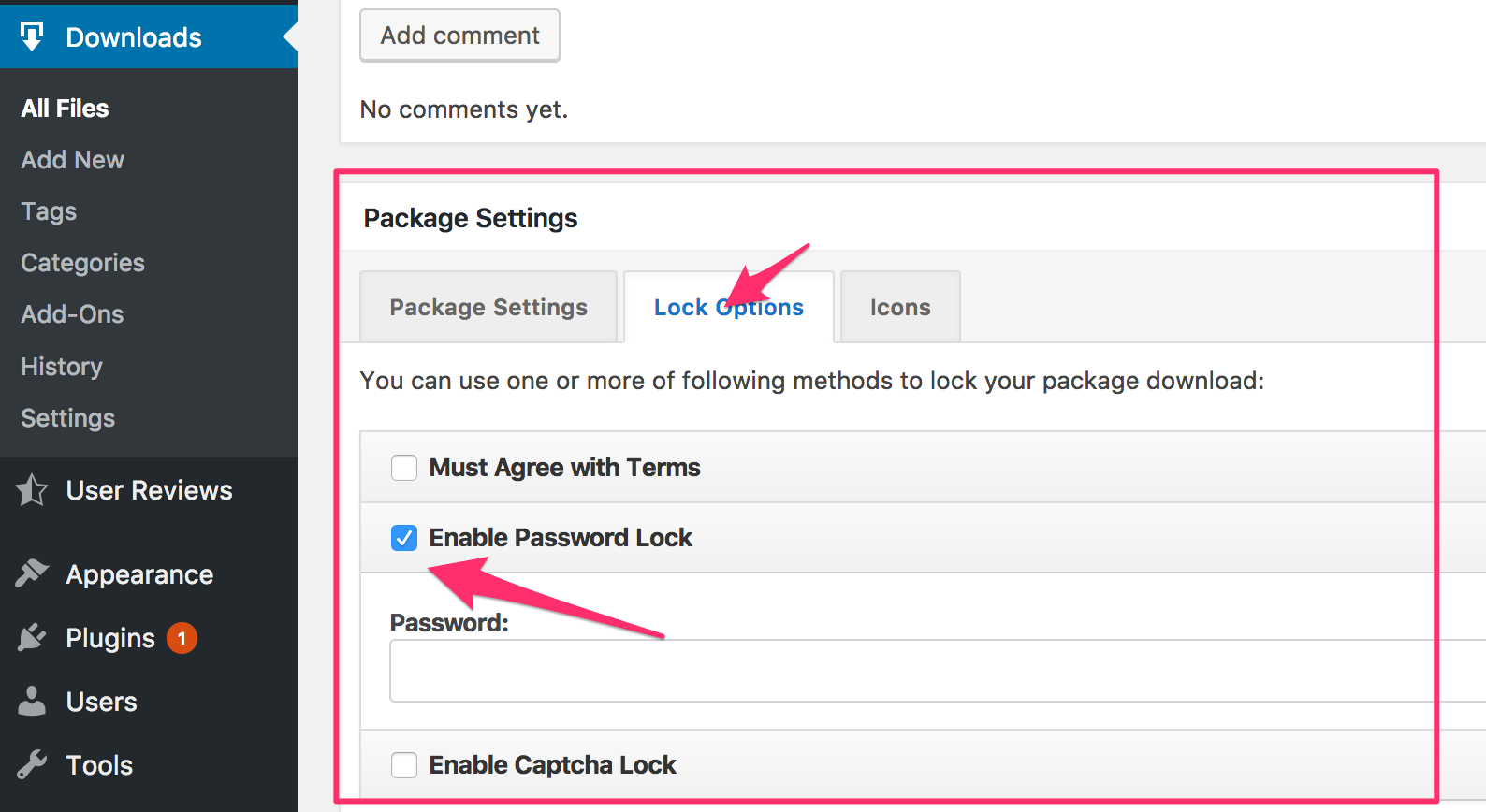
Hi,
Share buttons and related posts are coming from your theme’s single.php template. You have to remove those from there. If you want to remove those only from download page then add following condition before those sections,
if ( get_post_type( get_the_ID() ) != 'wpdmpro' ) {
// share buttons
}
Thanks.
There are some JS errors coming from WooCPmmerce Membership plugin. Please try disabling it. Or allow plugins editor access to the temporary user, so I can check where the issue is coming from.
Directory add-on has similar features. Please check the demo here https://demo.wpdownloadmanager.com/wpdmpro/archive-page-default/
Directory add-on customization required to add the features like tag and custom field based filtering.
User stats only for Pro Membership downloads is not available yet. But you can check all download history in Downloads Stats page. Please look around stats options, there are some other stats available too.
By organization do you mean WordPress user role, or is it a custom user data?
Please check the Free add-ons tab. You are on Purchased tab as your screenshot shows.
https://www.evernote.com/l/AUez65puagdPzaAmJaAY-3hk36AXfQhk61cB/image.png

Please Download and Install themes manually. There are some issues in WPDM add-on Installer page.
Yes, got the issue. WPDM adds a default <div> to wrap the link template. Currently, there is no way to remove it excepting by editing code. You can remove the wrapping div from /download-manager/libs/class.Shrotcodes.php Package function.
https://www.evernote.com/l/AUci2rIk8w9LJ6_xuX4YWmxgBsyIO-L92SEB/image.png

Please try disabling WPDM Bootstrap JS from settings.
If it doesn’t work send temporary wp-admin login info in private reply.