
Forum Replies Created

Just checked the package link. Looks like you have sorted out the issue. Most probably your allow access settings field was empty or the user you were testing with didn’t have the access.
Please install the updated version of Download Manager to fix the license issue. You can download the latest version here https://www.wpdownloadmanager.com/user-dashboard/?udb_page=purchases
Deactivate and delete the old version before installing the latest version. You won’t lose any data.
You can send temporary wp-admin login info in private reply if you need help with the update process.
Thanks.
You can use the following CSS to control the price font. No need to add the class to your h3 heading.
.wpdmpp-product-price span { font-size: 12px; }
Let me know which style (home or category ) you prefer. I will try to apply it on the other page.
Hi,
This requires a custom solution. Download Manager can replace the download link with a login button. But it doesn’t work the exact way you explained above.
Thanks.
Please send the page URL of the non-js table to suggest custom CSS. A simple code should fix that alignment issue.
It was a changed to serve direct download instead browser preview. But it seems the direct link generates temporary download link and has an expiration period. So, we will switch back tot he preview. Releasing update asap.
Do you have a preference for font and color code? Let me know. I will add the custom CSS for you.
Also, may I suggest a slightly different design for link template? Current template doesn’t look good. The button below is kind of broken because you are using different kinds of buttons inside the button group class.
You have to create a custom template for cart template to remove some columns/fields. Please send FTP info, I can help you with that.
To remove the download column from all packages table just remove download_link from cols parameter. Check the shortcode doc here https://www.wpdownloadmanager.com/doc/short-codes/wpdm_all_packages-list-all-downloads-in-tabular-format-in-a-page/
Sorry, that’s not possible right now but we will keep it in mind as a potential feature for a future release.
The imported label is shown next to all imported files in my case. Could you please send login info in private reply so I can check this on your side?
There is a bug if FB lock feature. We will fix this issue in next release on Download Manager. For now please deactivate the FB lock. The next version is coming soon.
You can use the Default Values add-on ( https://www.wpdownloadmanager.com/download/wpdm-default-values/ ) to bulk update package settings.
Hi,
Please follow these steps to update your copy of Download Manager Pro,
1 ) Deactivate and delete the old version. You won’t lose any data.
2 ) Download the latest version from here https://www.wpdownloadmanager.com/user-dashboard/?udb_page=purchases
3 ) Install the latest version.
Or just send temporary wp-admin login info in private reply. I will install it for you.
Thanks.
1 ) You need Directory Add-on ( https://www.wpdownloadmanager.com/download/wpdm-directory-add-on/ ) for AJAX search. The shortcode is [wpdm_simple_search]
2 ) Your shortcode parameters haven’t been set properly. Please install TinyMCE add-on ( https://www.wpdownloadmanager.com/download/advanced-tinymce-button/ ) and use it to insert the correct shortcode.
Please send temporary login info in private reply.
Please add the following CSS in Appearance Customize Additional CSS,
#post-order-note { display: none; }
Easy way to remove this button is adding the following custom CSS in your Customize Additional CSS option,
.panel-purchases .panel-footer .pull-right { display: none; }
Or you can create a custom template for /wpdm-premium-packages/templates/partials/user-order-details.php. This template can be overridden by copying it to yourtheme/download-manager/partials/user-order-details.php.
I made some changes in all downloads template file but it seems the updated is not reflected on the front. Maybe a cache issue.
Anyway, you have to create a template file for all downloads table to keep the changes even after the plugin update. Here is how you can do that,
1 ) Copy the /download-manager/tpls/wpdm-all-downloads.php file.
2 ) Place it in /active-theme/download-manager/ directory.
3 ) Replace echo $download_link; with echo "<a href='".\WPDM\Package::getDownloadURL($data['ID'])."'>Downloaden</a>"; in line no 339
Category description is visible only when toolbar=1 The description is placed right below the category name in toolbar.
No, that’s not possible. A javascript solution might be possible but requires code customization and might not be as efficient as the current system.
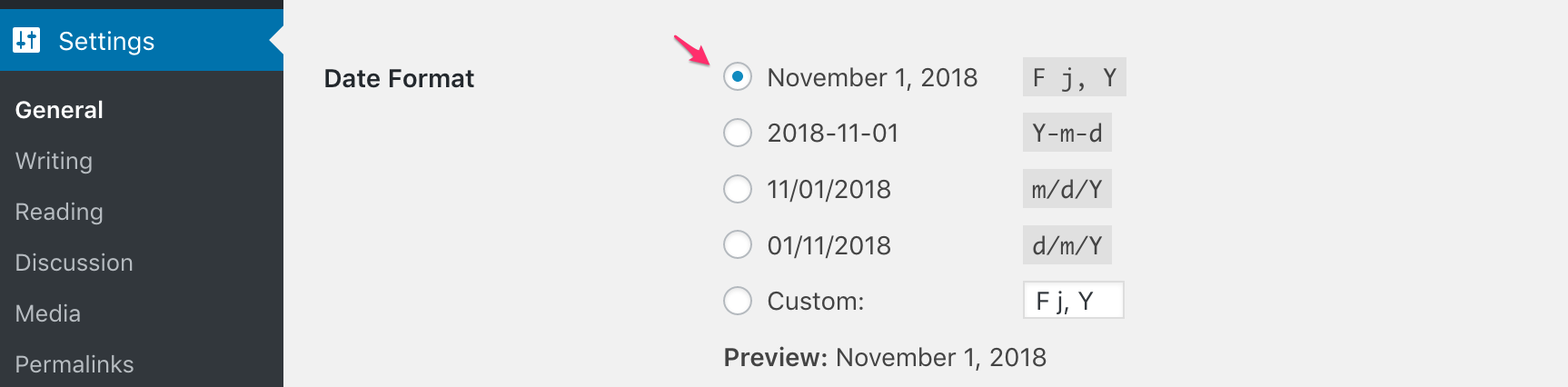
jstable doesn’t support the date format you are using there. Please try the first or second format from settings.
https://www.evernote.com/l/AUfrF4Jngi9B1ZSyN03QlDsi-oo2UPCLOrwB/image.png
Have you encountered the 401 error after changing the linkType?