
- This topic has 16 replies, 2 voices, and was last updated 4 years, 10 months ago by
Humayon.

Hi,
I posted on the other support forum.
I am unable to save an settings for this plugin, it just keeps saying saving.
I also get this error message on the page that some of the downloads appear – Warning: preg_replace(): Unknown modifier ‘a’ in /home/in2conne/public_html/in2connect.online/wp-content/plugins/download-manager/wpdm-functions.php on line 590
Regards
Andy

Please give me temporary wp-admin login info in a private reply to check your issue.

Please ask your server support to add the following to your .htaccess file. That should fix the saving issue. Send me an url where you see the warning.
<IfModule mod_security.c>
SecFilterRemove 001868
</IfModule>
Thank you, this is the URL
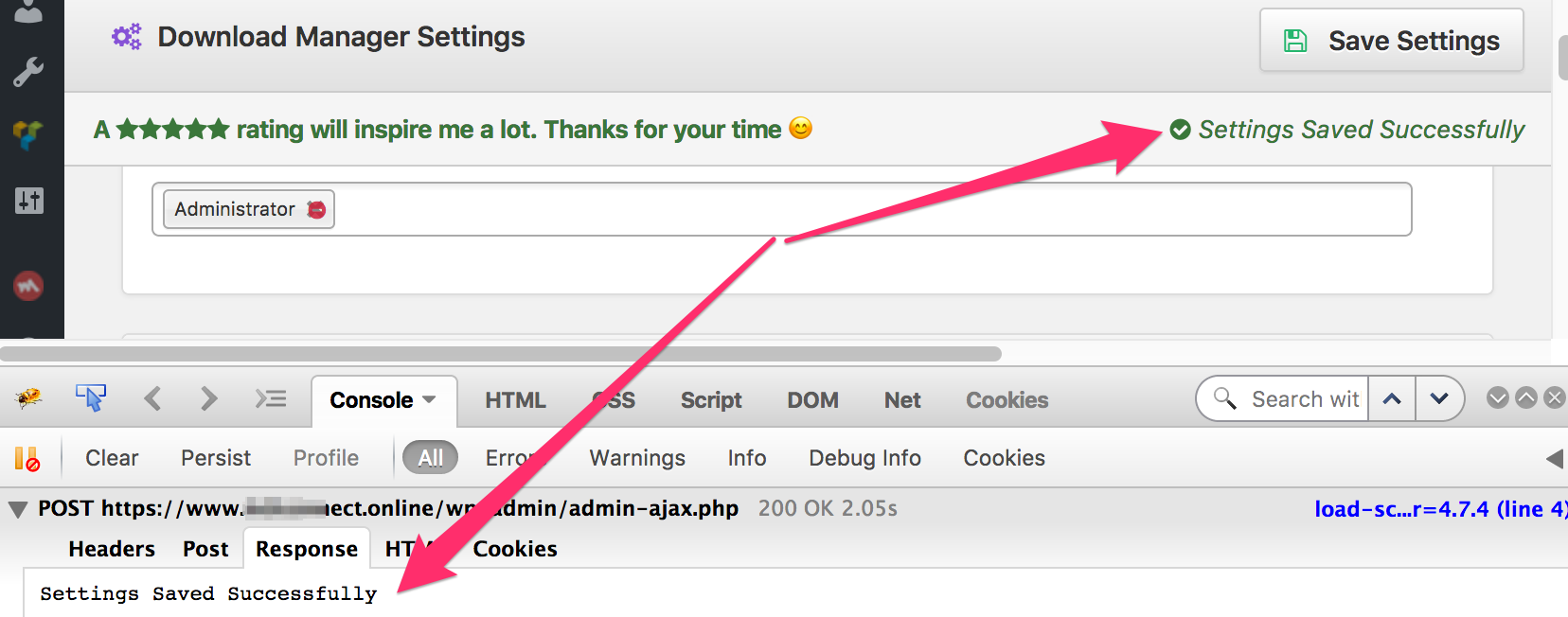
It worked perfectly for me:
https://www.evernote.com/l/AV3LasrP1EtKzJCGHB_HUKiBMS2Gc4IUh_gB/image.png
Indeed, i just updated the htaccess file as you recommended
so it is just the error message that is left on that url i sent 🙂
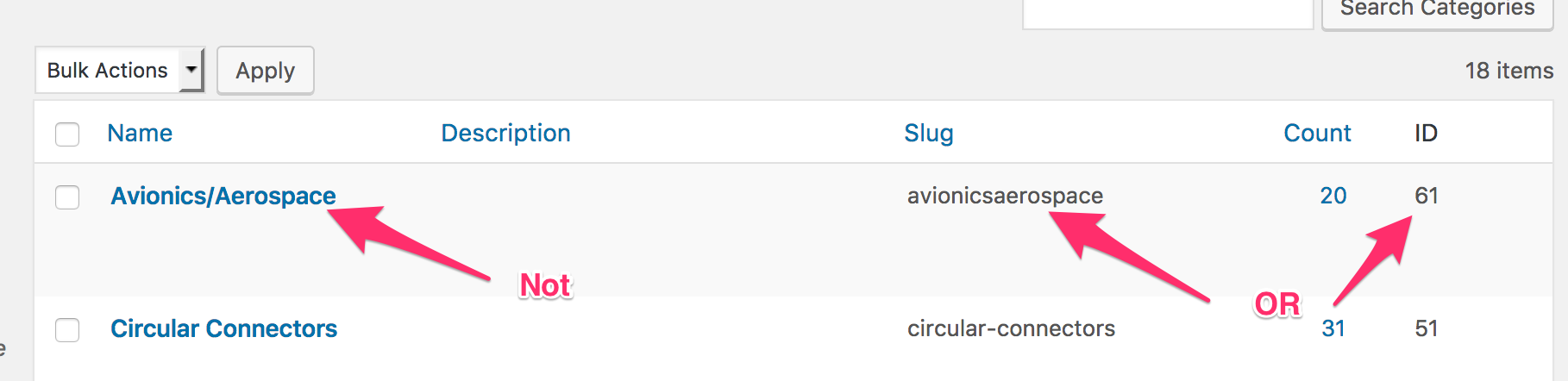
You need to use category slug or id, not category name, avionicsaerospace instead of avionics/aerospace
https://www.evernote.com/l/AV3eUb4ZQa9NVbMewa2hXWVfYzecJRWzMKcB/image.png
Please use the following add-on to generate shortcodes:
Just changing to the category name avionicsaerospace worked thank you 🙂

I can’t save the settings, to insert the valid file type.

Hi Francisco C,
Please follow the below link and then try again.
If you still face the same problem then will your please share your admin login credentials in a separate topic as a private reply so that we can debug it properly and give you a better solution about it?
Thanks
Hello Francisco,
Can You please try adding the following to your site’s .htaccess file to get it to work:
<IfModule mod_security.c>
SecFilterRemove 001868
</IfModule>Or, you also may contact hosting support.
However, Your server is blocking the HTML data request as well like this. That’s why the saving button kept rolling. It’s working perfectly on other servers. So, if your server keeps blocking the HTML data then the setting will not save and it will keep spinning.
Hope you understand.
Thanks
The topic "Saving Settings Error" is closed to new replies.