

Premium Package – WordPress Digital Store Solution
Price: $[price] Download WordPress Digital Store Solution - Premium Package add-on adds…

The Stripe plugin extends WordPress Download Manager allows you to take payments directly on your store via Stripe’s API. Stripe is available in the United States, Canada, the UK, Australia, Belgium, France, Germany, Ireland, The Netherlands and more – see What countries does stripe support?
Stripe is a simple way to accept payments online. With Stripe you can accept Visa, MasterCard, American Express, Discover, JCB, and Diners Club cards directly on your store. Stripe has no setup fees, no monthly fees, no hidden costs: you only get charged when you earn money! Earnings are transferred to your bank account on a 7 day rolling basis.
Price: $[price] Download WordPress Digital Store Solution - Premium Package add-on adds…

Version 3.1.1 Download 61 File Size 17.40 KB File Count 1 Create…

$39.00 Add To Cart Version 1.0.0 Download 1 File Size 3.21 KB…

Price: $[price] $49.00 — $99.00 Select License Pro For single installation $49.00…
20 Comments
I have correctly set up the stripe payment method but when I click on complete the payment it does not advance to the next screen.
It gives the following error:
invalid_request_error
You cannot use line_items.amount, line_items.currency, line_items.name, line_items.description, or line_items.images in this API version. Please use line_items.price or line_items.price_data.
What can this be due to?
Please post in forum:
https://www.wpdownloadmanager.com/support/forum/download-manager-pro/
Installed premium pack, but still don’t see payment with credit card as an option on the “Premium Package” > “Payments” tab. There are just four options listed there:
Test Pay
Paypal
Pay with Cash
Pay with Cheque
What am I doing wrong?
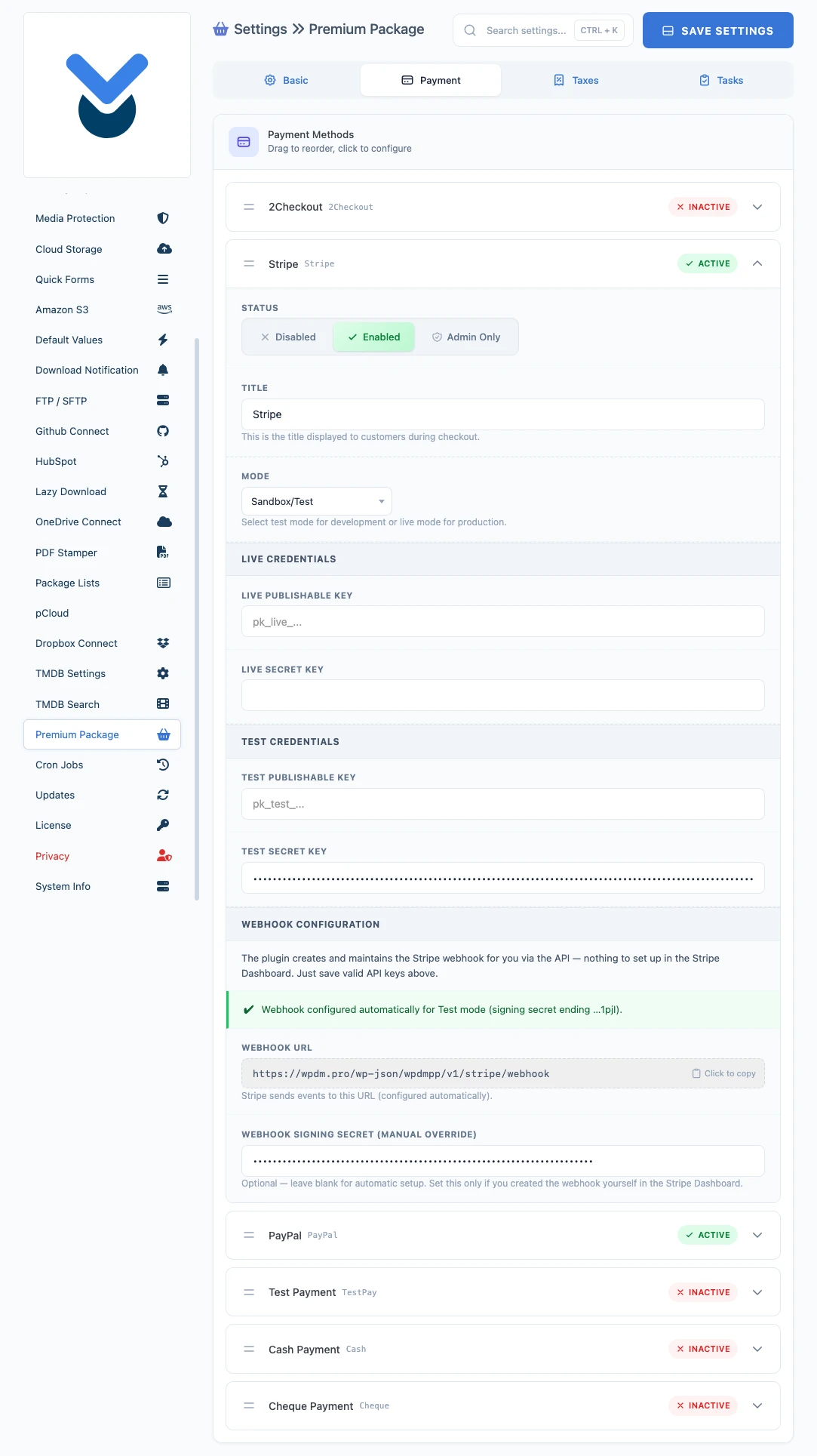
If Stripe Plugin is active, you also should see the stripe settings as shown above on the product description. However, please post in support forum https://www.wpdownloadmanager.com/support/forum/download-manager-pro/ to help you with the setup.
I am Japanese. I’m trying it in test mode, but if I set it to ¥100, Stripe will charge ¥10,000.
It does not change even if “Number of decimals” is set to 0 or -1. Please tell me what to do.
Please send me temporary wp-admin login info to support@wpdownloadmanager.com to check and adjust your issue. Thanks.
Stripe from today require to have 3D Secure authentication,does the addon support this?
If not release fast update so we can update
New update is released.
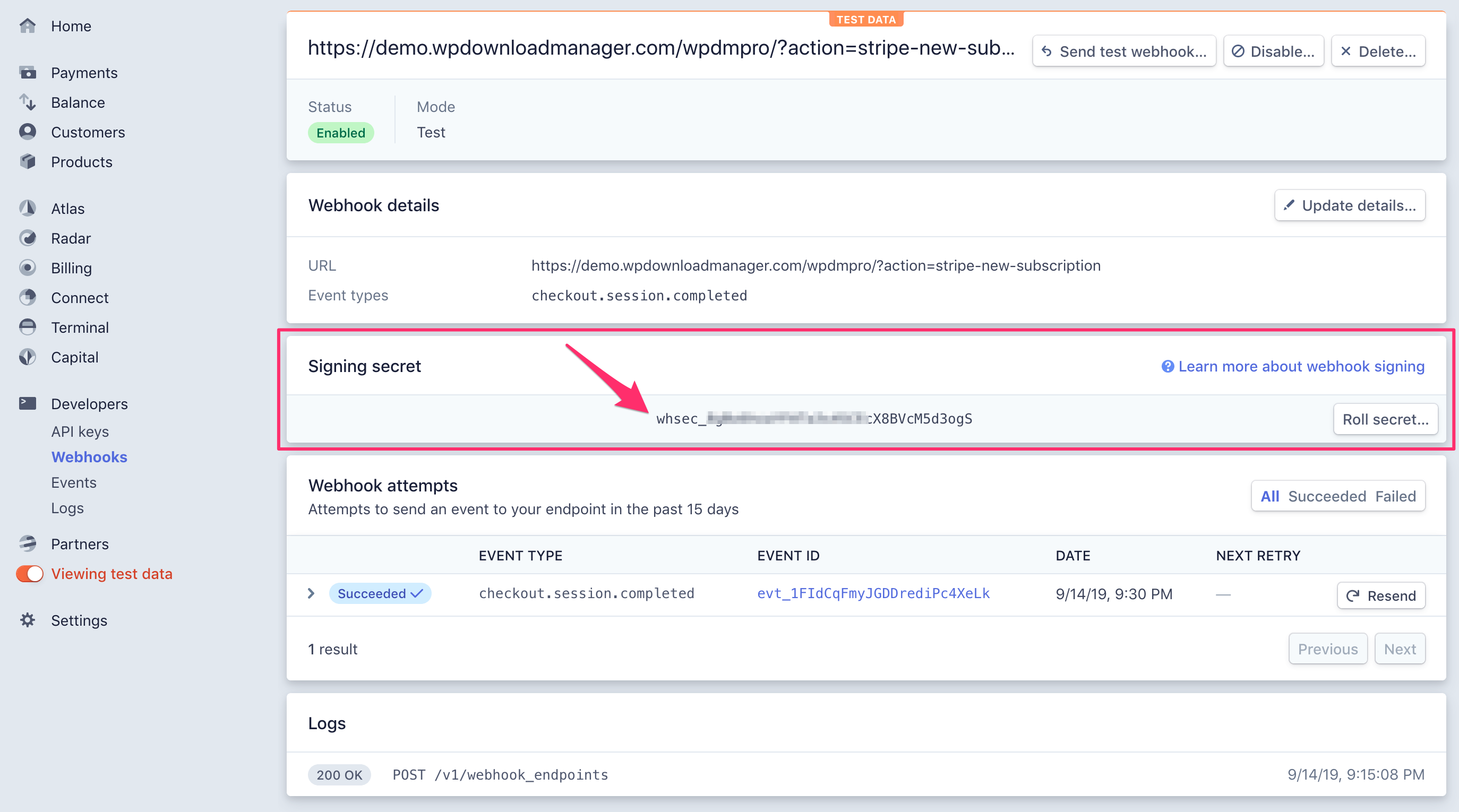
This https://mysite.com/?action=stripe-new-subscription we should use as endpoint to webhook?
You will see the exact webhook in stripe settings, simply copy that. And, yes, it is like
[..mysite]/?action=stripe-new-subscriptionWhere to see the changelog? :/
Test mode working fine. When try change to live mode i got the error “Failed”
I have get the same issues working on TEST MODE but when I change to live I get stacked in checkout page with error in console how we can make it work ?
There is no such issue with stripe, please post in forum https://www.wpdownloadmanager.com/support/forum/download-manager-pro/ and add temporary wp-admin login info in a private reply, we shall set this up there for you.
Please mail to support at wpdownloadmanager.com with a temporary wp-admin login info to help you with the setup and check your issue.
Does this plugin have the ability to support offering a subscription service to clients using the Stripe payment platform?
Thanks-
Yes, it does. Basically, the premium package add-on manages the subscriptions, and this add-on handles recurring payment. But, if you are looking for a full-featured membership plugin you will need https://www.wpdownloadmanager.com/download/wp-pro-membership/ too.
I’ve activated the stripe plugin but I still do not have the Premium Package Tab under the downloads –) settings section. I only have the Basic, frontend, social, updates, and license tabs.
Thanks for your help
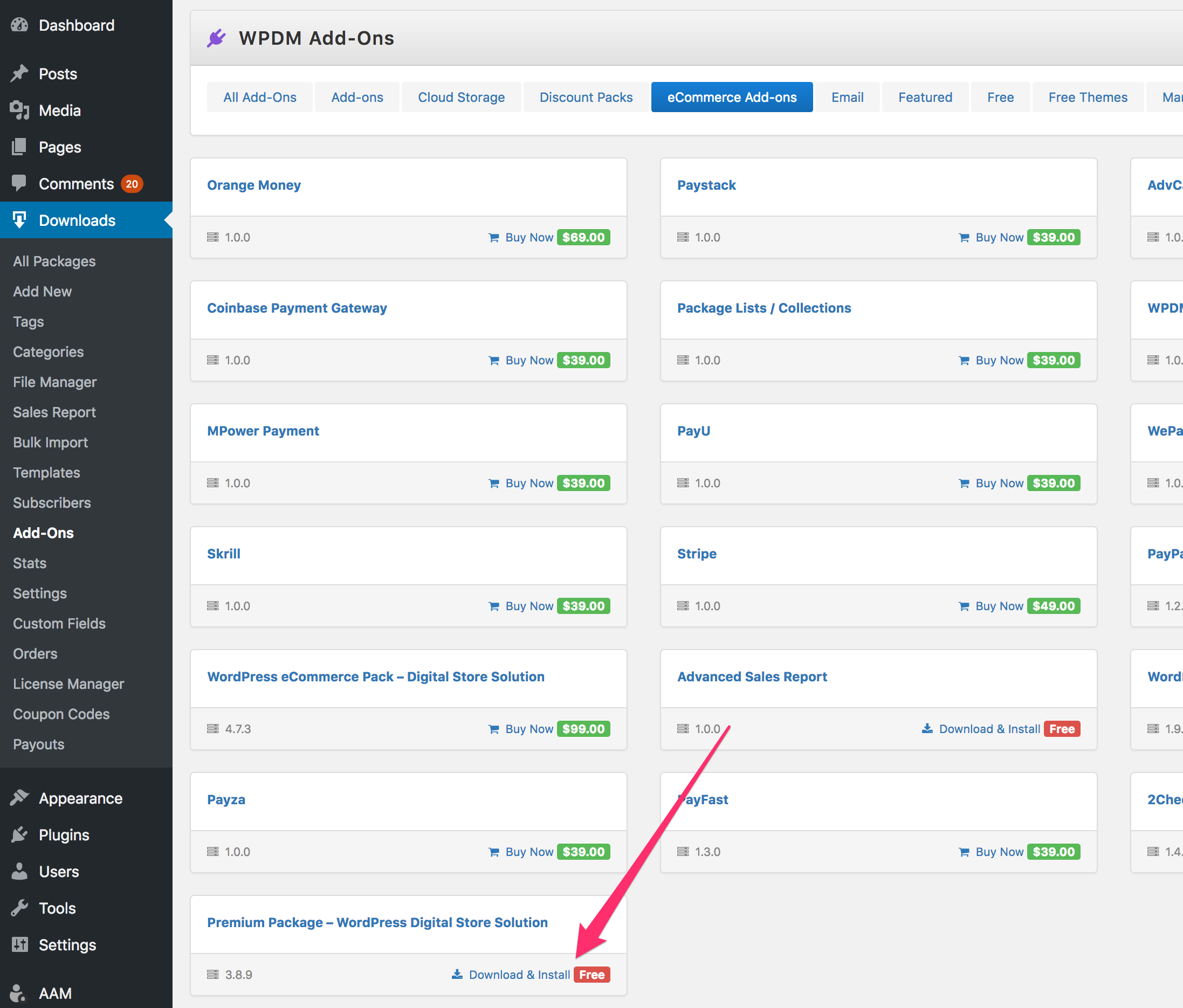
Please install premium package plugin ( http://www.wpdownloadmanager.com/download/premium-package-wordpress-digital-store-solution/ ) from Admin Menu >> Downloads >> Add-ons >> eCommerce Addons Categroy:
I have the pro version