WPDM pCloud Connector seamlessly integrates your pCloud storage with WordPress Download Manager, allowing you to serve files directly from pCloud without consuming your server's bandwidth or storage space.
Key Features
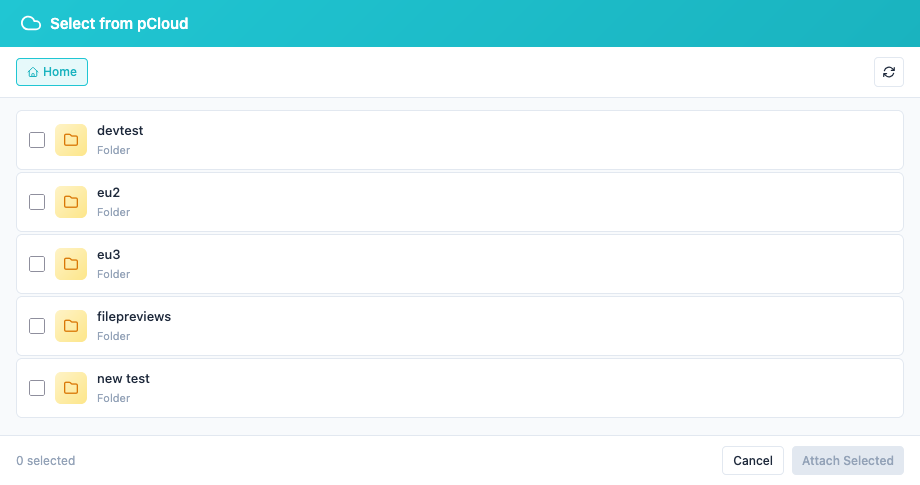
Direct pCloud Integration – Browse, select, and attach files from your pCloud account directly
within the package editor
File & Folder Support – Attach individual files or entire folders to your download
packages
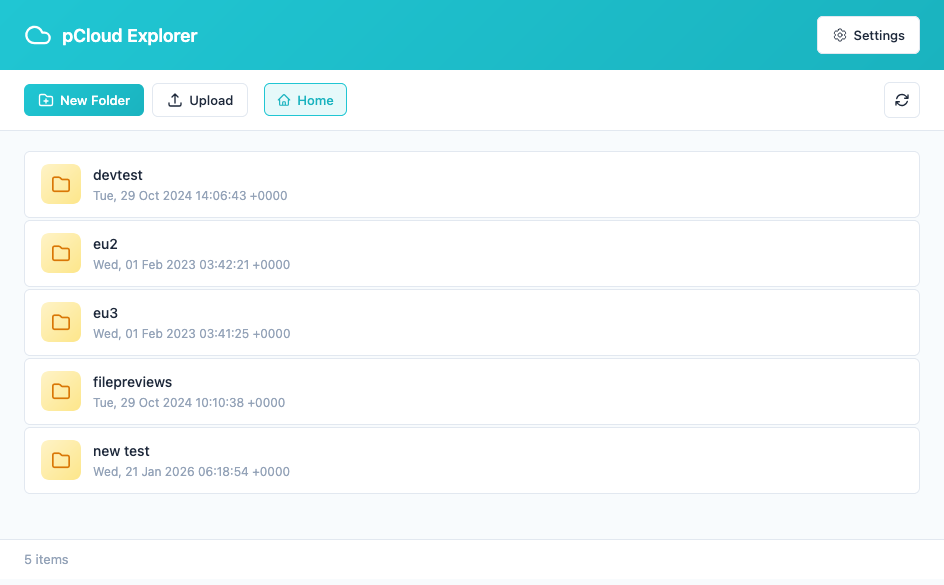
Built-in File Explorer – Full-featured admin file manager to browse, upload, create folders,
and manage your pCloud files
Frontend pCloud Explorer – Display your pCloud files to visitors using shortcode, Gutenberg
block, or Elementor widget
Bandwidth Optimization – Stream files directly from pCloud servers, reducing your hosting
bandwidth usage
Secure OAuth 2.0 – Industry-standard authentication with permanent access tokens (no refresh
required)
US & EU Data Centers – Automatic detection of your pCloud region for optimal
performance
Thumbnail Previews – Automatic image thumbnails for visual file identification
PDF Viewer Compatible – Works seamlessly with WPDM PDF Viewer add-on
Why pCloud?
10GB Free Storage – Get started without any cost
Lifetime Plans Available – One-time payment option for up to 2TB storage
European Data Centers – GDPR-compliant hosting option
Fast Global CDN – Quick downloads for your users worldwide
No Token Expiration – Set it once and forget it, no reconnection needed
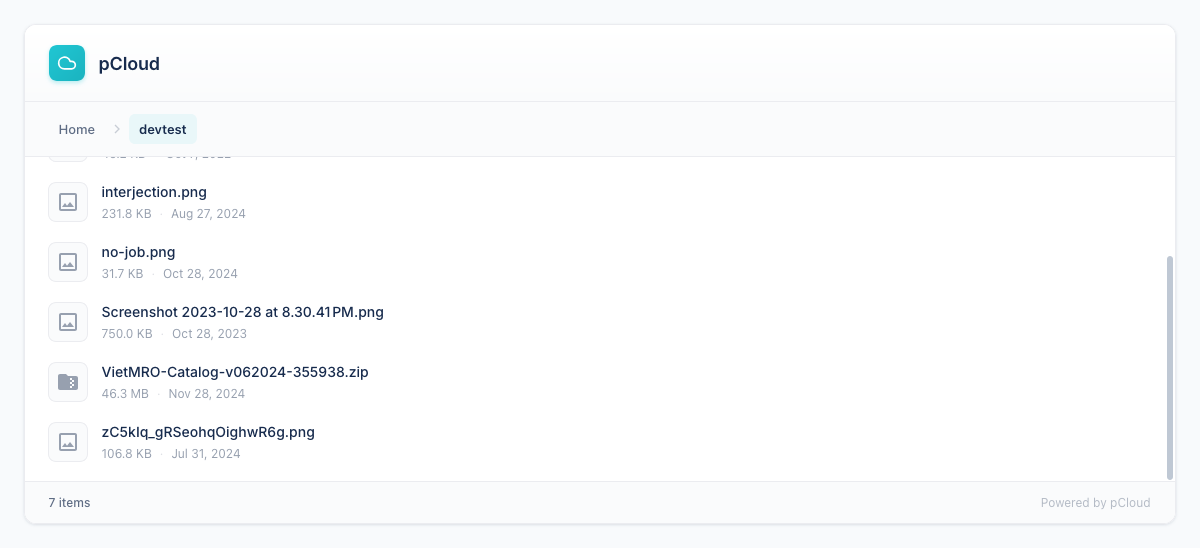
Frontend Explorer:
Display your pCloud files on the frontend with multiple integration options:
Care to update this plugin from ver 1.0.0 so it works?
Current version does not work, whereas same setup works for dropbox.
Shahjada
please update to v1.0.1
George Christo
pCloud seems to have EU and non-EU endpoints. Are such used due to GDPR within the plugin as do not see them from settings?
Also – where we get the client ID and Secret from from pCloud if handy to provide?






4 Comments
Care to update this plugin from ver 1.0.0 so it works?
Current version does not work, whereas same setup works for dropbox.
please update to v1.0.1
pCloud seems to have EU and non-EU endpoints. Are such used due to GDPR within the plugin as do not see them from settings?
Also – where we get the client ID and Secret from from pCloud if handy to provide?
please update to v1.0.1