
Forum Replies Created

Still testing…
I made the change but it still isn’t allowing me to upload, sadly. Please let me know if your team has any further ideas or need assistance from me!
That is already set automatically by Cloudflare for me. Below is mine:
[
{
“AllowedOrigins”: [
“*”
],
“AllowedMethods”: [
“POST”,
“GET”,
“PUT”,
“HEAD”,
“DELETE”
],
“AllowedHeaders”: [
“*”
],
“ExposeHeaders”: [
“ETag”
],
“MaxAgeSeconds”: 3600
}
]
I uploaded a file from cloudflares website so there is a folder and file in the bucket. Settings > Cloud Storage is still empty and doesnt show anything. I am able to attach files now to packages and browse buckets BUT im unable to upload anything. Uploading files in Amazon S3 menu area or in a package to cloud both fail. It doesnt let me upload files to cloud storage it seems.
I was able to successfully add my Cloudflare R2 credentials however whenever I try to select a file from the cloud in a package using “Select From Amazon S3” button I get this:
https://i.postimg.cc/c1h9z5HD/Screenshot-2026-05-05-103541.png
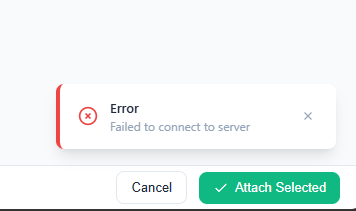
So I am unable to attach any files from the cloud.
————————————————-
Also the “Amazon S3” tab doesnt load.
https://i.postimg.cc/0yD7TbfC/Screenshot-2026-05-05-103819.png
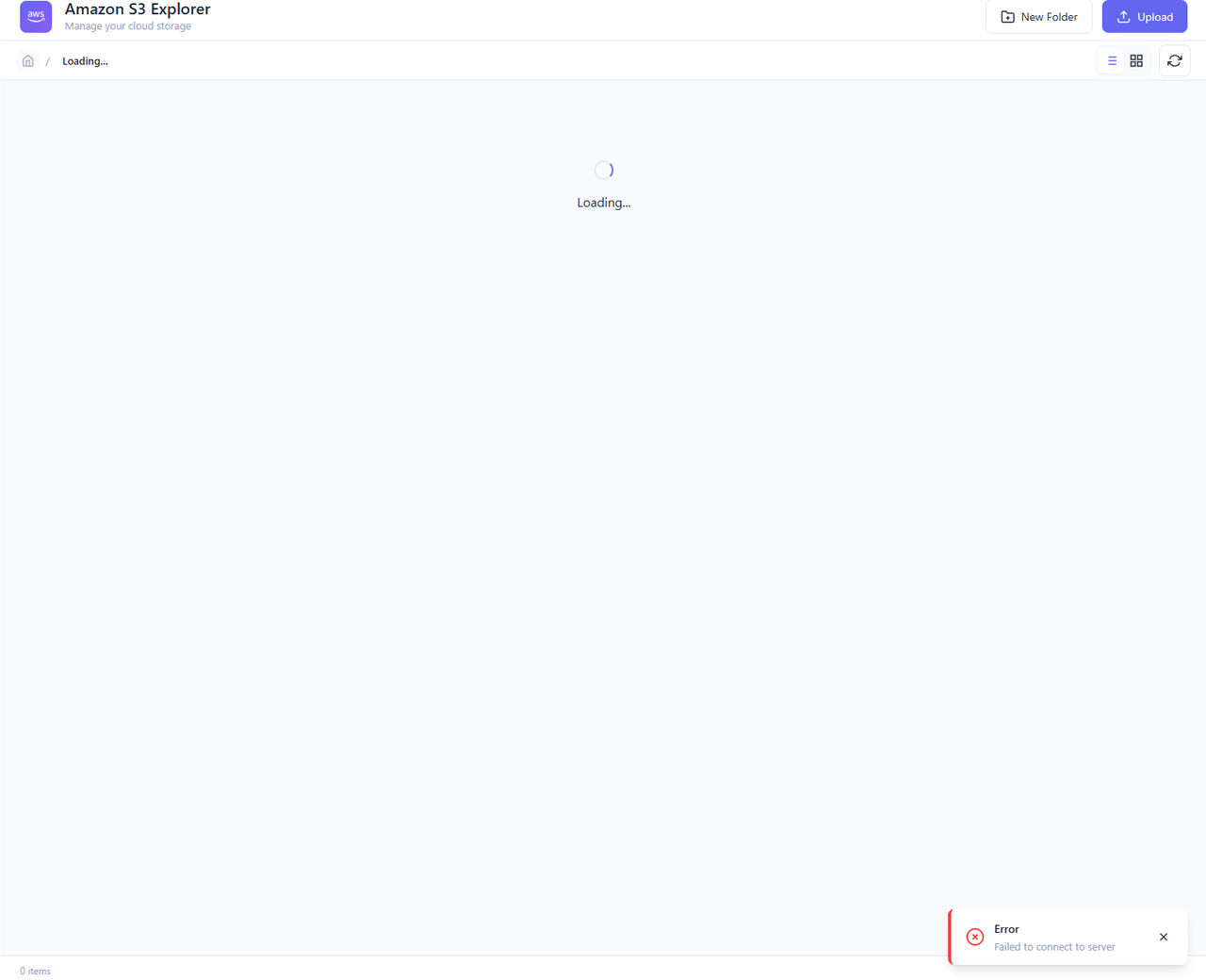
As you can see it also produces an error.
————————————————–
Finally, the “Cloud Storage” tab under settings is a blank screen and shows nothing.
https://i.postimg.cc/k4pV6msF/Screenshot-2026-05-05-103945.png
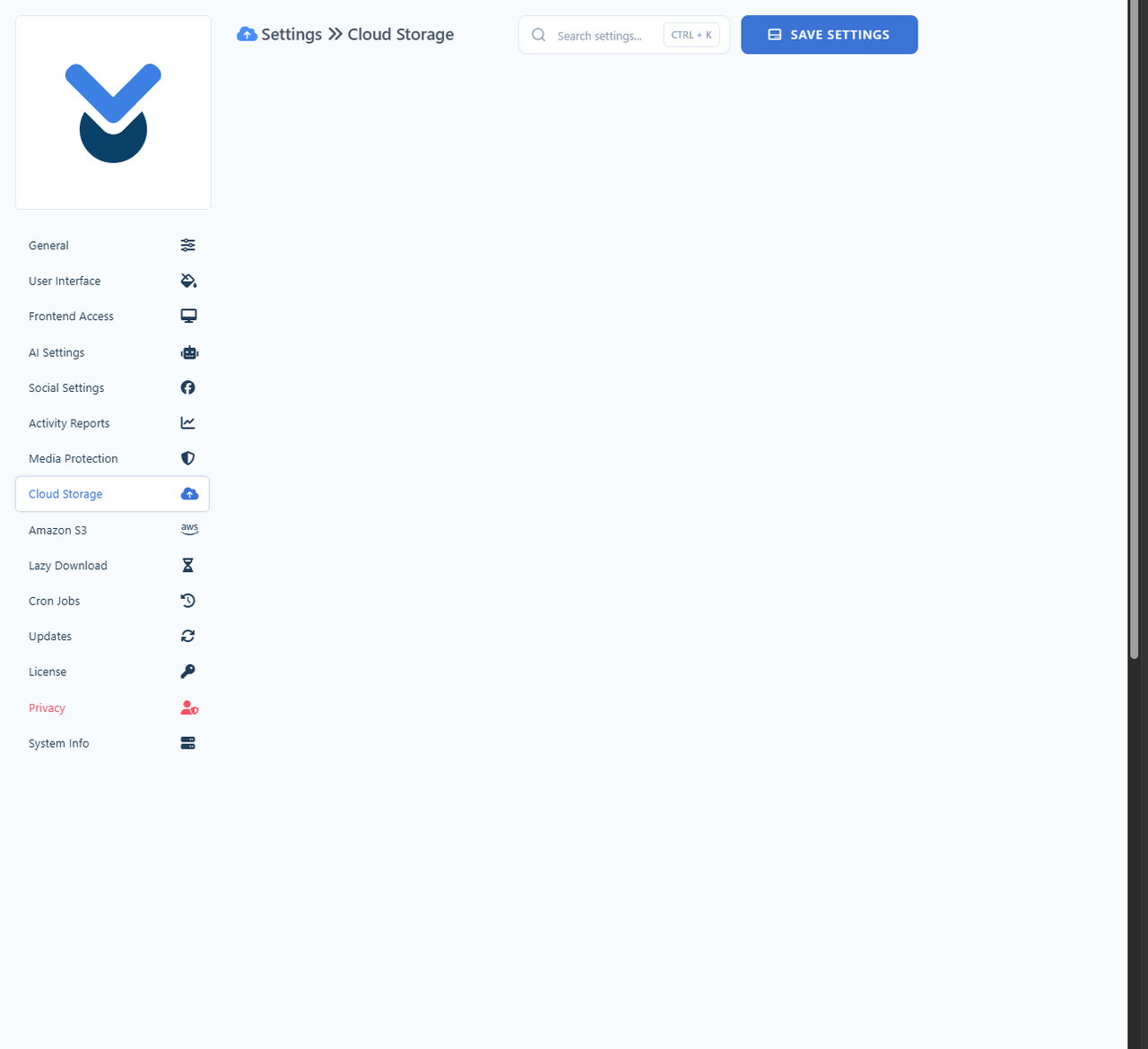
Please see the attached images and forward these bugs to your team. As of right now the plugin is unusable still. After waiting a week I hope these bugs can be fixed ASAP as I was waiting for you to release this Cloudflare update. I am using Cloudflare R2 by the way as my cloud provider.
You can see my credentials are successful because it shows my bucket name.
https://i.postimg.cc/XJ8RQjmL/Screenshot-2026-05-05-104436.png
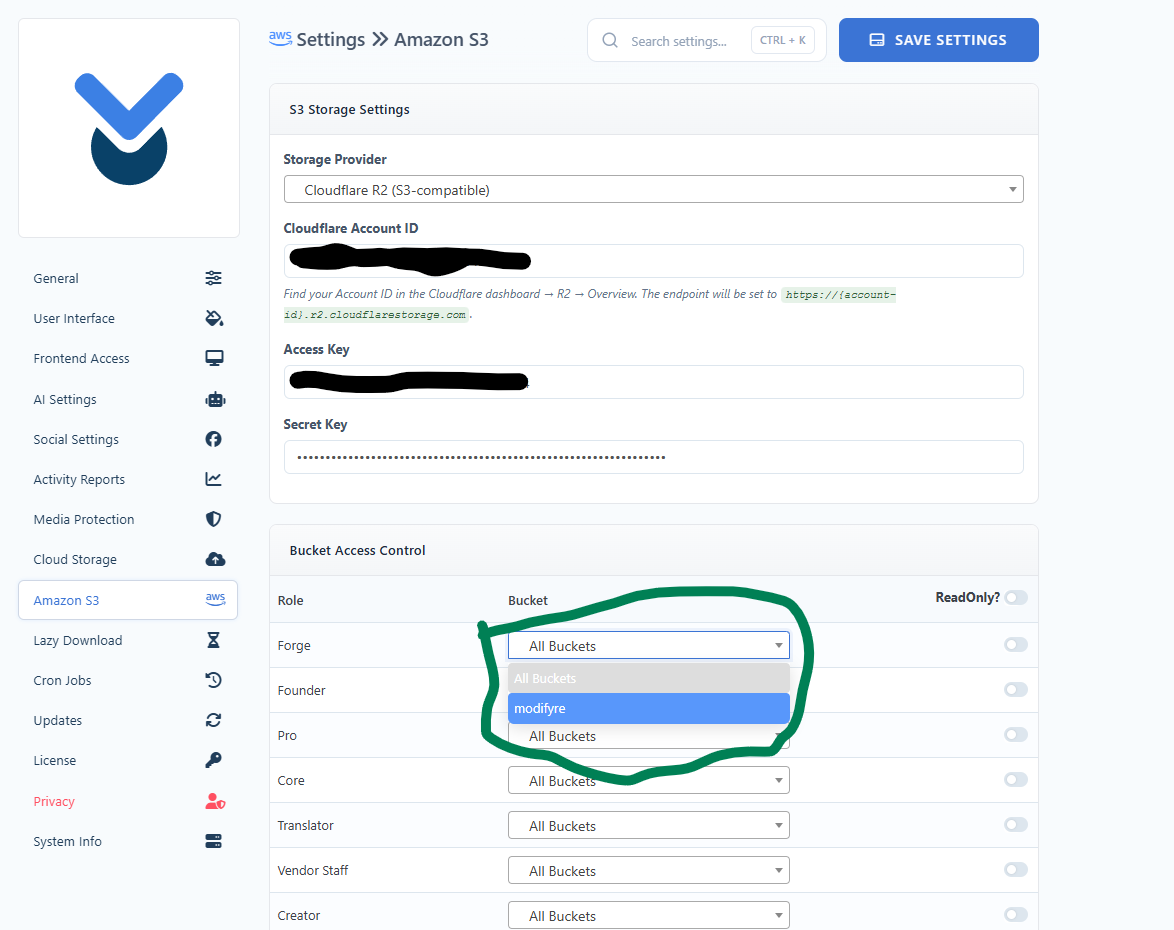
So the problem isnt my credentials.
No. I need BackBlaze (US West) and Cloudflare R2. Please tell your development team to add those so we can connect to them.
The Amazon S3 plugin has just been updated. Thank you.
I got a message from Admin saying my cache is the problem. It’s not. I have downloaded Amazon S3 plugin 10 times now from my account and its 4.1.1. Cache has nothing to do with me downloading 4.1.1 and not 5.0.0. When I install the plugin I don’t have any of the 5.0.0 features because its not 5.0.0 its 4.1.1!
I need someone to update the “All Addons” Bundle so it matches the “All Access Pass” bundle. It’s months behind…
Looks like the last time All Add-ons bundle was updated was February 23, 2026 so its missing all the newest plugins to April 28th. Can someone update this?
It’s missing:
WPDM-speed-control v1.2.1
WPDM-amazon-s3 v5.0.0
and probably some others.
It seems 5.0.0 isnt available to the public. It isnt apart of my All Plugins bundle:
It seems this bundle still has 4.1.1. Can someone update the plugins in this bundle to include all the latest plugins on the site? Including the Amazon S3 plugin version 5.0.0
Where do i get this new version? I didnt see it added to my account
wpdm-amazon-s3.zip version 4.1.1 is the same version thats old without the changes that i can download. How do i download the new version? It’s not showing up in my download list.
i downloaded it and there was no change. i dont see a backblaze b2 option..can you share a screenshot of where to find it?
I didnt find any documentation for this in your knowledge base. any help would be greatly appreciated so i can setup this plugin.
Same for me. I was promised a 1 week extension since I paid $299 for all-access pass and i couldnt use anything in it originally so i could test out the new features and see if it was worth re-purchasing. They agreed to give me that week and ended it early before i could even download the plugin and test it just a day later.
I was told on December 18th i could get until December 26th to test and they closed it on December 19th with no warning so i just gave up and didnt feel like this company deserved my money.
https://i.postimg.cc/HnyBDBDp/Screenshot-2026-03-03-105524.png
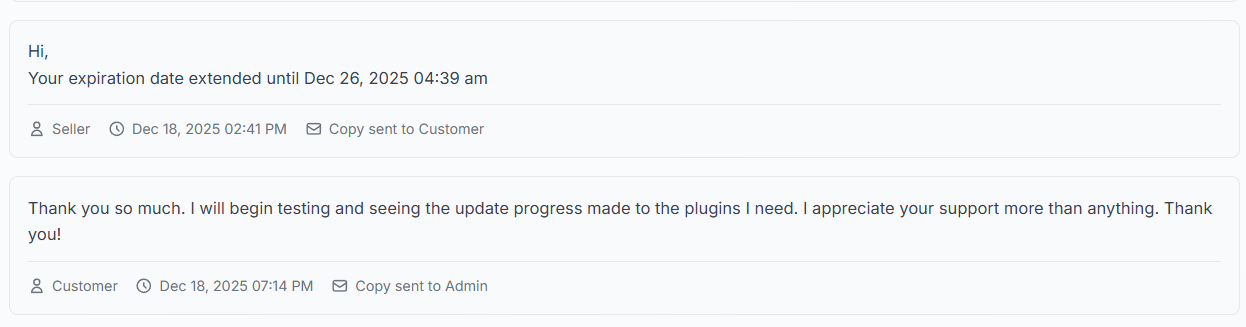
There is a screenshot of the agreement your company made with me they violated. I dont need a full year i just need the WEEK i was promised to see if another $300 is deserved from me on your product. Please extend my all-access for a week so i can see if your plugin is right for my unique setup as promised.
1. The logo does not size properly if you use logo=”https://yoursite.com/logo.png”

2. The Welcome text and text below it is not formatted using the websites primary and secondary fonts.
3. No way to remove website icon and name from the top left. That should be optional.
Please share this info with the development team and engineers.
Please keep me up to date on any news or developments.