
Forum Replies Created

I prefer to use awesome icons but I do not want to see the online css file load issue stated as the above.
If I disable here download > settings > user interface > disable style & script > disable font awesome,
the file icon in the download list will not properly show, the icon position will have missing image problem
sorry, if i disable the script the icon will not show properly
is there an alternative method?
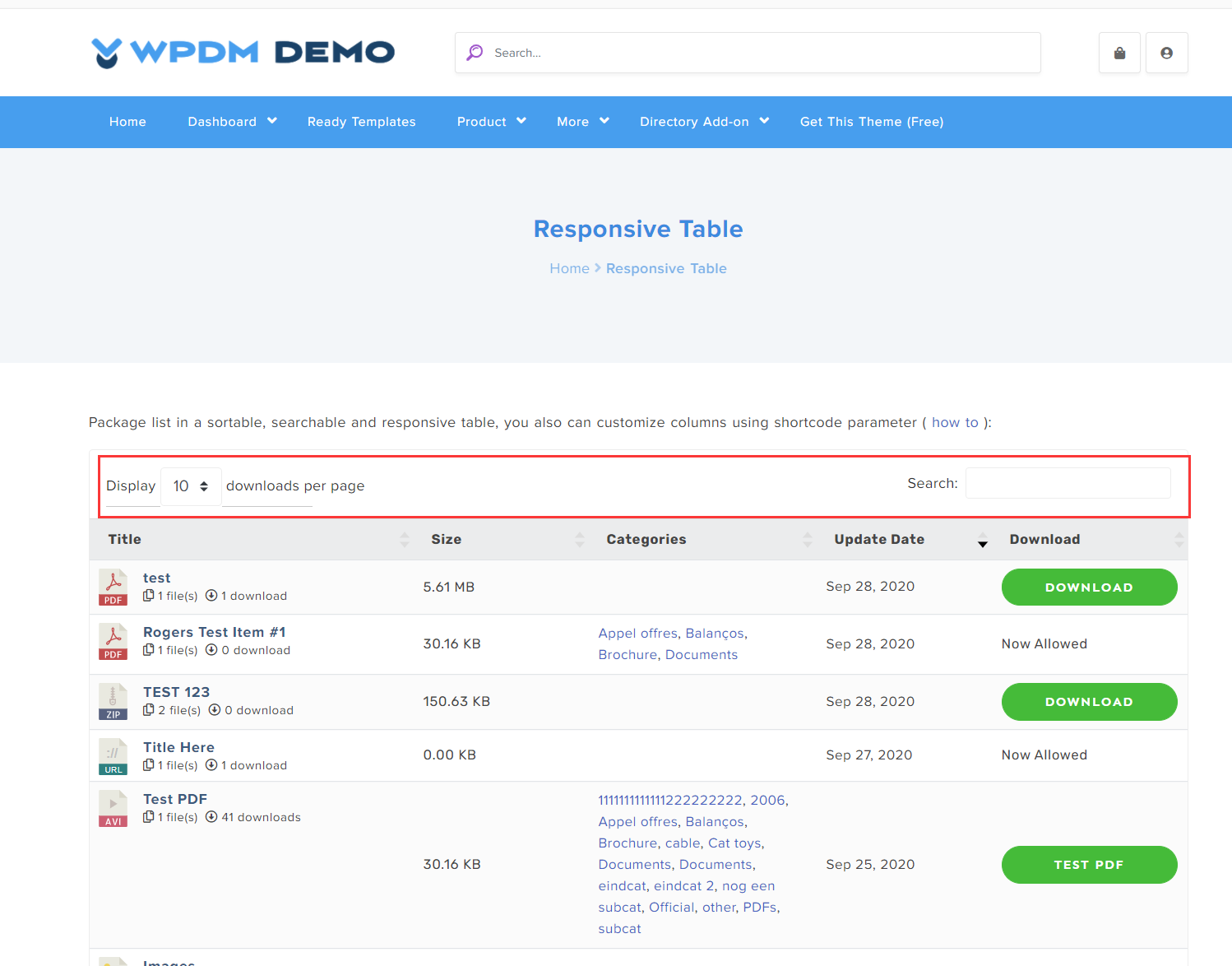
i have jstable=1 included but there is no top area before the table. https://www.autooltech.com/downloads/
-
This reply was modified 5 years, 6 months ago by
向阳 熊.
why don’t you answer my question? i knew where these links are
The example codes do not display search and per page as the demo page
thanks, I do not want to spend too much time learning these shortcodes
anyone can simply give me the full codes for the demo page including the search form
for this demo page http://demo.wpdownloadmanager.com/wpdmpro/package-list-in-responsive-table/