
Forum Replies Created

Already done. https://www.wpdownloadmanager.com/support/topic/update-break-my-archive-page-display-again/
-
This reply was modified 5 years, 8 months ago by
Philippe Bonneau.
Last reply Jul 10!!! Too long @Shahjada
HEY support team! More than two weeks without an answer!!!
I would like to fix that problem permanently please.
Hi support. The update to the last version (once again) break the document archive of my site.
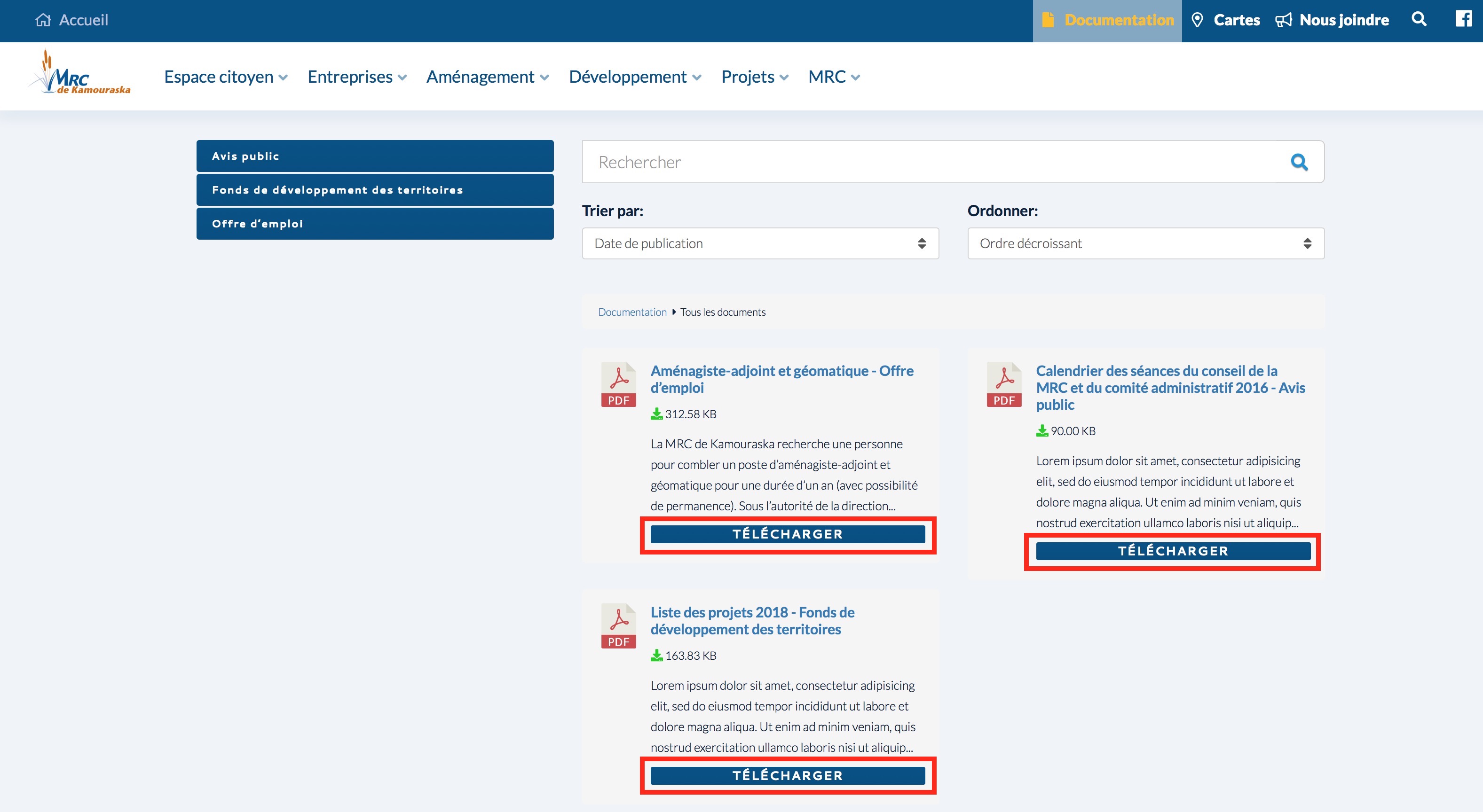
Here is a duplicate of the site where I have applied the update https://mrck2.ecommunication.ca/documentation/
Here is my dev site with the Download Manager Version 5.0.8 https://mrck.ecommunication.ca/documentation/
Can we fix that once for all please?
Thanks Shahriar. Keep me informed please.
Hi Shahriar. The problem explained in the #115393 reply is back. The file is in the child theme folder /active-theme/download-manager/archive-page-extended.php and changed.
                        <span class="col-md-6">
        <label for="order_by"><?php echo __('Order By:','wpdm-archive-page'); ?></label>
        <select name="order_by" id="order_by" class="form-control wpdm-custom-select">
        <option value="date"><?php echo __('Publish Date','wpdm-archive-page'); ?></option>
        <option value="title"><?php echo __('Title','wpdm-archive-page'); ?></option>
        </select>
        </span>
The «Trier par» menu is unchanged until I replace the file in the plugin folder /wpdm-archive-page/tpls/archive-page-extended.php
Updating the plugin remove the fix.
OK Thanks. I had added this code to my thememe GLOBAL CSS. Thamk you for the help. Fixed.
Not working. I have tried to add !important too.
Ok. Thanks for the hint. I have find a fix.
Now on the small width screen the search field and the two dropdown are longer than the rest of the elements. It would be nice to fix that to the same width to the other elements.
https://dev.mrckamouraska.com//soutientechnique/capture_3.jpg

-
This reply was modified 6 years, 3 months ago by
Now I need to fix the bad responsive behaviours of the page https://dev.mrckamouraska.com/documentation/
Under 1216 px the design breaks with a huge empty space at the right of the page. The peoblem is the same between 1215 px and 1006 px. Below 1006 px the one column display is corect.
dev.mrckamouraska.com//soutientechnique/capture_1.jpg > 1216 px page width
dev.mrckamouraska.com//soutientechnique/capture_2.jpg > 1215 px page width
Thank you Shahriar! Problem solved.
Hi Shahriar. How can I choose what is appearing in the sorting dropdown named «Trier par:» in my archive page? https://dev.mrckamouraska.com/documentation/
Thanks Shahriar. I will try to remember and save the modified file for future update.
Shahriar what is the file to edit? Could you be more detailed please? I am not a programmer.
-
This reply was modified 6 years, 4 months ago by
Hi support. I have achieved to restore some of the work we have done together but:
Packages do not display in the https://dev.mrckamouraska.com/documentation/ page where my shortcode is
The category buttons open an Archive page instead of displaying the filtered documents in the same page
I find that if I put the shortcode in the wordpress edditor the packages are visible but if I put the same shortoce in my theme edditor (I use the themeco Pro theme) the documents are not visible.
I need to put them in the Pro theme edditor to achieve the same design.
-
This reply was modified 6 years, 4 months ago by
Hi support. Once again the last update broke my document list and the shortcode is not working anymore.
Please shoudl you provide a permanent fix please?
Hey support team! If Shahriar is not there, can anyone take care of my problem please?
Hi Shahriar. The plugin update break the work you have done to fix my installation. If I update, the https://test.mrckamouraska.com/documentation/ page show nothing like before. I had to restore from a backup.
If you want to experiment, I have made a staging environment on https://test.mrckamouraska.com
All the updates are done without damage but Download Manager, WPDM – Archive Page and WPDM – Extended Short-codes.
Thank’s Shahriar. Problem solved.
Thank you Shahriar. There is still uppercase to remove on the download buttons.
Shame on me for the dot!!!
Not working.