
Forum Replies Created

Hello,
We just updated the WPDM plugin to the latest version (7.3.0) and we still see the problem with the missing content in the version column:
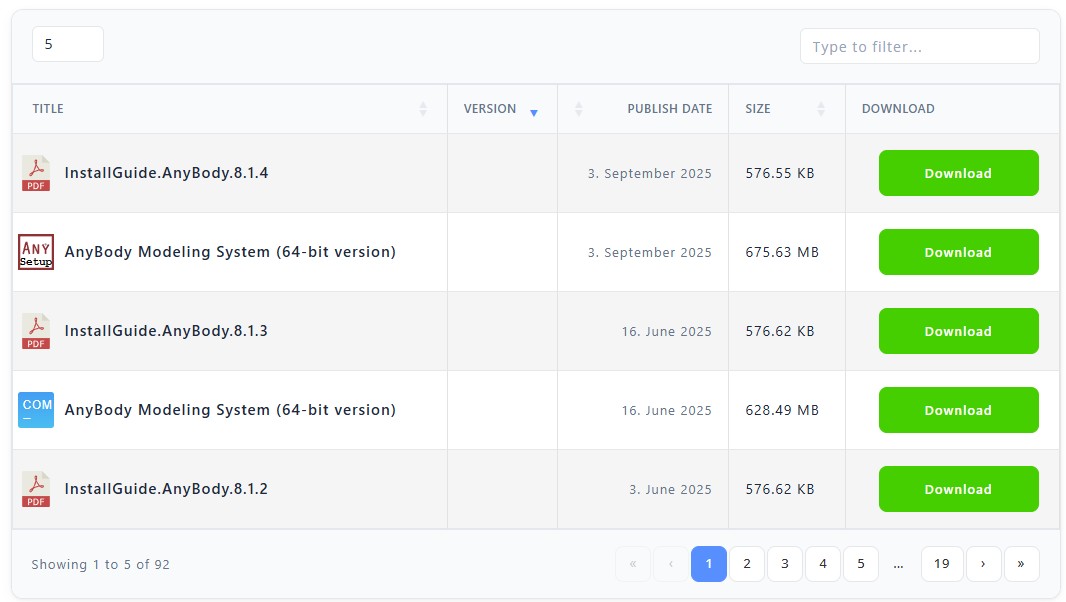
Was the fix supposed to be in 7.3.0?
Hello,
A page illustrating the question is this one, which contains tables generated by Download Manager Pro, linking to download packages:
(https://www.anybodytech.com/resources/customer-downloads/)
All download packages require a user to be logged in.
The red “Login” button has the desired behavior, in that pressing it links to our login page, but with a redirect back to our download overview page after login (Example: https://www.anybodytech.com/my-account/?redirect_to=/resources/customer-downloads/)
The question is, if something like this is also possible for the links in the table (labeled “AnyBody Modeling System (64-bit version)”) directly to the download packages. Pressing one of these when not logged in just links to our login page like this:
(https://www.anybodytech.com/my-account/)
But we would have liked that it instead also put in a redirect argument in the URL like this:
(https://www.anybodytech.com/my-account/?redirect_to=/download/anybodysetup-7-4-1-8830_x64/)
But I have not found any settings where I can specify this, so I’m asking if it is possible?
I would expect that this should be somehow defined for the download packages and not the table itself, as the link directly to a download package could also appear elsewhere, and should also trigger a login-and-redirect-back if necessary.
-
This reply was modified 3 years, 9 months ago by
Kristoffer Iversen.