
- This topic has 15 replies, 4 voices, and was last updated 4 years, 11 months ago by
Charlene Rains.

Allow access isn’t functioning properly. When a role isn’t granted access it is still allowing the role to view the document. Any help would be really appreciated.

Please share your related URL and login info in a private reply.
Thanks
Please add any of your email addresses.
Please create another user name under PG Reps and share the login info to check if PG reps can see the package from my side.
Thanks
Please check now. I have changed the access under the category.
Thanks

Hi,
Allow access option is fully functional, Effective Access to "Package P" = Selected roles in "Allow Access" field + All selected roles for "Category A" + All selected roles for "Category B" = Subscribers, Authors, Editors/ please check the doc here:

After login I see like this:
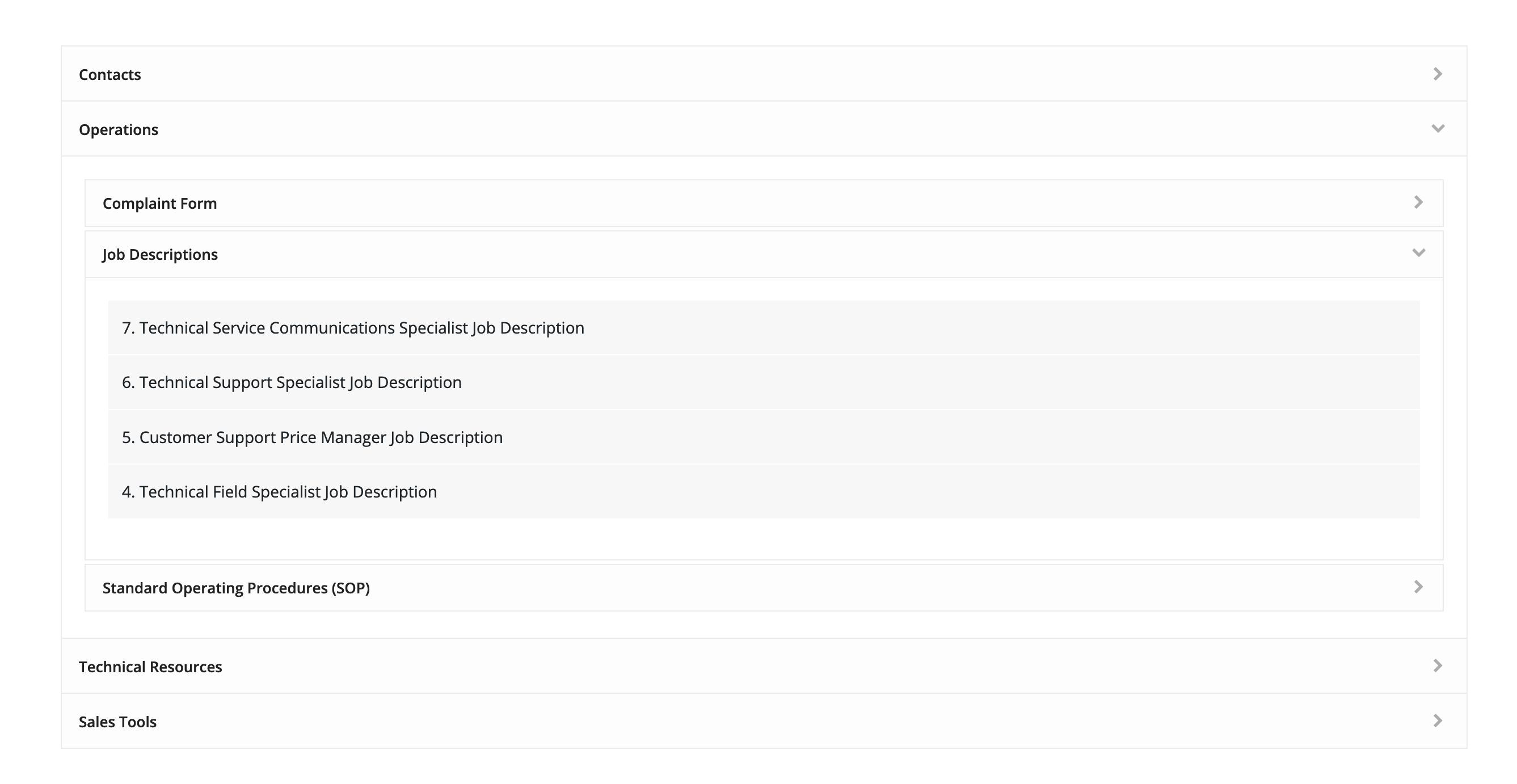
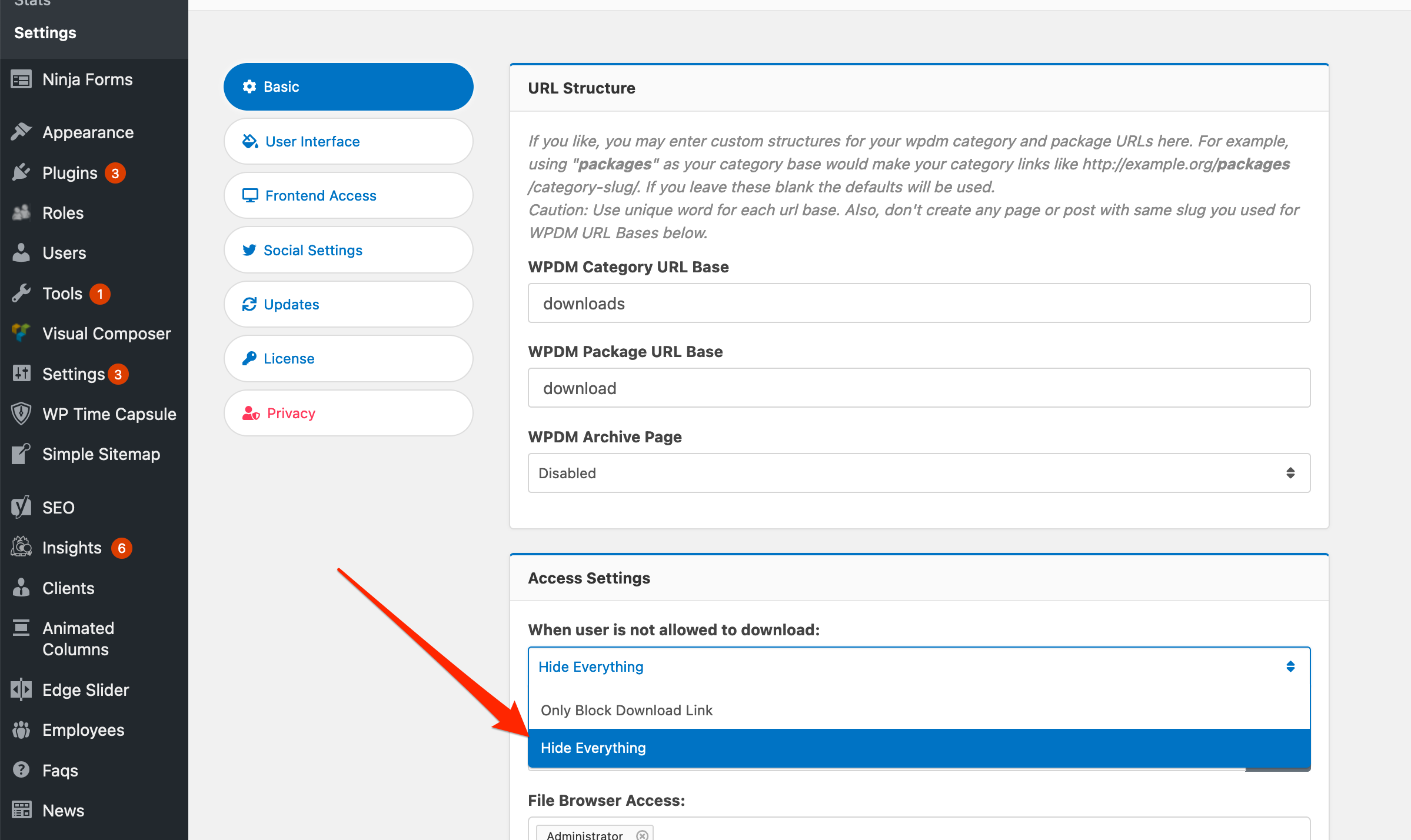
They are not downloadable. However, you even want to hide the file list, you need to select “Hide Everything” here:
The topic "Allow Acess Issue" is closed to new replies.