Publish everywhere in one click. BroadcastHQ transforms your WordPress content into a social media powerhouse—reaching audiences across 6 major platforms automatically.
One click, six platforms. BroadcastHQ connects seamlessly with all major social networks through secure OAuth 2.0 authentication.
Pages & Business Profiles
Posts with Media Support
Professional Network
Visual Content Distribution
Pin Creation with Boards
Local SEO Boost
Save hours every week with intelligent automation that doesn't compromise on quality or control.
Need to share something that isn't a blog post? Craft custom messages and broadcast directly to your social channels and toast notifications without creating WordPress content.
Dynamic variables pull your post title, excerpt, URL, and featured image automatically for consistent, professional posts.
Enable or disable specific platforms for individual posts. Full flexibility at your fingertips.
Keep your audience informed with elegant, customizable toast notifications. Announce updates, promotions, or important messages with enterprise-grade quality.
Publish once, share everywhere. Automatic distribution saves hours of manual work every week.
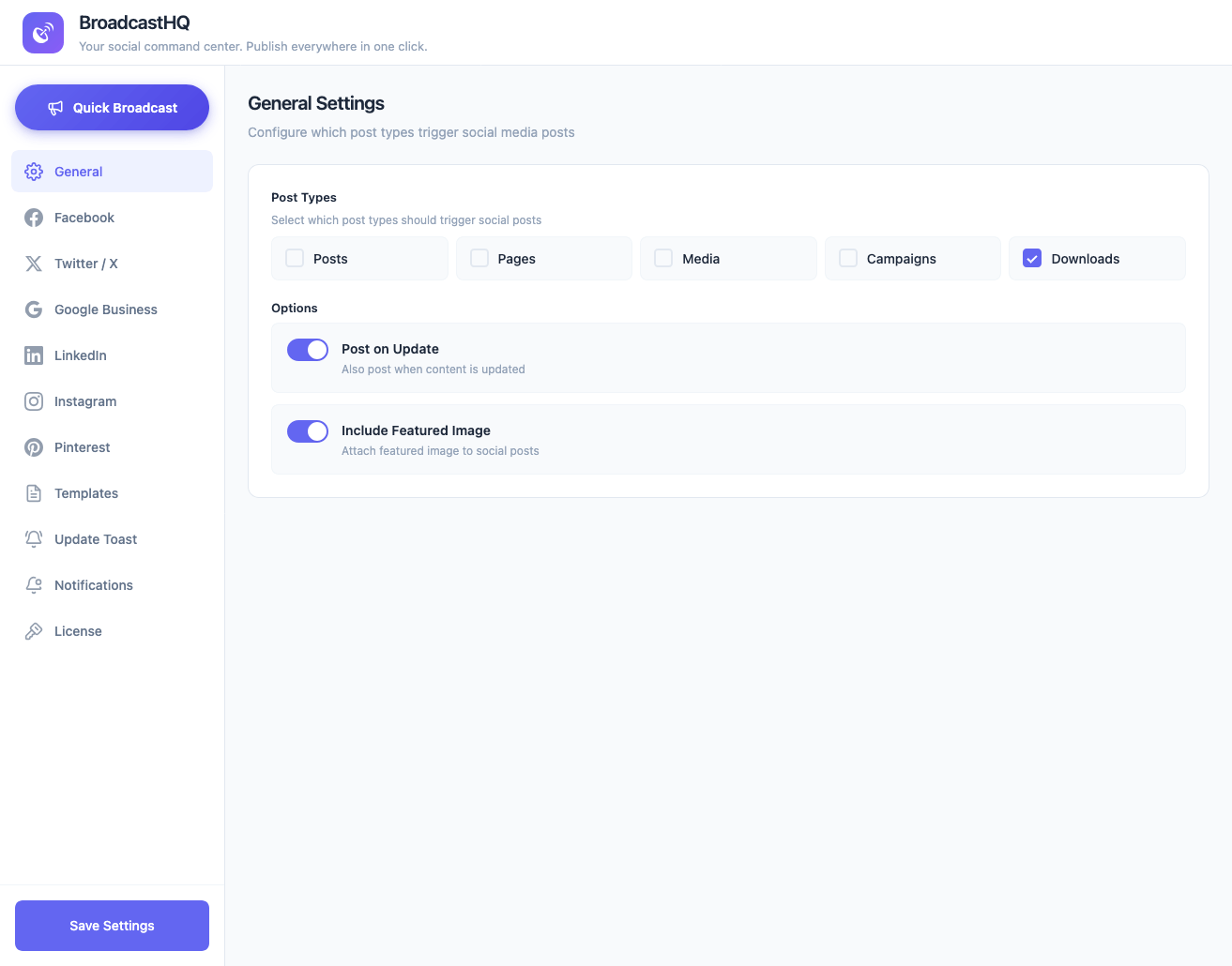
Works seamlessly with any content type in WordPress. Configure exactly which post types trigger automatic broadcasting to your social channels.
Lightweight and fast. BroadcastHQ loads only what's needed, keeping your site pristine.
Industry-standard authentication. Your credentials are never stored on your server. Connect with confidence knowing your social accounts are protected by the same security used by Fortune 500 companies.
Upload BroadcastHQ to your WordPress plugins directory and activate with one click.
Securely authenticate your social accounts using OAuth 2.0. No passwords stored.
Publish your content and watch it spread across all your connected platforms automatically.
Take a closer look at BroadcastHQ's intuitive interface and powerful features.
All plans include the same powerful features. Choose based on how many sites you need to power.
Perfect for individual sites
Best value for growing teams
For agencies & power users
Yes! Configure which post types trigger auto-posting from the settings panel. Works seamlessly with WooCommerce products, portfolio items, and any custom post type.
BroadcastHQ uses OAuth 2.0 authentication—the industry standard. Your social media credentials are never stored on your server, ensuring maximum security.
No. BroadcastHQ is optimized for performance with minimal footprint and lazy-loaded assets. Your site speed stays pristine while gaining powerful automation.
When visitors return to your site, they see elegant notifications about updated posts they've previously viewed. You can also create custom announcements for promotions or important messages.
No. BroadcastHQ uses Shadow DOM technology to completely isolate notification styles, ensuring they render perfectly regardless of your theme's CSS.
Yes! The Quick Broadcast composer allows you to create toast notifications independently, even without any social platforms connected.
Stop copying and pasting. Stop logging into multiple platforms. Start broadcasting.
