
Forum Replies Created

This reply has been marked as private.
This reply has been marked as private.
This reply has been marked as private.
Thank you for your help.
What I wanted was perfectly implemented.
Your advice is perfect~!
<div class="card bg-light c2a4 mt-2 mb-2">
    <div class="card-body text-center pb-4">
        <div class="text-center wicon">
            [thumb_128x128]
        </div>
        <h3 class="p-0 m-0 mb-2"><a style="font-weight: 700" href="[page_url]">[title][ifbutton]</a></h3>
        <div class="text-muted text-small"><i class="fas fa-hdd"></i> [file_size] <i class="far fa-arrow-alt-circle-down ml-2"></i> [download_count] downloads [ifbutton]</div>
    </div>
    <div class="card-footer text-center">
            <a href="[page_url]" class="btn btn-secondary">View More</a>
            <div class="d-button d-inline-block">[download_link]</div>
            <div class="ml-3 [hide_empty:download_link]">[download_link]</div>
    </div>
</div>
<style>
    .w3eden .c2a4 .wpdm_icon{ height: 64px !important; width: auto; }  .well.c2a4 .media-body{ font-size: 11pt; }
    .w3eden .c2a4 .wicon img{ border-radius: 500px; max-width: 96px;margin: 5px auto 25px; }
    .w3eden .c2a4 .btn{ border-radius: 50px; font-weight: 500; margin: 0 3px; padding: 0 25px; height: 36px; line-height: 36px; font-size: 12px; }
</style>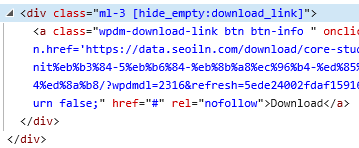
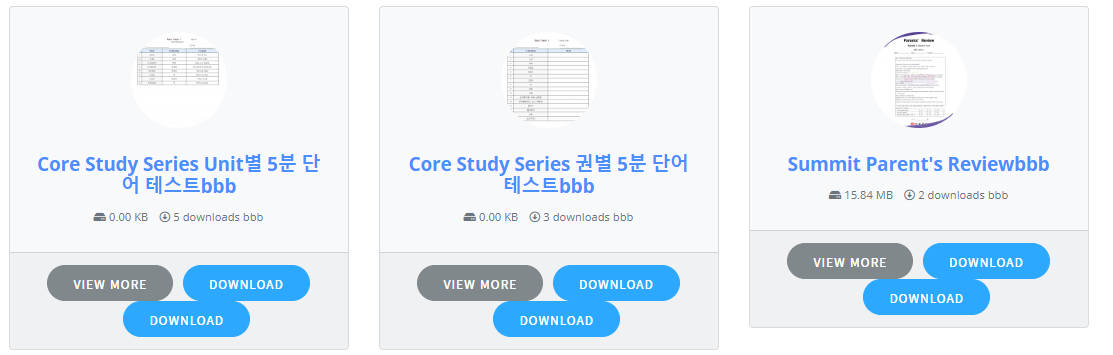
I made it with the code above, but it doesn’t seem to work properly.
How can I use this tag properly?
-
This reply was modified 5 years, 9 months ago by
Jaewon Kim.
Hi,
Please give me a quick answer to this question.
Hi,
Please let me know which page I should modify.
This reply has been marked as private.
I disabled all plugins except WPDM and tried changing the theme. But nothing has changed. What should I do?
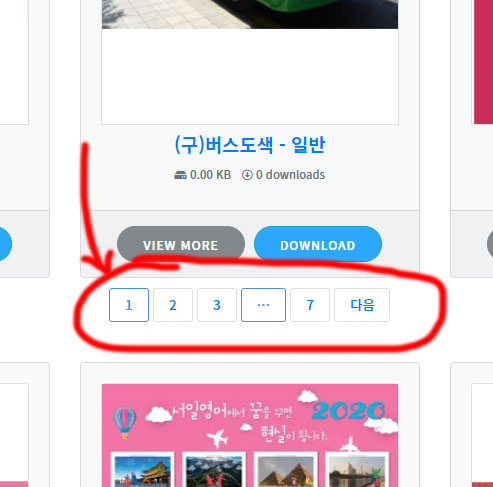
The pagenation design of my shortcode is as shown in the picture.
I want to make it the same as the sample design’s pagination.
-
This reply was modified 5 years, 11 months ago by
This reply has been marked as private.
This reply has been marked as private.
This reply has been marked as private.
This reply has been marked as private.