
Forum Replies Created

PayPal
A reminder that other users will read this, you are intentionally being evasive. It’s a very simple question you are refusing to answer for weeks. Your code is directing people to login, how do I remove it? THis is not a complicated topic, and does not need any bug testing.
The solution you have provided does not work. Whatever code in your plugin that pushes the user to login needs to be removed. How do I do that?
I’ve already explained this to you multiple times with multiple screenshots.
We need to remove the code which is causing this to happen, send instructions on what to remove.
After the payment is complete, the user is shown a page with 2 login requests. How can I stop that from happening? My website has no options for users to sign up or log in.

Forget about all the other tests you have already told me to do. They dont work, I need code to disable this page compeltely.
I checked. The solution you are providing multiple times does not fix the problem.
What code do I need to remove? I’ll continue to copy and paste this message until you do.
If you cannot give me code, then tell me the code which I need to remove to stop your app asking them to login after payment.
I did that.
It didnt fix the problem. Please provide code to override the login request function, or remove it.
I have added a download link for the user directly in the email and removed all the Login Here content. So now we have a solution for them to get the product.
For test payment, I activated it and it still shows in red “deactive” – If I click activate, and it still says deactive with no reason or message, its another bug and I dont have time for that.
I just need a solution to stop your app showing the login page after payment successful because it’s confusing the user. That has nothing to do with test payments.
WHen providing code, please also tell me how to change the email content the customer gets because you’re also telling them to login there too.
Let’s stop trying things that dont work, and use code to completely disable login. I also need to modify the email how do I do that and why dont you just give them a download link in the email?
Clearing cache did not fix the problem. We need to start talking about a different code solution because its 4 days and I cant keep explaining the same thing multiple times with videos and screenshots
This page is not shown to the customer:
https://itsnamewasmormo.com/thank-you-transaction-result/
Because your app is constantly pushing them to login after payment, and login from the email.
Please provide custom code to DISABLE ALL THIS LOGIN DEMANDS BECAUSE THE WEBSITE HAS NO CUSTOMER LOGIN OPTIONS
An email was now recieved.
Problems:
1. THE CUSTMOER HAS NO MESSAGE TO INDICATE THEY HAVE AN EMAIL
2. THE EMAIL LINKS GO TO WEBSITE AND PRODUCT PAGE, NONE OF THEM HELP THE CUSTOMER DOWNLOAD THE PRODUCT.
3. AGAIN, IT SAYS IN THE EMAIL CLICK HERE TO LOGIN.
Both the app, and the eamil are asking them to login. My website has NO LOGIN for customers. How do I stop all these login requests?
I added the link you said, and made a payment, it did not change anything. This is the link the customer was given after payment completed:
https://itsnamewasmormo.com/purchases/?id=ITSN67225398A20C3
If I check this link and I am logged in as an Admin, I can see the order and download page, and everything looks fine.
If I am not logged in, it asks me to login: https://tinyurl.com/2xu2uno7
Why is that happening if I have selected check out as guest? I can see 100% that the problem here is the Guest checkout options are not working.
Yes.
You can check the code yourself here: https://itsnamewasmormo.com/thank-you-transaction-result/
Please confirm 3 things in your reply.
1. Double check the shortcode is fine by opening the link above. You can see the page.
2. Check the settings in my previous screenshots are fine.
If both 1 and 2 is ok.
3. Provide me with code to override the settings
Please address 1, 2, 3 in your reply
Can you maybe try a different solution and give me some compatible important! code (and where to add it) to override the settings? Or propose an alternative solution?
After the payment is successful, the user is then shown this page:
But this is wrong. They should be shown this page:
https://itsnamewasmormo.com/thank-you-transaction-result/
How do I fix that?
Screen record video of the settings:
https://www.awesomescreenshot.com/video/33097783?key=0bacb7fb31a1352319d08bb4d4c921c9
Product on the bottom homepage:
https://itsnamewasmormo.com/
Download Page:
https://itsnamewasmormo.com/download/its-name-was-mormo-official-book/
Transaction result page:
https://itsnamewasmormo.com/thank-you-transaction-result/
For the screenshot I have removed the sensitive info, here are the PayPal settings:
https://tinyurl.com/2cuvhcom
This is everything you would see if you logged in and checked the app.
No sorry I don’t share Admin access with anyone. But I can show you any setting in a screenshot just let me know
Nayeem are you able to provide a solution to this today? Please double check that the new information supplied will fix the problem.
Ok sure, would like to have this fixed asap thanks
Another note, the user is being asked for an Order ID in the shortcode page. When is this given to the customer? It was not shown in any of the order tests, I did not see the Order ID, no email was received either to show this.
This would all be much easier of they just get a link to download in the payment completion message or a popup.
Is there something else that needs to be changed in settings because after following your instructions there was no changes, the problem was still the same.
1. I created the page titled Thank You. You can check the shortcode is fine here:
https://itsnamewasmormo.com/thank-you-transaction-result/
2. Making a test payment, it STILL took the customer to the same login page. Here is the screenshot of what they saw after making a payment:
Here are my settings:
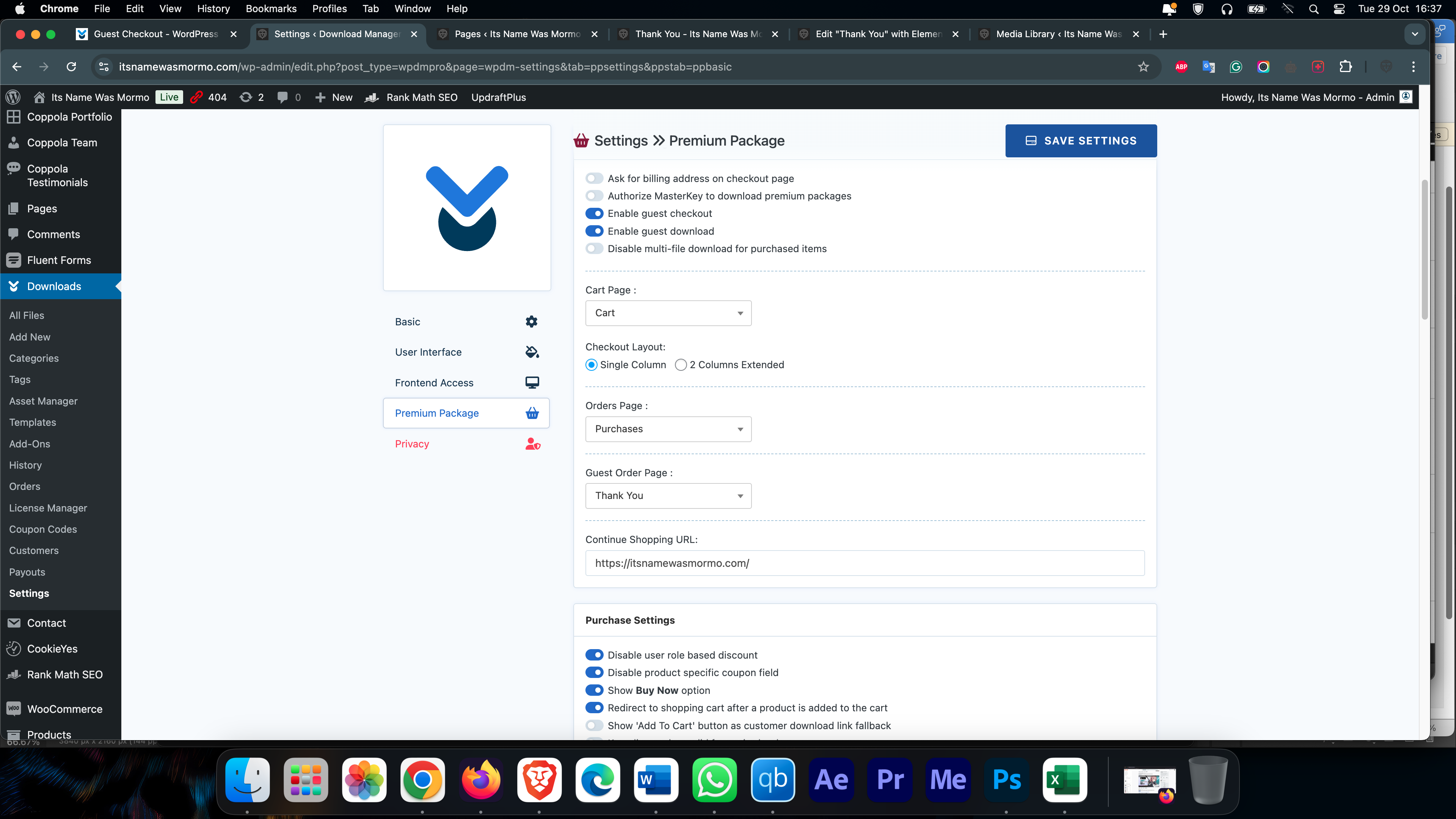
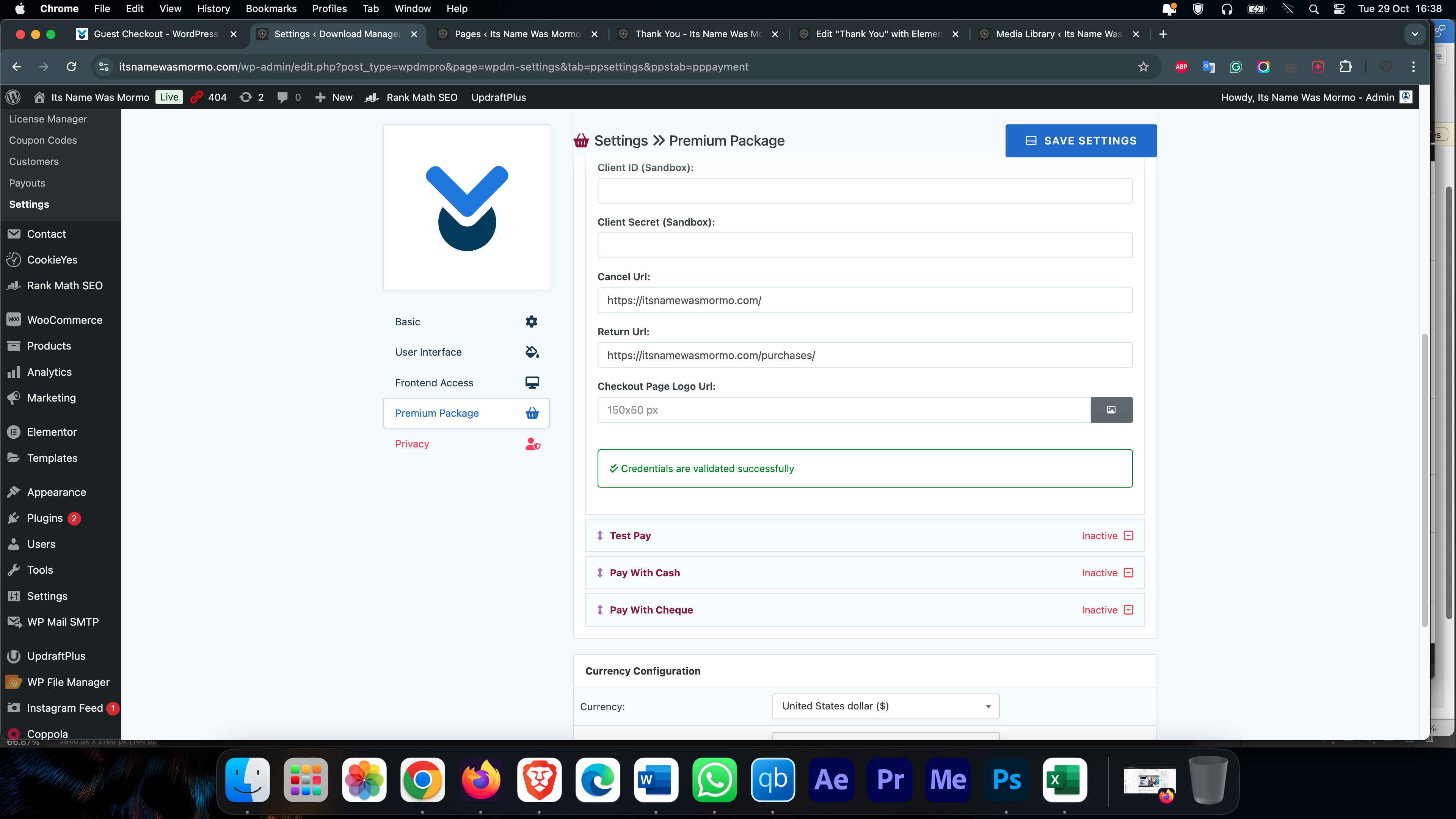
No matter what I do, the customer always has this login page, and is not shown the page which I set up for them to see. How can I fix this?
Hi thank you for your 2 screenshots:
Screenshot 1
Your first screenshot shows “Guest Download Page” selected. This page does not exist in my list of selectable pages. Did you make the page manually? If so please include a screenshot for adding the downloadable file etc.
I can add the Thank You page here. But then I need to add a download link to the file, on that page. And it then becomes a public page with a link to the product for free. Anyone can share the product for free. This isnt a viable pay to download option.
Screenshot 2
I already have this selected.
Thanks