
Forum Replies Created

Hello Tom Fluegge,
Hope you are well. For changing Single File Download label, use the below code in your current, active theme’s functions.php file in order to change text.
add_filter("single_file_download_link_label", function($label, $package){ return "New Label"; }, 10, 2);
Please kindly check and let me know.
Thank You
Yes, frontend create package section is another feature, you can find it here details,https://www.wpdownloadmanager.com/doc/short-codes/wpdm_frontend-front-end-uploader-ui/, However, I have information for you, for now, Please keep role assign Allowed User Roles to Create Package From Front-end section too as the Dropzone access is assigned. And for Attire Theme settings to adjust, please navigate the wp-admin > Appearance > Customize section. Please kindly check and let me know.
Thank you and regards
Yes, sure, Please kindly check and let me know then.
Thank you and kind regards
The option should work as I image attached,
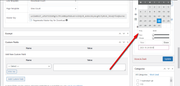
I think it may have a conflict between your plugins or theme. can you please enable/disable other plugins for checking, you may also switch theme to another for checking. Please kindly check and let me know.
Thank you and regards
Please use [expire_date] template tag on your page/link template. I hope it will work fine then. And for view count you have to visit your customer the package details page. Please kindly check and let me know.
Thank you and regards
I have got your issue, view count is counted when anyone view view the package page or package details page. I hope you have understood. Please kindly check and let me know.
Thank you and regards
When I am trying to view package , it is not showing as normal package but redirecting to other page. Please kindly elaborate.
Thank you and regards
Have you modified Download Manager Plugin? It is not showing as Downloads but showing Special. Also many submenus under it not showing. Please kindly check and let me know.
Thank you and regards
While trying to login, this message is showing,
Your signup is pending approval, we shall mail you as soon as your are approved!
Please kindly check and let me know.
Thank you and regards
Hello Nrupesh Soni,
Hope you are well. Can you please share the related URL? If possible, please, give your temporary wp-admin login details in a private reply to check the issue. However, View count may vary for the same active user means when any new user comes to the package page, but stays on the site for some time, he also downloads the package multiple times, the download count increases but for the same session for that user view count is counted as one. I hope you understand now. please check and let me know, if you have any queries.
Thank you and regards
Please share where and how you are formatting your newsletter and mail body. Please kindly check and let me know.
Thank you and regards
We are checking the issue. Thanks for your patience.
Thank you and kind regards again
I have again forwarded your issue to our related team authority. Thanks for your appreciation.
Thank you and kind regards
Our team tested your issue. We did some adjustments. It should properly load now. However, if not, either the you need to get a better server or decrease the number of packages per page. Please kindly check and let me know.
Thank you and regards
The image you have attached is not valid now. Can you please re-attach a screenshot? Please kindly check and let me know.
Thank you and regards
For now, for a moment you can make general package, then preview it for your necessary task and revert it to original mode again. Please kindly check and let me know.
Thank you and regards
The preview displays from the latest package which you have created. Your latest package is login protected. If you create a general package again, it will show the preview. Please kindly check and let me know.
Thank you and regards
Have you removed the login URL from earlier replies? Please share the login URL too. Please kindly check and let me know.
Thank you and regards
Sorry for the inconvenience. If possible, please, give your temporary wp-admin login details in a private reply to check the issue.
Thank you and regards
Glad to hear that. However, if you need further help with anything else, then please don’t hesitate to open a new topic. If you get some free moments, can you please give us a 5* here https://wordpress.org/support/plugin/download-manager/reviews/?rate=5#new-post, It will inspire us a lot. Thanks in advance 🙂
Thank you again and kind regards
Hello Simo Peltonen,
Hope you are well. Thanks for writing to us.
For updating the WPDM PRO plugin, Please simply click the Save Settings again for the license key option from Downloads > Settings > License, and then please update the plugin from the wp-admin > plugins panel.
For saving settings again for the license key option from Downloads -> Settings -> License, that will regenerate the access token. Thus the plugin will be updated,
For updating WPDM add-ons, please download your plugin from here, https://www.wpdownloadmanager.com/user-dashboard/?udb_page=purchases,
And update manually from the wp-admin dashboard Plugins > Add New option. I hope, thus it will resolve your issue. For the Download > Settings > Updates option will may not work properly for some server settings. please check and let me know, if you have any queries.
Thank you and regards
Really sorry for the inconvenience. if possible, please, give your temporary wp-admin login details in a private reply to check the issue.
Thank you and kind regards
For your confirmation, are you using this Notify Subscriber Option as I image attached?

Please kindly check and let me know.
Thank you and regards
Please kindly check and let us know further about the issue.
Thank you and regards
For Private Message issue, our developer team checked the issue, it was a JS conflict between Elementor and Private Message . Upon removing the support request page(private message) from Elementor it’s working fine now. Please kindly check and let me know if you have any issue more.
Thank you and kind regards